
Redact PDF: Remove Text and Pictures, Not Just Cover Them
Redact a PDF by drawing boxes over what has to go or by typing the words to find. The text, image pixels and line art under each box get deleted from the file, a black box marks the spot, and the metadata can go too.
// how it works
How to redact a PDF
- 01Upload the PDF you want to redact.
- 02Drag over each part you want removed, or type the words to find.
- 03Leave Also remove the metadata ticked, or untick it to keep the title and author.
- 04Click Redact PDF, download the result and check it.
// why pdf-file
What Redact PDF does
- Real removalText, image pixels and line art under each box get deleted from the file, so nobody can copy or recover them from it.
- Every match foundType a name or a number once and every place it shows up gets removed, on every page.
- Black boxesEach removed spot is covered by a black box, so readers can see something was taken out.
- Metadata removedThe title, author and other document properties can go along with the redactions.
- Marked in your browserYour PDF is shown and marked in the browser, and it's only uploaded when you click Redact PDF.
- Deleted within two hoursYour upload and the redacted file get deleted from our server within two hours.
How to redact a PDF so the hidden text is really gone
Drawing a black rectangle over a name in a PDF doesn't remove the name. The text is still in the file underneath, and anyone can select it, copy it or find it with a search.
This tool deletes what you mark and then covers the spot with a black box, so the hidden text really is gone. It's free and needs no account.
Redact a PDF NowHow to redact a PDF
- Click Upload PDF and pick the file you want to redact.
- Drag over each part you want removed, or type the words to find, one per line.
- Leave the metadata option ticked to drop the title, author and other properties as well.
- Click Redact PDF, download the result and check it.
Why a black box alone is not enough
A PDF stores text as characters with positions, and pictures as separate objects. A shape drawn on top hides them on screen, but the characters stay in the file and come right back with copy and paste or a text search.
Real redaction removes the content itself, which is what agencies and courts mean by sanitization. The black box is just the visible sign that something was taken out.
What the tool removes
The work is done with MuPDF, an open-source PDF engine. Every character whose outline falls under a box gets deleted from the page, the pixels of a picture under it are blanked, and lines and shapes the box covers completely are removed.
The file is then saved with unused objects cleared out, so the deleted content doesn't linger in some orphaned corner of the file. With the metadata option ticked, the document information and the XMP metadata stream get dropped too.
On a scanned page the text is a picture, so a box blanks the pixels under it. Drawn boxes are how you redact a scan.
Remove every place a word appears
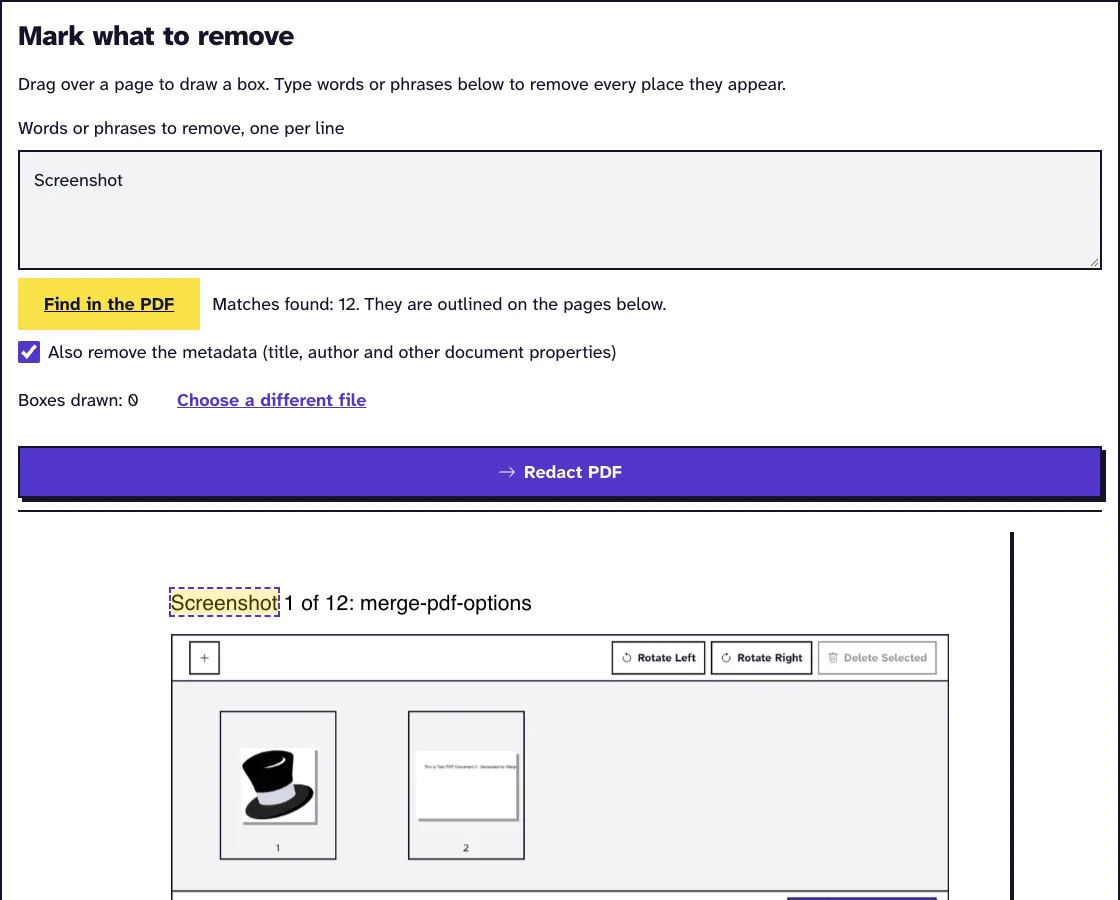
Type a name, an account number or any phrase, one per line, and click Find in the PDF to see the matches outlined. Upper and lower case don't matter to the search.
When you click Redact PDF, the server searches again and removes exactly the matching characters on every page. Words that sit in a picture, like on a scan, won't be found; draw a box over them instead.
What the word search catches and misses
We tested the word search against a name written several ways on 22 October 2026. Searching Jane Doe removed it where it was written normally, where it broke across two lines, where it had a double space and where it was in capitals.
It missed a copy hyphenated across a line (Jane Do- then e) and the initials J. Doe. So search for every form a name can take, and draw a box over any copy the search leaves behind.
On a scan run through our OCR tool, the recognized text sits as an invisible layer over the words in the picture. In our October 2026 test a box drawn over a name blanked its pixels and removed its OCR text too, and the word search found both copies of the name and blacked them out. On the second copy, though, the OCR word box sat about 5 points to the right of the printed name, so its first and last letters stayed visible in the picture: look over the page after a word search and box anything that's left.
What to redact before you share a file
- Names, addresses, phone numbers and email addresses of people who aren't party to the document.
- Account, card, policy and ID numbers; type each one in full, because only the characters that match get removed.
- Signatures and faces in photos, which you cover by drawing a box.
- Comments and form entries, after drawing them into the page with Flatten PDF.
A search finds a word everywhere it appears, which is safer than trying to spot every occurrence by eye. Run a search for each name and number even when you've already drawn boxes.
Check the result before you send it
Open the redacted file, search for each word you removed and try to select the text under a box. Nothing should come up.
Comments, form fields and bookmarks aren't part of the page content. Draw form entries and comments into the page with Flatten PDF before you redact, and check the remaining document properties with Edit PDF Metadata. For legal productions, number the redacted pages afterwards with Bates Numbering from our PDF organizing tools.
What happened when we tested Redact PDF
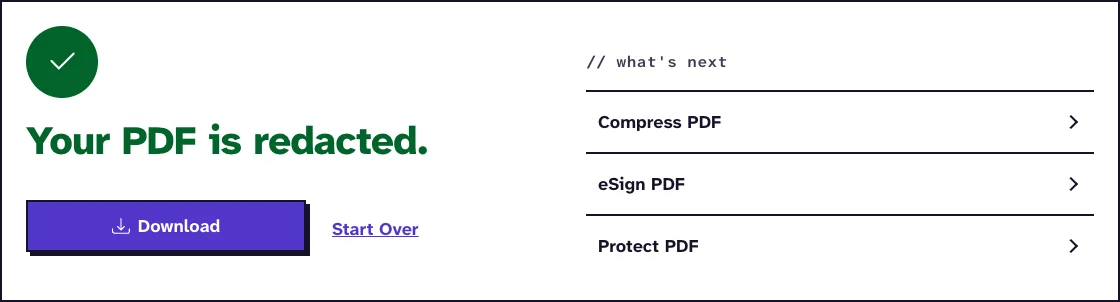
We uploaded sample-screenshots.pdf, a 12-page test file of 3.1 MB, and asked to remove every match of the word Screenshot. The tool returned sample-screenshots_Redacted.pdf, 3.1 MB with 12 pages, 0.2 seconds after we pressed the button on our local test server.
Tested in October 2026.
Frequently Asked Questions about Redacting a PDF
Can redacted text be recovered?
Not from the redacted file. The characters under each box get deleted, and unused objects are cleared out when the file is saved.
Can I redact a scanned PDF?
Yes, by drawing boxes. The pixels under each box are blanked, which removes the scanned text there.
Is the search case sensitive?
No. Typing jane doe also removes Jane Doe and JANE DOE.
Is my file kept?
No. The upload and the redacted file get deleted from our server within two hours.
Loved PDF-File.com? Spread the word!
Help us keep these tools free: Share with your friends!