PDF-File.com - Make PDF Easy.
Our free online tools are designed to make PDFs, Simplified. And Free. Convert, edit, and manage your PDFs.
Add a Stamp to Selected PDF Pages Online
Choose PDF pages and place a readable text stamp only on those pages, not every page.
Add a Watermark to Every PDF Page Online
Overlay centered text on every PDF page with adjustable rotation and opacity.
Add Page Numbers to PDF Online for Free
Number every PDF page online with a chosen starting number, format, and position.
Crop PDF Pages Online for Free
Change the visible and printable margins on every PDF page without claiming to securely erase cropped objects.
Add an Image to a PDF
Overlay one PNG or JPEG image on a selected PDF page
Edit PDF Metadata
View and edit PDF title, author, subject, keywords, creator, and producer metadata.
Auto Fill PDF Forms from JSON or CSV
Fill interactive PDF forms with exact field-name mapping from JSON or CSV.
Compare PDF Files
Compare two PDFs line by line and download a difference report.
PDF Diff
Compare two PDF files and find text differences in a downloadable report.
Merge PDF Files
Join PDFs into one single PDF file
Rotate PDF Pages
Spin one or all pages within a PDF
Remove PDF Pages
Cut unwanted pages from your PDF file
Organize PDF Pages
Tidy your PDF. Sort, delete and merge pages
Compress PDF Online
Smaller PDFs. Quality intact.
Grayscale PDF Converter
Go grayscale. Printer-friendly PDF files.
Extract PDF Pages
Extract pages from a PDF file. Keep just what you need.
Repair PDF File
Repair damaged PDFs and recover data
JPG to PDF Converter
Your JPGs, now in PDF Format.
PNG to PDF Converter
PNGs to PDF. Crisp & clear.
BMP to PDF Converter
BMPs to PDF. Quick conversion.
TIFF to PDF Converter
Convert TIFF Images to PDF documents
GIF to PDF Converter
Convert a GIF image's first frame into a PDF.
HEIC to PDF Converter
Convert HEIC and HEIF images into PDF files.
Image to PDF Converter
Convert JPG, PNG, or BMP images to PDF online.
SVG to PDF Converter
Convert an SVG image to a one-page rasterized PDF.
Word to PDF Converter
Word to PDF. Perfect conversion.
Powerpoint To PDF
Powerpoint presentations to PDF. Ready to share.
TXT to PDF Converter
Text files to PDF Documents. Simple & clean.
Excel to PDF Converter
Turn Excel spreadsheets into PDF
Convert CSV to PDF Online – Turn CSV Tables into Readable PDFs
Convert one CSV table into a readable, printable PDF while preserving rows and columns in order.
Merge Excel Files to PDF Online – Combine XLS & XLSX Workbooks
Convert multiple Excel workbooks and combine them in upload order into one PDF.
Merge Office Files to PDF Online – Combine Word, Excel & PowerPoint
Convert supported Word, Excel, PowerPoint, OpenDocument, RTF, and CSV files and combine them into one PDF in upload order.
Office to PDF Converter
Convert Word, Excel, PowerPoint, OpenDocument, RTF, and CSV files to PDF online.
EPUB to PDF
Convert an EPUB ebook into a readable PDF.
eSign PDF
Place a visual drawn, typed, or image signature on a PDF.
Merge PowerPoint Files to PDF Online – Combine PPT, PPTX & ODP
Convert supported PowerPoint and OpenDocument Presentation files and combine them into one PDF in upload order.
PDF to JPG Converter
PDF pages as JPGs. Quick export.
PDF to PNG Converter
PDF to PNG. Transparent & sharp.
PDF Thumbnail Generator
Create a PNG thumbnail from the first page of a PDF.
PDF to BMP Converter
Turn your PDF documents to BMP Images
PDF to TIFF Converter
PDF to TIFF. High-res images in PDF documents.
PDF to Word Converter
Unlock your PDF. Edit in Word.
PDF to RTF Converter
Convert PDF files to editable Rich Text Format documents.
PDF to ODT Converter
Convert PDF to an editable ODT document with LibreOffice; complex or scanned PDFs may need manual cleanup.
PDF to ODG Converter
Convert one PDF into an ODG graphics document with one LibreOffice Draw page per source page; complex or scanned PDFs may need review.
PDF to ODP
Convert PDF pages into an OpenDocument presentation.
PDF to Powerpoint Converter
PDF files to Powerpoint presentations. Ready to present.
PDF to TXT Converter
PDF files to Text. Turn your Documents into .txt
Merge Images to PDF
Combine multiple images into one PDF in upload order.
Flatten PDF
Make PDF form content static and non-editable.
Email to PDF
Convert email messages to readable PDF documents.
ODS to PDF
Convert OpenDocument spreadsheets to PDF.
ODP to PDF
Convert OpenDocument presentations to PDF.
Convert ODT to PDF Online – Free OpenDocument Text Converter
Convert .odt files to readable PDFs while retaining ordinary document formatting.
RTF to PDF Converter
Convert Rich Text Format files to readable PDFs while retaining basic document formatting.
ODG to PDF
Convert OpenDocument Graphics files to PDF.
PDF to Slides
Convert PDF pages to presentation slides.
OCR PDF
Extract text from image-based PDF pages.
PDF to SVG
Export PDF pages as SVG output using the available renderer.
PDF to PSD
Render PDF pages as flattened PSD images.
PDF to PostScript
Convert PDF files to PostScript documents.
PDF to PDF/A
Convert a PDF to a PDF/A-style archival output without overclaiming validation.
PDF to JSON
Extract PDF text into a documented JSON structure.
Merge Ebook to PDF
Combine ebooks into one PDF in upload order.
PDF to HTML
Convert PDF text into positioned HTML.
PDF Expiry
Set a server-enforced expiry for a temporary PDF.
PDF to GIF
Render PDF pages as GIF images.
PDF to HEIC
Convert PDF pages to HEIC images.
PSD to PDF
Convert visible PSD artwork into a PDF.
Swap PDF Pages
Swap two selected PDF pages while leaving all others unchanged.
Split PDF
Split a PDF into separate page-range files.
Markdown to PDF
Render Markdown headings, lists, emphasis, and code as a PDF.
Share PDF
Create a secure share link for a temporary PDF.
PDF Reading Time
Estimate reading time from extracted PDF text.
MBOX to PDF
Convert mailbox messages into a readable PDF.
Merge MBOX to PDF
Combine messages from multiple MBOX files into one readable PDF in file order.
Webpage to PDF
Render a validated public webpage URL as a PDF.
Merge Word to PDF
Combine Word documents into one PDF in upload order.
Merge Emails to PDF
Combine multiple email files into one PDF in upload order.
Duplicate PDF Pages
Duplicate selected PDF pages in your document.
PDF to CSV
Extract table-like PDF text into a CSV file.
PDF Table Extract
Extract rows and columns from text-based PDF tables into a CSV file.
PDF to Excel
Export selectable PDF text to an Excel spreadsheet with approximate layout.
PDF to ODS
Export selectable PDF text to an OpenDocument spreadsheet with approximate table layout.
Report Generator
Generate a structured PDF report from submitted data.
PDF Data Extraction
Extract dates, emails, phone numbers, and currency amounts from PDF text.
Change PDF Background
Add a solid or image background behind PDF content.
PDF Dark Mode
Render PDF pages with a dark background while preserving readability.
Remove Watermark
Remove a known watermark region without claiming general watermark removal.
Convert HTML to PDF
Render an HTML document as a PDF.
Extract Images from PDF
Pull embedded raster images from a PDF into a ZIP archive.
Compress PDF to ZIP
Zip your PDF. Easy shareable.
Protect PDF Password
Secure PDF. Add a password and encrypt.
Unlock PDF Password
Free your PDF. Remove password from your PDF files
Fill Out PDF Forms Online for Free
Fill text fields, checkboxes, dropdowns, radio buttons, and option lists in standard AcroForm PDFs.
tool_name_postscript_to_pdf
tool_desc_postscript_to_pdf
Ultimate Free PDF Toolkit: Edit, Convert & Secure PDF Files Online
Let’s be real - using complicated and unreliable PDF tools is tiring. Many PDF software you find on the market are either slow, clunky or very limited in their functionality. But that shouldn’t be the case. Everyone deserves a PDF tool that can merge files, convert documents and secure sensitive information quickly and efficiently.
That’s exactly what our free online PDF tool delivers. If we’re to describe it in three words, it will be accurate, quick and user-friendly. The best part is that it’s ideal for everyone - professionals, students or businessmen. This all-in-one toolkit can convert, merge, manage PDFs and edit PDFs online and take away the need for multiple apps.
It will be our pleasure to talk about everything our PDF software can do and what makes it different from others.
Get Instant Access to All PDF Tools – Try Now!Core PDF Editing Tools
One shouldn't have a frustrating experience when working with PDFs, especially when it comes to the basics which include:
- Merging files
- Compressing files
- Organising files
Transform PDF Files Instantly With Essential Editors
Merge PDF - Combine Files Seamlessly
It shouldn’t take multiple steps to combine multiple PDFs. But the problem is getting it done quickly and without losing the quality of each file while merging them.
Our software makes it easy for the user to merge PDFs instantly while maintaining 100% quality. The tool also maintains the clarity, organization and formatting of the user’s file content. It works with all documents, invoices, study materials or even contracts.
You’ll love how fast and efficient our software is if you’ve ever struggled with manual merging and unreliable free tools. All the user has to do is upload, arrange and merge and it will transform your PDF in seconds.
Why Use Our Software to Merge PDFs
- Lightning-Quick: It processes even large PDFs in seconds and makes sure the user’s document is ready almost immediately.
- No Guesswork: There’s a visual preview feature that one can use to see their files while the tool is merging them.
- No Quality Loss: The text, image and layout will stay exactly as they were.
- No Limits: One gets unlimited usage with our tool to merge as many documents or pages as they want.
Compress PDF - Reduce File Size Smartly
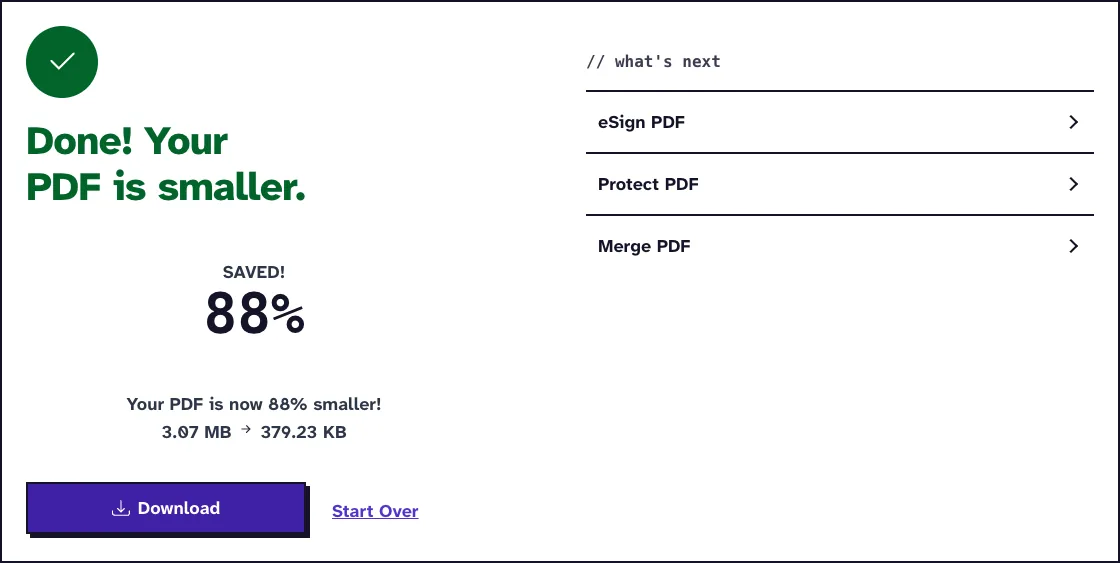
Large files take up too much space and are slow to share or upload. Our Compress PDF feature fixes this problem instantly while keeping your text, images and layout intact. In other words, the user doesn’t have to sacrifice quality for a reduced file size.
No more blurry text and images. Our software will remove the unnecessary data in the file while preserving the important details and its readability. One can now say goodbye to failed email attachments or long sharing/upload times. It’s just optimized PDFs that work anywhere.
Why Use Our Software to Compress PDFs
- Custom Compression Levels: The user decides if they want low, medium, or high compression.
- One-Click Compression: There are no confusing settings or manual adjustments needed. The user just has to upload and compress.
- No Watermarks: We don’t add intrusive watermarks; the user gets a clean file.
- No restrictions: There’s no limit on the number of times or documents one can compress with our tool.
Organize PDF Pages - Reorder & Rearrange
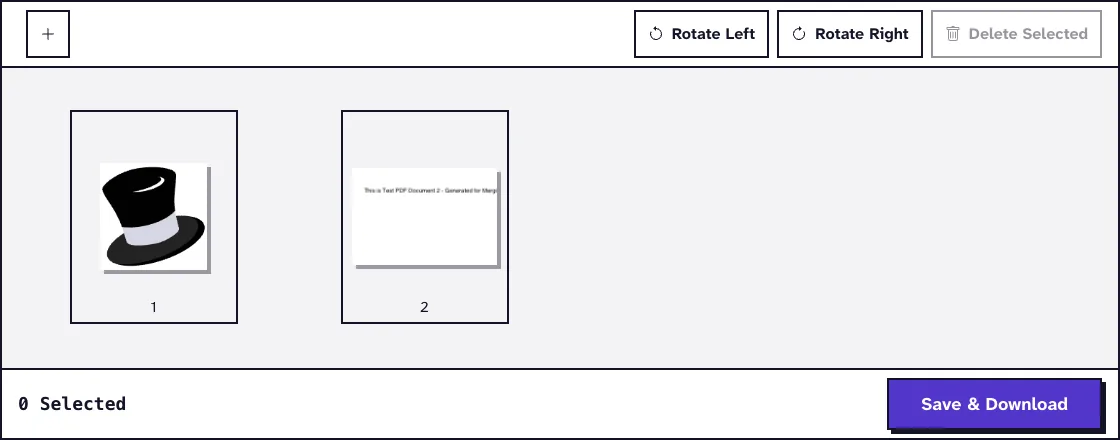
Have you ever downloaded a PDF online only to find the pages in the wrong order? Our free PDF tool will make it easy for the user to remove, rotate or reorder pages. This will make sure their document appears exactly the way they want. The best part is that the user can do this in seconds instead of manually extracting and rebuilding files.
It works the same whether the file is a presentation, contract or report. All they have to do is drag, drop and order the pages to their taste.
Why Use Our Software to Organize PDFs
- Instant Page Deletion: The user can delete multiple pages with a single click without having to recreate the entire PDF.
- Easy Page Rotation: Our software makes it easy for the user to fix pages that were scanned upside down or in the wrong orientation.
- Works with PDF of any Size: The user will enjoy the same performance with our tool on a 10-page report or a 500-page manual.
- Secure & Fast Processing: PDF-File.com is fully-encrypted and cloud-based. It will process the document safely without performance lags.
Advanced PDF Modifications
Basic edits are not enough sometimes when dealing with PDFs. One needs advanced modifications that can allow them to rotate, remove, or optimize pages with precision. Our free online PDF editor gives the user total control over their document without following complex steps.
Professional-Grade PDF Customization
Rotate PDF Pages - Fix Orientation in 1 Click
Many PDFs are not formatted the way you need them. It’s either the scanned pages are appearing sideways or some sections are upside-down, making it frustrating to share or read.
But the good news is that our software can instantly fix the orientation of the user’s documents. So the user doesn’t have to manually rotate the pages again. It’s a simple process - upload the PDF, select the pages to rotate and fix the alignment in seconds.
Why use Our Software to Rotate PDFs
- Batch Processing Support: The user can fix multiple pages at once without worrying about manual adjustments.
- Custom Rotation Options: PDF-File.com allows the user to rotate left (90°), right (270°), or full upside-down (180°).
- Secure & Private: Our software encrypts your file and processes it without storing its data
- No Quality Loss: The user doesn’t have to worry about the text clarity, image sharpness, or reformatting the PDF.
Remove PDF Pages - Delete Unwanted Content
Not every page in the PDF is useful. It could be irrelevant, confidential information or a blank page. Other online PDF tools might make a mess of it or require manually extracting or reassembling the document to get it done. But our software is different. It will help the user remove pages from the document effortlessly and keep it clean.
All the user has to do is upload the file, select the pages they want to delete, preview the changes and remove them with one click. It’s that simple and it doesn’t affect the rest of the document.
Why Use Our Software to Remove PDF Pages
- One-Click Page Removal: The user can use our completely free PDF editor to either delete a single page or several pages at once.
- No Format Changes: PDF-File.coms maintain the original document format even after deleting multiple pages.
- Precise Page Selection: The user can easily select and delete pages that are not close to each other.
- Works On Any Platform: PDF-File.com works on different devices (desktop, PC Android or iPhone) or operating systems (Android, Windows, iOS and mac). It can also function well on any browser - Edge, Chrome, Firefox, etc.
Grayscale PDF - Optimize for Printing
If we’re being honest, printing full-color PDFs is a waste of ink and toner, especially for official documents, academic papers or business reports. That’s why one needs a Grayscale PDF feature that will prepare your files for high-contrast and efficient printing. It will keep every detail on your PDF clear while significantly reducing your ink usage.
However, many grayscale converters fall short in this regard as they distort text or wash out images. That problem is non-existent with our software which preserves the sharpness of your text and images. The end result will be a PDF document that’s easy to read digitally and in print. Every user is guaranteed to spend less on printing without compromising the quality of the file.
Why Use Our Software for Grayscale Conversion
- Smart Ink Reduction: Our software lets the user optimize text and images so they can use less ink without ruining the readability of the document.
- Reduces File Size: Our grayscale feature will lower the size of your document to make it easier to share or upload.
- Converts Multiple PDFs: The user can convert and optimize several PDFs at once, which saves a lot of time in the process.
- No Watermarks or Ads: One doesn’t have to worry about annoying ads or watermarks on the finished document.
File Conversion Suite
PDF conversions from one form to another should be a walk in the park. The format should stay the same and there should be no loss in quality if you're turning images or office files into PDF. But we know that's not always the case. Most file converters compress images poorly, fail to recognize text and tamper with the layout.
This is one of the PDF problems our software has already fixed. Every conversion is flawless and the user doesn’t have to worry about missing data or formatting errors.
Images to PDF
JPG to PDF & PNG to PDF
Our software has a JPG to PDF and PNG to PDF that makes it very easy to turn images into high-resolution PDFs. It’s like a dream tool for designers, photographers and professionals who want to share visual content in a polished and ready-to-publish format.
While other converters reduce quality, ours retain every color and detail. But the best part is that one isn’t limited to a single image. They can convert multiple images at once.
Why Use Our Software to Convert JPG & PNG to PDF
- There’s no loss of resolution or sharpness in conversion.
- It adjusts images to fit perfectly with PDF dimensions.
- It sets page size, orientation and margins for a professional look.
- The interface is simple and beginner-friendly.
BMP to PDF & TIFF to PDF
A lot of users prefer BMP and TIFF files for their high-resolution prints and image quality. However, many PDF converters fail to maintain the sharpness and leave them with something they can’t use. That's not the case with our software - it makes sure every file the user converts is pixel-perfect. It preserves every fine line, texture and colour detail for any kind of file - a technical blueprint or detailed artwork.
Why Use Our Software to Convert BMP & TIFF to PDF
- It has extremely high image accuracy even for large BMP/TIFF files.
- It controls DPI for the best output.
- Our software processes entire file folders in one go.
- It makes the image perfect for high-quality print production.
Office to PDF
Word to PDF & Excel to PDF
Users are constantly worried about formatting issues when converting Word or Excel files to PDF. It’s hard to blame them. Many document converters tamper with the fonts, break tables or omit texts.
But one doesn't have to encounter these problems with our software. We've designed it to make documents look exactly as they should. The Excel files will keep their formulas, tables and charts, while Word documents will maintain their spacing, headings and footnotes.
Why Use Our Software to Convert Word & Excel to PDF
- Every element in the document will remain the same.
- It keeps or highlights hyperlinks and bookmarks for interactive documents.
- It secures sensitive data while converting the file.
- It works with any version of Office - DOCX, XLSX and even older file types.
PPTX to PDF & TXT to PDF
PowerPoint presentations contain complex layouts, charts and animations. No one will want a subpar converter to ruin those. They will want to keep every slide intact to make it perfect for training manuals, business presentations or webinars. The good news is that our PPTX to PDF feature can make that happen.
The same applies with our TXT to PDF converter. It’s a quick and effective way to convert simple text files like meeting notes or transcripts to easy-to-read digital documents.
Why Use Our Software to Convert PPTX & TXT to PDF
- There will be no font mismatches or missing characters in the documents.
- It transforms slides and texts into PDFs at the speed of light.
- Our software supports multiple languages.
- It can be converted from any device.
PDF to Other Formats
PDF to JPG/PNG - Extract Images
Our all-in-one tool can convert PDF to JPG or PNG, just as it can turn the latter into the former. And it does it without compromising the quality of the images. So the user can pull high-resolution images from a PDF without compression or artifacts. This feature is ideal for content creators, designers and researchers who often need to extract graphics or illustrations from documents.
Why Use Our Software to Convert PDF to JPG/PNG
- It gives high-resolution outputs
- The user can choose to extract images from entire PDFs or specific pages
- It doesn’t store data from the documents on the servers
- It’s perfect for presentations and reports.
PDF to Word - Editable Docs
Most users have had a bad experience with PDF-to-Word converters. It’s like one has to get ready to re-format their documents, fix tables, or look for missing content after conversion. How about a tool that converts every detail but keeps the text, tables and layout intact? That’s a game changer for office workers if one were to ask us.
Why Use Our Software to Convert PDF to Word
- The user can work on the converted document instantly ,as there's no loss in text, table or layout.
- Our software is equipped with Optical Character Recognition technology to extract images from documents without reducing quality.
- It doesn’t brand or add watermarks to the processed document.
- It’s ideal for legal and business documents.
PDF to ZIP - Archive Multiple Files
It can be a headache to deal with multiple PDF documents. The frustration of endless email attachments, cluttered file storage and not-so-easy sharing is common among professionals. So why not bundle everything into a compressed folder to make storage, archiving and sharing easier? This is where our PDF to ZIP feature comes in.
Our software will help simplify the user’s workflow and make it easier to handle large volumes of documents. So no more messy files or having to send many files when everything can be in one place.
Why Use Our Software to Convert PDF to ZIP
- It compresses and organizes multiple PDFs at the click of a button.
- Our software helps the user save storage space without losing quality.
- It processes large batches of files almost instantly.
- It’s ideal for lawyers, project managers, accountants, or anyone who handles large volumes of documents daily.
PDF Security & Recovery
Every user takes their PDF documents very seriously. So they will want to prevent these files from getting lost, corrupted or falling into the wrong hands. Our software can make that happen and make these fears a thing of the past.
Protect & Repair Critical Documents
Protect PDF - Add Encryption to your PDFs
One no longer needs to be worried about the private information in their PDFs. PDF-File.com will protect the PDF from prying eyes, giving the user control over who can see/change their files.
Why Our Software is the Best for Protecting PDFs
- It uses military-grade encryption to keep hackers out.
- It adds digital signatures to verify who sent the document.
- It adds watermarks to show ownership.
- It can lock multiple files at once.
Unlock PDF - Remove Restrictions Securely
Users sometimes forget their passwords or can’t open an important document. And it can get frustrating when they need to access these files. Our software has an unlock feature that makes it easy to reopen your restricted files almost instantly.
Why Our Software is the Best For Unlocking PDFs
- It allows the user to quickly remove passwords on their files.
- The tool works on stubborn files that others can’t unlock.
- It can work on many files at once.
- The tool works without the need for additional software.
Repair PDF - Fix Corrupted Files
Is the PDF giving error messages or not opening? The good news is one doesn’t have to lose their work because their file got corrupted. Our software can repair broken documents and recover important information.
Why Our Software is the Best For Repairing PDFs
- It can fix severely broken files that won’t open.
- It can recover text, images and layout from damaged files.
- The tool lets the user see what it can recover.
- It can work with PDFs made by any program.
Specialized PDF Tools
Anyone who uses a document wants software that can give them more than the basic functions. This is exactly what makes our PDF tool perfect for the job.
Niche Solutions for Unique Needs
Extract PDF Pages - Create New Documents
Let's say one only needs specific pages from a large document. Our software makes it easy for the user to take what they need without altering the original document format.
Why Our Software is the Best for Extracting PDF Pages
- It can extract single or multiple pages. (that are either separate or bunched together)
- It helps you create new documents from existing PDFs.
- The tool can create new PDFs from multiple documents at once.
- The tool allows users to view PDFs and confirm what they select before extracting.
PDF to TIFF/BMP - High-Fidelity Conversions
Our software is exactly what one needs to create excellent image versions of their PDFs. It's second to none in preserving every detail for archiving or professional printing purposes.
Why Our Software is the Best For Converting PDF to TIFF/BMP
- The tool allows the user to adjust compression settings and control the file size.
- It preserves the color profile for high-quality image printing.
- The tool can convert large volumes of documents to TIFF/BMP at once.
- It allows the user to configure DPI settings for specific outputs.
Frequently Asked Questions
Can I use your PDF tool on mobile devices?
Yes. Our software works on smartphones and tablets, making it easy to use it anywhere and anytime. One doesn't need to wait till they open a tab on their computer.
Do I need a subscription to use your PDF tool?
Users can enjoy the features on our all-in-one PDF toolkit for free.
Can your PDF software perform any function without additional software?
Yes, our software is designed to perform both basic and advanced functions on its own. All the user needs to do is upload the file, select the tool/function and download the results when done.
How long will it take to process my PDF documents?
Our software can finish most operations within seconds and about a minute for large batches.
Get Started With the Best All-In-One PDF Software TodayLoved PDF-File.com? Spread the word!
Help us keep these tools free: Share with your friends!