
Repair PDF Files That Won't Open: Rebuild a Damaged PDF Online
Repair PDF files online for free: upload a damaged or corrupted PDF and download a rebuilt copy that opens again. Ghostscript reads every page it can still find and writes them into a new, clean PDF.
// how it works
How to Repair a Damaged PDF Online in 4 Steps
- 01Select your damaged PDF or drag & drop it here.
- 02Add or remove files as you need.
- 03Click 'Repair PDF' and wait while the server rebuilds each file.
- 04Download the repaired PDF and check every page.
// why pdf-file
Repair PDF features and limits
- Fast Recovery AttemptGhostscript reads every page it can still find and writes them into a new, clean PDF.
- Free, No Sign-UpRepair PDFs of up to 25 MB each at no cost and without an account.
- Several Files at OnceAdd several damaged PDFs and repair them in one run.
- Secure & PrivateFiles are repaired on our server and deleted automatically within two hours.
- Easy for EveryoneYou don't need tech skills. The steps are clear and simple.
- Works EverywhereUse any browser on desktop or mobile devices.
Repair PDF: What Can Be Fixed, What Can't and Our Test
Opening a PDF you need and getting an error message instead is frustrating, especially when it is the only copy. Many damaged PDFs still hold all their pages: what broke is the index that tells a reader where to find them.
PDF-File.com's Repair PDF tool lets Ghostscript read whatever it can from the damaged file and write those pages into a new, clean PDF. If no usable PDF comes out, the tool tells you so instead of handing you another broken file.
Repair Your PDF Online for FreeHow to repair a PDF online
- Click the upload area and choose one or more damaged PDFs of up to 25 MB each, or drag them onto the page.
- Click + to add more files, or remove one you picked by mistake.
- Click Repair PDF and wait while the server rebuilds each file.
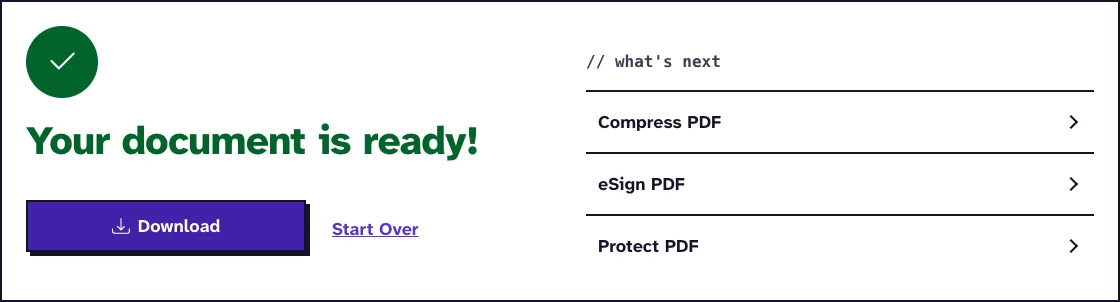
- Download the repaired PDF and check every page before you replace your copy.
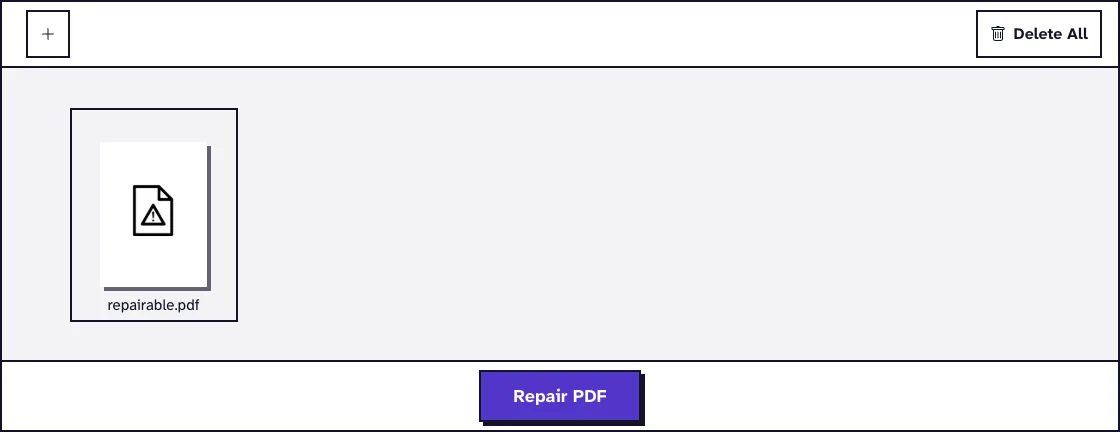
Keep the damaged original until you have checked the repaired copy. If you repair several files at once, they download together in one ZIP file.
How does the PDF repair work?
A PDF ends with a cross-reference table and a trailer that tell a reader where each object sits in the file. When a download breaks off or a save is interrupted, that index is often what goes missing, so many readers give up.
Ghostscript can rebuild that information by scanning the file itself. Our server then writes the readable pages into a new file with Ghostscript's pdfwrite device, which aims to match the original's appearance while building a fresh internal structure.
Before the result is offered for download, the server checks that it opens as a PDF. If it doesn't, you see "We couldn't repair this file" instead of a download button.
What happened when we tested Repair PDF
Our test file repairable.pdf (3.0 KB) is a 5-page PDF whose cross-reference table and trailer we cut off on purpose. The tool turned it into repairable_RepairPDF.pdf, 5.6 KB and 5 pages, with no options to choose. Tested in October 2026.
All five pages came back in a file that opens normally again.
Which corrupted PDFs can be repaired, and which can't?
Often repairable
Files with a missing or broken cross-reference table, a damaged trailer or wrong byte offsets usually open again after the rebuild. Partly damaged files can come back with the pages that are still intact.
Not repairable here
A 0-byte file or one whose data was overwritten has nothing left to read. A file that does not start like a PDF is turned away as invalid, and a PDF that needs a password to open must be unlocked with Unlock PDF first.
What changes in a repaired PDF
Because the file is rewritten, any digital signature in it is no longer valid. Check form fields and links in the new copy, and keep the original if you need its exact structure.
What causes a PDF to become corrupted?
The usual causes are a download that stopped early, a crash or power cut while the file was being saved, and copying to a failing USB stick or memory card. Email attachments and sync tools can also cut a file short.
To prevent it, save with Save As to a new name instead of overwriting, wait for downloads and syncs to finish, and keep a backup. If a PDF opens in one reader but not another, it is often a damaged index that this tool can rebuild.
What to do if the repair fails
Look for an earlier copy first: the original download link, the sender's email, a cloud version history or a backup. A fresh copy beats any repair.
If the repaired file opens but some pages are blank or wrong, save the good pages with Extract PDF Pages. To salvage only the words, try PDF to Text on the repaired copy.
Once the file opens again, Compress PDF can shrink it, and PDF to PDF/A converts it into the archiving format if you want to store it for the long term.
Fix Your Corrupted PDF NowFrequently Asked Questions about Repairing PDFs
Is PDF repair always possible?
No. It works when the pages are still in the file and only the structure around them is broken. Empty, overwritten or password-locked files can't be repaired here.
Will repairing my PDF affect its quality?
The new file is written with Ghostscript's prepress settings, which aim for the same look as the original. Compare the pages with what you expect, especially images.
Can I repair several PDFs at once?
Yes. Add several files of up to 25 MB each; the repaired copies download together in a ZIP file.
Does the tool use OCR?
No. It rebuilds the PDF structure and does not recognize text in scanned pages.
Are sensitive documents safe to repair online?
Files upload over HTTPS and are deleted from our server automatically within two hours. Only upload files you are allowed to process.
Can the tool repair PDFs with digital signatures?
It can often rebuild the pages, but the rewritten file no longer carries a valid signature. Ask the sender for a fresh signed copy if the signature matters.
Loved PDF-File.com? Spread the word!
Help us keep these tools free: Share with your friends!