
PDF to Text Converter: Extract the Text of a PDF as a TXT File
Convert PDF to text for free: upload one or more PDFs and Ghostscript writes the text of every page into a plain TXT file you can open in any editor. It works on PDFs with selectable text, while scanned pages need OCR first.
// how it works
How to Convert PDF to Text in 4 Steps
- 01Select your PDF or drag & drop it here.
- 02Add or remove PDFs as needed.
- 03Click Convert to Text.
- 04Download your text file, or a ZIP when you converted several PDFs.
// why pdf-file
What the PDF to Text Converter Does
- FastGhostscript reads the text stored in each page instead of guessing it from pixels.
- Free to UseNo charge and no account, for PDFs up to 25 MB each.
- Batch & Clean OutputConvert single or multiple PDFs into plain TXT files all at once.
- Secure & PrivateFiles are converted on our own server and deleted automatically within two hours.
- Easy for EveryoneThere are no settings: upload, convert, download.
- Works EverywhereUse any browser on desktop or mobile to extract text.
Converting PDF to Text: What the TXT File Contains
Copying text out of a PDF by hand often brings broken lines and missing spaces, and it takes a long time for many pages. Converting PDF to text gives you the words in a plain TXT file that opens in any editor, on any system.
This converter runs Ghostscript on our server to read the text stored in each page. You can convert several PDFs in one go.
Convert Your PDF to TextHow to convert PDF to text
- Click Choose Files or drag one or more PDFs of up to 25 MB each onto the upload area.
- Add more files with the plus button, or remove the ones you don't need.
- Click Convert to Text.
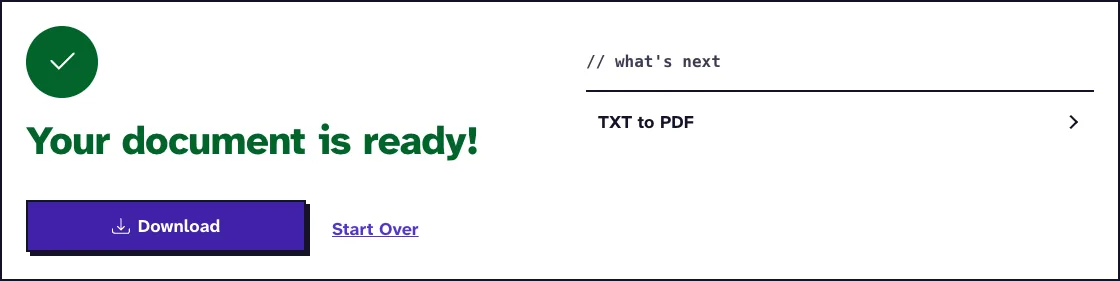
- Download the TXT file. Several files arrive together in one ZIP.
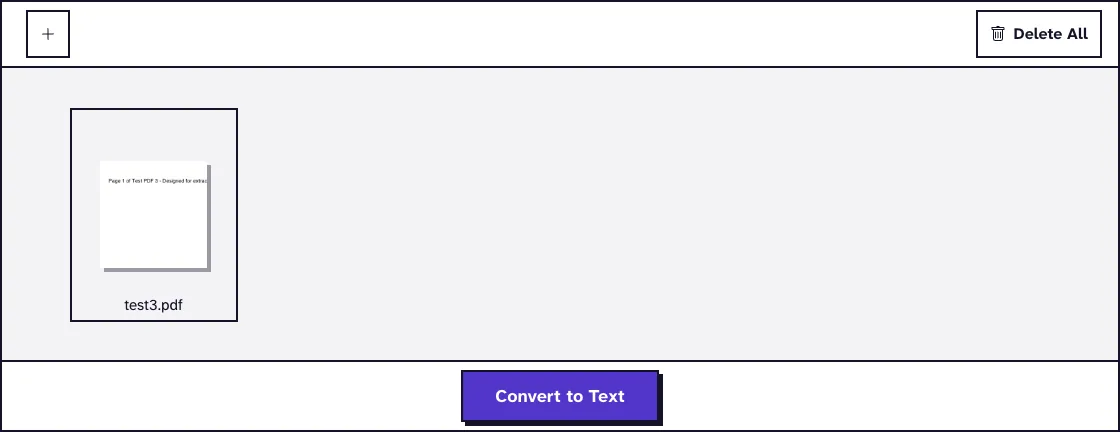
There are no settings to choose, and every page of each file is converted. You need no account.
What the TXT file contains
The conversion uses Ghostscript's txtwrite device, which, as the Ghostscript documentation puts it, outputs the text contained in the original document as Unicode. Each line of text on a page becomes a line in the file, in page order.
Ghostscript adds spaces to keep text roughly where it sat on the page, so indented lines stay indented. Lines end with Windows line breaks (CR LF), which every common editor reads.
Bold, italics, fonts, images and colors are dropped, and links stop working. A web address printed in the text stays in the file as plain text.
Scanned PDFs and OCR
This tool does not run OCR. A scanned or photographed PDF stores pictures of text, so the TXT file comes out empty or nearly empty.
Run such a file through OCR PDF first to add a text layer, then convert the result here. You can tell in advance: if you cannot select words in your PDF viewer, there is no text to extract.
Tables, columns and other layouts
A TXT file has no cells or columns. Table rows come out as lines with spaces between the values, and two text columns side by side can end up on the same lines.
For table data you want to sort or calculate, use PDF to CSV instead. Check the text of multi-column pages before you rely on its reading order.
Large, locked and partial documents
Each PDF can be up to 25 MB, and there is no page limit. Split a bigger file with Split PDF and convert the parts.
The converter always takes every page. To get the text of a few pages only, delete the others first with Remove PDF Pages.
A PDF that needs a password to open cannot be read, so remove the password with Unlock PDF first. Only do that for documents you have the right to change.
When TXT is not the right format
TXT keeps words and nothing else. For an editable document that keeps more of the page layout, convert to Word or to ODT instead.
Your PDFs and the TXT files are converted on our own server, not by an outside service, and deleted automatically within two hours.
What happened when we tested PDF to Text
We converted test3.pdf, a small 5-page test file of 2.0 KB with one sentence on each page. The tool returned test3_PDFToTXT.txt, 405 B in size.
The file held five lines, one per page in page order, each starting with the spaces Ghostscript adds for the page margin. Tested in October 2026.
Frequently Asked Questions about converting PDF to text
Will my PDF's formatting be preserved in the TXT file?
No. Bold, italics, fonts and images are lost. Line breaks and rough indentation are kept.
Can I convert multiple PDFs to TXT files at once?
Yes. Upload several PDFs, and each becomes its own TXT file. They download together in one ZIP.
Can I convert a scanned PDF to text?
Not directly, because this tool does not run OCR. Use OCR PDF first, then convert the result.
Can I convert specific pages of a PDF rather than the entire document?
No. It converts every page, so remove the pages you don't need first with Remove PDF Pages.
Will hyperlinks in my PDF be preserved in the TXT version?
No. Link targets are not exported, and only web addresses printed in the visible text appear in the file.
Loved PDF-File.com? Spread the word!
Help us keep these tools free: Share with your friends!