
Unlock PDF Files: Remove the Password When You Know It
Unlock PDF files online for free: upload a password-protected PDF, type its password and download a copy that opens without one. The tool removes a password you know; it does not guess or crack unknown passwords.
// how it works
How to Unlock a PDF in 3 Steps
- 01Choose your locked PDF or drag & drop it here.
- 02Type the password in both fields and click 'Unlock PDF'.
- 03Download the unlocked PDF, which opens without a password.
// why pdf-file
Unlock PDF features and limits
- Fast UnlockingOur test file was unlocked 0.1 seconds after we clicked Unlock PDF.
- Free, No Sign-UpUnlock PDFs of up to 25 MB at no cost and without an account.
- Regain Full AccessThe copy you download has no encryption, so it opens, prints and copies without a password.
- Secure & PrivateFiles travel over HTTPS and are deleted from our server automatically within two hours.
- Easy for EveryoneThe steps are clear and fast enough for anyone.
- Works EverywhereUse any browser on desktop or mobile devices.
Unlock PDF: How Password Removal Works and Our Test
Typing a password every time you open a PDF gets old fast, and some tools refuse to work with protected files at all. If you know the password, our Unlock PDF tool removes it and gives you a copy that opens, prints and copies freely.
The tool needs the password: it decrypts the file with it and does not guess, crack or bypass an unknown one. Only remove protection from files you own or are allowed to change.
Unlock Your PDF NowHow to unlock a PDF online
- Click the upload area and choose the password-protected PDF (up to 25 MB), or drag it onto the page.
- Type the password in the Password and Confirm Password fields.
- Click Unlock PDF.
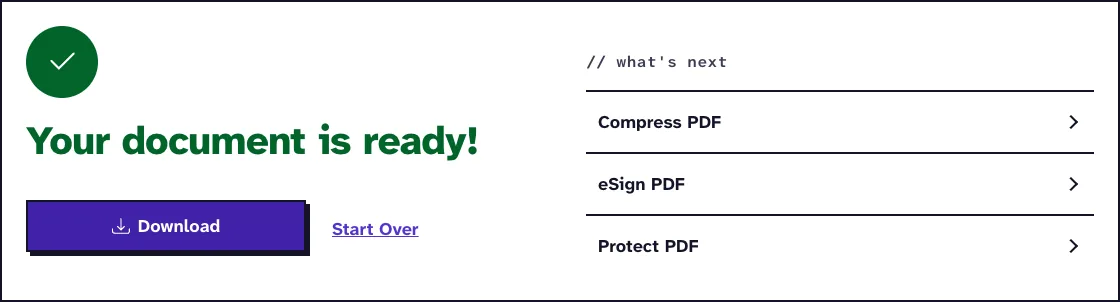
- Download the unlocked copy, which opens without a password.
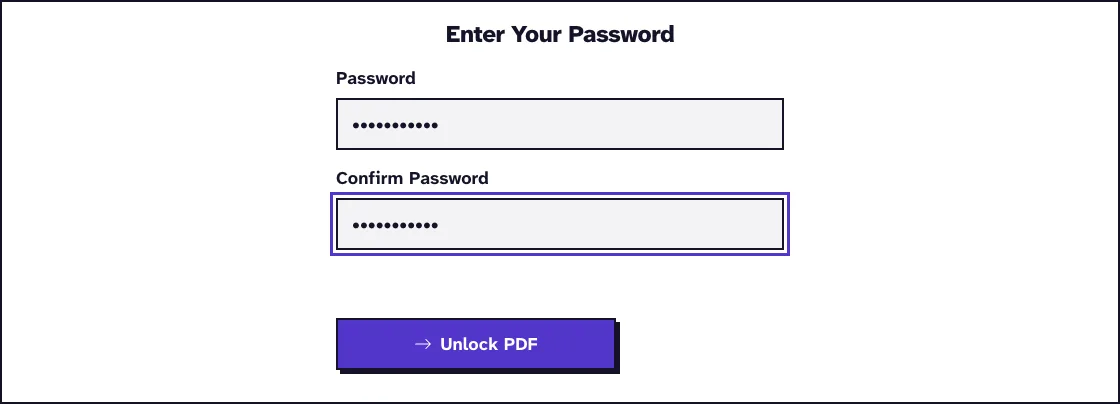
If the password is wrong, the tool says so, clears both fields and lets you try again. Our guide on the Unlock PDF wrong password error walks through that retry step.
How does PDF password removal work?
Our server runs qpdf with its --decrypt option, giving it the password you typed. qpdf writes a new copy of the PDF with no encryption at all, so the open password and any printing or copying restrictions are gone.
The page content is copied as it is, without re-rendering, so text, images and layout stay as they were. Files travel over HTTPS and are deleted from our server automatically within two hours; Is it safe to unlock a PDF online? explains what happens to the file in between.
What happened when we tested Unlock PDF
We unlocked our small test file protected.pdf (1.5 KB, 1 page) by typing its test password into Password and Confirm Password. The unlocked copy, protected_UnlockPDF.pdf, was 1.3 KB and 1 page, and it was ready 0.1 seconds after we clicked Unlock PDF. Tested in October 2026.
Open password vs permissions password: which one do you have?
A PDF can carry two passwords. The user password encrypts the file and must be typed before the PDF opens; the owner (permissions) password lists actions to restrict, such as printing or copying.
If your PDF asks for a password when you open it, type that open password here. If it opens freely but blocks printing or copying, type its permissions password; our guide on removing a PDF print restriction covers that case.
What to do if you can't unlock your PDF
Without the password there is no way through this tool: unlocking a PDF without knowing the password explains why and what your options are. Ask the sender or the document's owner for the password or for an unprotected copy.
Check the password for typos, Caps Lock and the keyboard layout, since a password that contains a special character can type differently on another keyboard. If the file itself is damaged rather than locked, try Repair PDF.
How to keep an unlocked PDF safe
An unlocked copy can be opened by anyone who gets it, so store it where only the right people can reach it. Keep the protected original as well.
After editing, you can add a new password with Protect PDF. Our guide on removing a PDF password to edit and re-protect the file walks through the round trip, and PDF to Word works on the unlocked copy if you need to edit the text.
Remove Your PDF Password for FreeFrequently Asked Questions about Unlocking PDFs
Can I unlock a PDF without the password?
No. The tool uses the password you type to decrypt the file and does not try to crack unknown passwords.
Why do I have to type the password twice?
The two fields must match, which catches typing mistakes before the file is sent.
Does unlocking reduce the quality of my PDF?
No. qpdf removes the encryption and copies the page content without re-rendering it.
Does unlocking also remove printing and copying restrictions?
Yes. The unlocked copy has no encryption, so the restrictions that depended on it are gone as well.
Will unlocking remove digital signatures?
It can break them. The file is rewritten, so a digital signature in it will no longer validate.
Can I add a password again later?
Yes. Use Protect PDF to set a new password once you have finished editing.
Loved PDF-File.com? Spread the word!
Help us keep these tools free: Share with your friends!