
Blank PDF Maker: Create Empty Pages in Common Paper Sizes
Make a blank PDF with 1 to 500 empty pages in Letter, A4, Legal, A3, A5 or Tabloid size, portrait or landscape. Your browser builds the file, so nothing gets uploaded.
// how it works
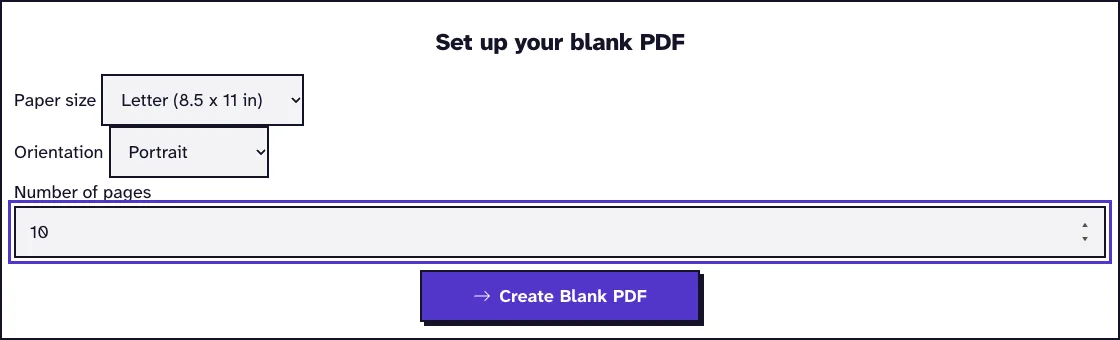
How to make a blank PDF
- 01Pick the paper size and orientation.
- 02Type how many pages you want.
- 03Click Create Blank PDF and the download starts right away.
// why pdf-file
What the blank PDF maker does
- Six paper sizesLetter, A4, Legal, A3, A5 and Tabloid.
- Portrait or landscapeEvery page of the file uses the orientation you pick.
- Up to 500 pagesMake a single empty page or a whole pad of them.
- Nothing uploadedYour browser makes the PDF with pdf-lib, so no file goes to our server.
- Free, no accountNo sign-up, no limit on how often you use it, and no watermark on the result.
- Ready for any editorThe pages are completely empty, ready for a PDF editor, a form tool or a printer.
How to create a blank PDF
A blank PDF is a file of empty pages. You might want one to print on, to start notes in a PDF app, to fill a gap in another document or to test a form or a printer.
This tool makes one in your browser in any common paper size. It's free, you don't need an account, and nothing gets uploaded.
Create a Blank PDF NowHow to make a blank PDF
- Pick the paper size and the orientation.
- Type how many pages you want, from 1 to 500.
- Click Create Blank PDF and the download starts right away.
Which paper size to pick
Letter (8.5 by 11 inches) is the standard in the United States and Canada, with Legal and Tabloid for longer and bigger sheets. Nearly everywhere else it's A4, with A3 twice its size and A5 half of it, as set out in ISO 216.
Go with the size of the paper you'll print on, or of the document you want to add pages to. Portrait pages are taller than they are wide; landscape pages are wider than they are tall.
Exact page sizes and what is inside the file
Every page is exactly the size you pick, and the file carries nobody else's name or settings. In October 2026 we made one page in each size and read the page boxes and document properties.
| Size | Page in points (portrait) |
|---|---|
| Letter | 612 x 792 |
| A4 | 595.28 x 841.89 |
| Legal | 612 x 1008 |
| A3 | 841.89 x 1190.55 |
| A5 | 419.53 x 595.28 |
| Tabloid | 792 x 1224 |
Media box and crop box match on every page, so a viewer shows and prints the full sheet with no hidden margin. The only document properties are Creator and Producer, both naming pdf-lib, and the date you made the file. There's no title, author or company.
Even a long file stays small. 500 A4 pages came to 6.7 KB and were ready 0.1 seconds after the click in our browser test, and one page takes under 600 bytes.
What to do with a blank PDF
If you want empty pages inside an existing PDF, Add Pages to PDF does that in one step, sized like the pages around them. To join a blank file with others, use Merge PDF.
You can also put a picture on a blank page with one of our PDF editing tools, or sign it with our PDF signing and security tools.
Print it or fill it in
A blank PDF prints the same on every printer, so it's a clean way to feed a printer exactly ten empty sheets or to test its margins. Choose actual size in the print dialog so nothing gets scaled.
On a tablet, open the file in a note-taking or PDF app and write on it with a pen. On a computer, add text, pictures or check marks to the pages with Edit PDF.
Why nothing is uploaded
Your browser builds the file with pdf-lib, an open-source PDF library. Nothing goes to our server, and the result is ready the moment you click.
The pages hold no text, images or fonts, which is why even a long file stays tiny.
What happened when we tested Blank PDF
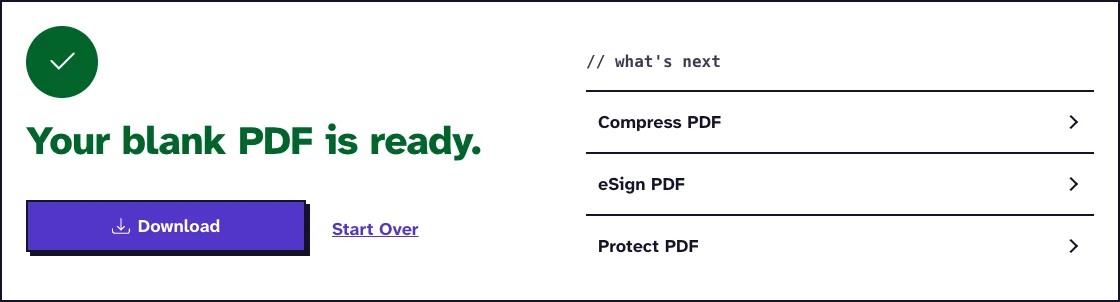
We asked for 10 Letter pages, portrait. The tool returned blank-letter-10-pages.pdf, 659 B with 10 pages, 0.1 seconds after we pressed the button.
Tested in October 2026.
Frequently Asked Questions about Blank PDF Files
How do I create a blank PDF page?
Leave the number of pages at 1, pick the size and click Create Blank PDF.
Can I make a blank PDF with mixed page sizes?
One file uses one size. Make two files and join them with Merge PDF.
Is there a limit on the number of pages?
You can make up to 500 pages at a time.
Does the blank PDF have a watermark?
No. The pages are completely empty.
Loved PDF-File.com? Spread the word!
Help us keep these tools free: Share with your friends!