
Multiple Pages per Sheet PDF: Print 2 to 16 Pages on One Sheet
Put multiple pages per sheet in a PDF: 2, 4, 6, 8, 9 or 16 pages land on each sheet of Letter or A4 paper, in reading order. Print handouts, proofs and slide notes on a fraction of the paper.
// how it works
How to print multiple PDF pages per sheet
- 01Upload the PDF whose pages you want to combine.
- 02Click Choose Options.
- 03Pick how many pages go on each sheet, and the paper size.
- 04Click Combine Pages and download the new PDF.
// why pdf-file
What the pages per sheet tool does
- Six layoutsPut 2, 4, 6, 8, 9 or 16 pages on each sheet.
- Reading orderPages run left to right, then top to bottom, like the lines of a book.
- The sheet turns to fitThe tool picks portrait or landscape paper, and the grid direction, to show your pages as big as possible.
- Sideways pages uprightA page stored with a rotation goes on the sheet the way your PDF reader shows it.
- Free, no accountNo sign-up, use it as often as you like, and the result has no watermark.
- Deleted within two hoursYour upload and the result are gone from our server within two hours. We don't share anything.
How to put several PDF pages on one sheet
Printing slides, proofs or a long report one page per sheet uses a lot of paper. Putting several PDF pages on each sheet shrinks them into a grid, so a 12-page file fits on three sheets at four pages per sheet.
This tool builds that grid as a new PDF you can print anywhere or send to someone else. It’s free, and there’s no account to make.
Combine Pages NowHow to put multiple PDF pages on one sheet
- Click Upload PDF and pick the file whose pages you want to combine.
- Click Choose Options.
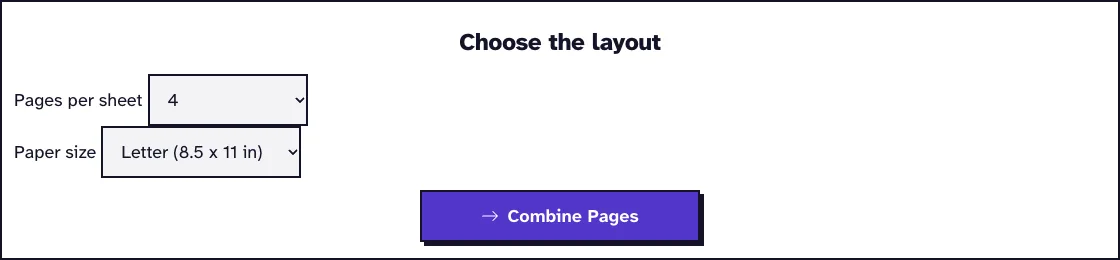
- Pick 2, 4, 6, 8, 9 or 16 pages per sheet and Letter or A4 paper.
- Click Combine Pages and download the new PDF.
Which layout to choose
Two pages per sheet works for reading copies of documents, and four for slide handouts. Six, eight, nine and 16 pages per sheet are for overviews: checking the order of a long file, proofing a layout or printing thumbnails of a presentation.
The table shows how much a Letter page shrinks on Letter paper, and what 11-point body text turns into. Slides with big type stay readable a lot longer than a dense report does.
| Pages per sheet | Sheet | Page size | 11 pt text prints at |
|---|---|---|---|
| 2 | landscape | 61% | 6.7 pt |
| 4 | portrait | 46% | 5.1 pt |
| 6 | landscape | 36% | 3.9 pt |
| 8 | landscape | 30% | 3.3 pt |
| 9 | portrait | 30% | 3.3 pt |
| 16 | portrait | 22% | 2.5 pt |
Printers call this n-up printing, a simple form of imposition, the arrangement of pages on a printed sheet.
How pages are placed on the sheet
Pages run left to right, then top to bottom, like the lines of a book. Each page gets scaled to fill its cell without being stretched, and a quarter inch stays free around the sheet, where most printers can’t print anyway.
The tool also decides whether the sheet is portrait or landscape. It tries both and keeps whichever shows your pages largest, so two portrait pages end up side by side on a landscape sheet.
Pages stored sideways are placed the way your PDF reader shows them. Links, form fields and comments don’t carry over, so if filled-in fields have to show in the result, run Flatten PDF first.
Where the white space comes from, and how to print larger
Most of the white space on a combined sheet is your own pages’ margins, shrunk along with them. The tool itself only leaves a quarter inch around the sheet and 9 points (3.2 mm) between neighbouring pages, which we read from the output of our October 2026 run.
We combined a 12-page Letter document with 1 inch margins and 11 point text. At four pages per sheet each page printed at 46 percent, so each 1 inch margin became 0.46 inch, and two text blocks side by side sat just over an inch apart.
If you want the text bigger, trim those margins first with Crop PDF, then combine the cropped file. Each cropped page is smaller, so it gets a bigger scale in the same cell:
| Letter document, 11 pt text | 2 per sheet | 4 per sheet |
|---|---|---|
| Combined as it is | 61%, text 6.7 pt | 46%, text 5.1 pt |
| Cropped by 0.75 inch on every side first | 74%, text 8.2 pt | 55%, text 6.0 pt |
Crop less than your narrowest margin, or you’ll cut off headers, footers and page numbers. Crop PDF trims every page the same way, so look at a page with a wide table before you combine the file.
Labels, cards and mixed page sizes
Sixteen is the most pages one sheet can hold, so a sheet of 30 labels isn’t possible here. Small pages get scaled to fill their cell and never print at their own size: our 4 by 1.5 inch labels at 16 per sheet came out 2.5 by 0.95 inch, 63 percent, on a landscape Letter sheet.
With mixed sizes, every page keeps its proportions, but each one is scaled to its own cell. In a 4 per sheet run of a Letter page, an A3 page and a landscape Letter page, they printed at 46, 31 and 36 percent, so the A3 page’s text came out smallest.
The first page also decides whether the sheet is portrait or landscape. If your first page is the odd one out (a landscape cover, say), move a page of the most common size to the front with Organize PDF Pages.
Pages per sheet in the print dialog or in a file
Plenty of print dialogs have a pages per sheet setting, including the ones in Windows and macOS. That setting only covers one print job on your own computer.
A combined PDF keeps the layout for everyone: you can email it, upload it to a print shop or print it from a phone. To change the page order before combining, use Organize PDF Pages, and for a folded booklet, use PDF Booklet; to go the other way and spread one page over several sheets, use PDF Poster.
Save even more paper
Print the combined PDF double-sided and every sheet of paper carries twice as many pages. A 48-slide deck at six slides per sheet needs eight sheets, or just four printed on both sides.
Before you print a long file, check the page order once at 16 per sheet. A whole chapter fits on two or three sheets, so a missing or upside-down page jumps out, and you can turn it with Rotate PDF Pages first.
What happened when we tested Pages per Sheet
We uploaded sample-screenshots.pdf, a 12-page test file of 3.1 MB, and chose 4 pages per sheet on Letter paper. The tool returned sample-screenshots_PagesPerSheet.pdf, 3.1 MB with 3 sheets, 0.1 seconds after we pressed the button on our local test server.
Tested in October 2026.
Frequently Asked Questions about Printing Multiple Pages per Sheet
Does putting several pages on one sheet lower the quality?
No. The pages go on as vector content, so text stays sharp at any zoom. Only the printed size gets smaller.
Can I choose the order of the pages on the sheet?
Pages always run left to right and top to bottom. If you need a different sequence, reorder the pages first with Organize PDF Pages.
What happens to an odd number of pages?
The last sheet has empty cells. A 5-page PDF at four pages per sheet gives two sheets, with one page on the second.
Is my file kept?
No. The upload and the result are deleted from our server within two hours, and you don’t need an account.
Loved PDF-File.com? Spread the word!
Help us keep these tools free: Share with your friends!