
PDF to EPUB Converter: Turn a PDF into a Reflowable eBook
This PDF to EPUB converter turns a text-based PDF into a reflowable eBook: bigger text becomes chapter headings, lines join into paragraphs and pictures stay where they were. Page numbers and running headers get dropped, so the text flows on any e-reader.
// how it works
How to convert a PDF to EPUB
- 01Upload the PDF you want to read as an eBook.
- 02Click Convert to EPUB.
- 03Download the EPUB file once it's ready.
- 04Open it in Apple Books, Kobo or Calibre, or send it to your Kindle.
// why pdf-file
What the PDF to EPUB converter does
- Chapters from headingsText set larger than the body turns into headings, and the eBook splits into chapters there.
- Flowing paragraphsLines join into paragraphs, words a hyphen split at a line end get joined again, and a paragraph cut by a page break carries on.
- Pictures keptPictures get saved as PNG images and sit where they were in the text.
- No page clutterPage numbers, and headers or footers that repeat on many pages, get dropped.
- EPUB 3The file follows EPUB 3, the format Apple Books, Kobo, Google Play Books and Send to Kindle accept.
- Deleted within two hoursWe delete your upload and the eBook from our server within two hours.
How to convert a PDF to EPUB for an e-reader
A PDF keeps every page exactly as it was laid out. That's great for printing and awkward on a phone or an e-reader, while an EPUB file lets the text flow, so it fits any screen and whatever font size you like.
This converter turns a text-based PDF into an EPUB eBook. It's free, and you don't need an account.
Convert PDF to EPUB NowHow to convert a PDF to EPUB
- Click Upload PDF and choose the file you want to read as an eBook.
- Click Convert to EPUB.
- Download the EPUB file once it's ready.
- Open it in Apple Books, Kobo or Calibre, or send it to your Kindle.
What happens to your PDF
The converter reads every line of text along with its font size. Text set clearly larger than the body becomes a heading, up to three levels deep, and the eBook gets split into chapters at the top two levels.
The lines of a paragraph are joined up, and so is a word that a hyphen split at the end of a line. A paragraph cut in two by a page break carries on as one.
Lines that repeat at the top or bottom of many pages, like a running title, get dropped, and so do page numbers. Pictures are saved as PNG images and sit where they were in the text.
Which PDFs convert well
Books, reports and articles with a single column of text convert best. Tables turn into plain paragraphs, and pages with several columns or text wrapped around pictures can come out in an odd order.
Comics, picture books and forms live on their exact layout, so they're better read as PDFs. A scanned PDF holds pictures of pages, and those stay pictures in the eBook; run OCR PDF on it first to get text.
Reading the EPUB on your device
EPUB is the standard eBook format, and the file follows EPUB 3. Apple Books, Kobo readers, Google Play Books and Calibre open it directly, and Amazon's Send to Kindle takes EPUB files.
For the opposite direction, EPUB to PDF lays an eBook out on printable pages. If you want to edit the text instead of reading it, convert the PDF with PDF to Word.
Will the eBook have the right title, author, language and cover?
It gets the PDF's title, but no author and no cover, and the language is always set to English. We read the package file of two EPUBs we made in October 2026 to check.
A one-page German story exported from LibreOffice, titled "Die Reise nach Zürich" by the author Anna Muster, became an EPUB whose language read en and which named no author. The title arrived with the ü swapped for two unknown-character symbols, oddly, while the German text of both chapters kept every umlaut.
Our English test book came out right: its title, The Sample Book, came from the PDF, with 322 words of real text and one picture across its pages. For a non-English book, set the author, language and cover in an eBook manager such as Calibre before you add it to your library.
Check the eBook before you read it
Open the table of contents first. Every chapter should be listed under its own title; if one's missing, its title was set at about the same size as the body text or ran longer than a short line, and that chapter got joined to the one before it.
Then leaf through a few pages. You're looking for pictures in the right places and paragraphs that run on across the old page breaks, and for anything with tables or columns, keep the PDF.
What happened when we tested PDF to EPUB
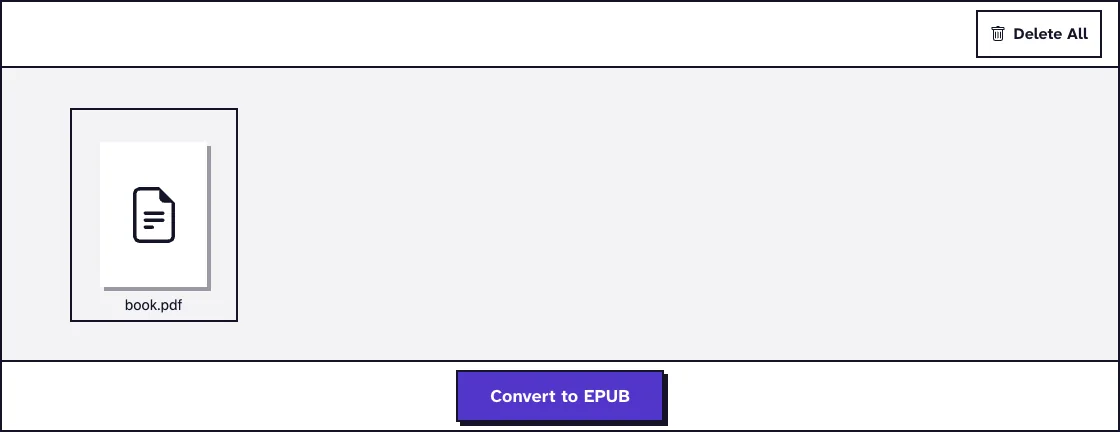
We uploaded book.pdf, a 4-page test book of 27.2 KB with two chapters, a picture, a running header and page numbers. The converter returned book_eBook.epub at 26.5 KB, with both chapters, the picture and the paragraphs, and without the header or page numbers. That took 5.3 seconds from pressing the button on our local test server.
Tested in October 2026.
Frequently Asked Questions about Converting PDF to EPUB
Will my EPUB look exactly like the PDF?
No, and that's on purpose: the text flows to fit the screen. Fonts, page layout and columns aren't kept.
Can I read the EPUB on a Kindle?
Yes. Send the file to your Kindle with Amazon's Send to Kindle, which accepts EPUB.
Why are my chapters missing?
Headings are recognised by their larger size. If the PDF's headings are the same size as the body text, you get one long chapter.
Is my file kept?
No. The upload and the eBook are deleted from our server within two hours.
Loved PDF-File.com? Spread the word!
Help us keep these tools free: Share with your friends!