
PDF to Markdown Converter with Headings and Lists
Convert PDF to Markdown in one step: larger text becomes # headings, bullet and numbered lines become lists, and the rest becomes paragraphs. Copy the Markdown straight from the page or download it as an .md file. The tool reads the text layer, so a scanned page needs OCR first.
// how it works
How to Convert a PDF to Markdown in 4 Steps
Upload one or more PDFs with selectable text, convert them, then copy the Markdown or download the .md file.
- 01Pick one or more PDFs with selectable text.
- 02Check the files in the preview and click Convert to Markdown.
- 03Wait while the text, headings and lists are read from each page.
- 04Copy the Markdown from the page or download it as an .md file.
// why pdf-file
What the PDF to Markdown Converter Keeps and Drops
- Headings from font sizeText set larger than the body becomes a #, ## or ### heading.
- Lists and paragraphsBullet and numbered lines become Markdown lists; lines that belong together are joined into one paragraph.
- Copy or downloadThe Markdown appears on the page with a Copy button. The .md file is one click away.
- Private processingFiles are converted on our own server, with no third-party service, and deleted automatically within two hours.
- Several files at onceConvert a batch of PDFs; each one gets its own Markdown file.
- Text onlyImages, tables drawn as graphics and page layout are left out. Scans need OCR first.
Convert PDF to Markdown: What Comes Through and What Doesn't
To convert PDF to Markdown, the tool reads the text layer of each page and works out which lines are headings, list items and paragraphs. The result is plain Markdown you can paste into a README, a wiki, a static site or a notes app. It shows up on the page with a Copy button, and the .md file is one click away.
Convert Your PDF to MarkdownHow to convert a PDF to Markdown
- Pick one or more PDFs with selectable text.
- Check the files in the preview and click Convert to Markdown.
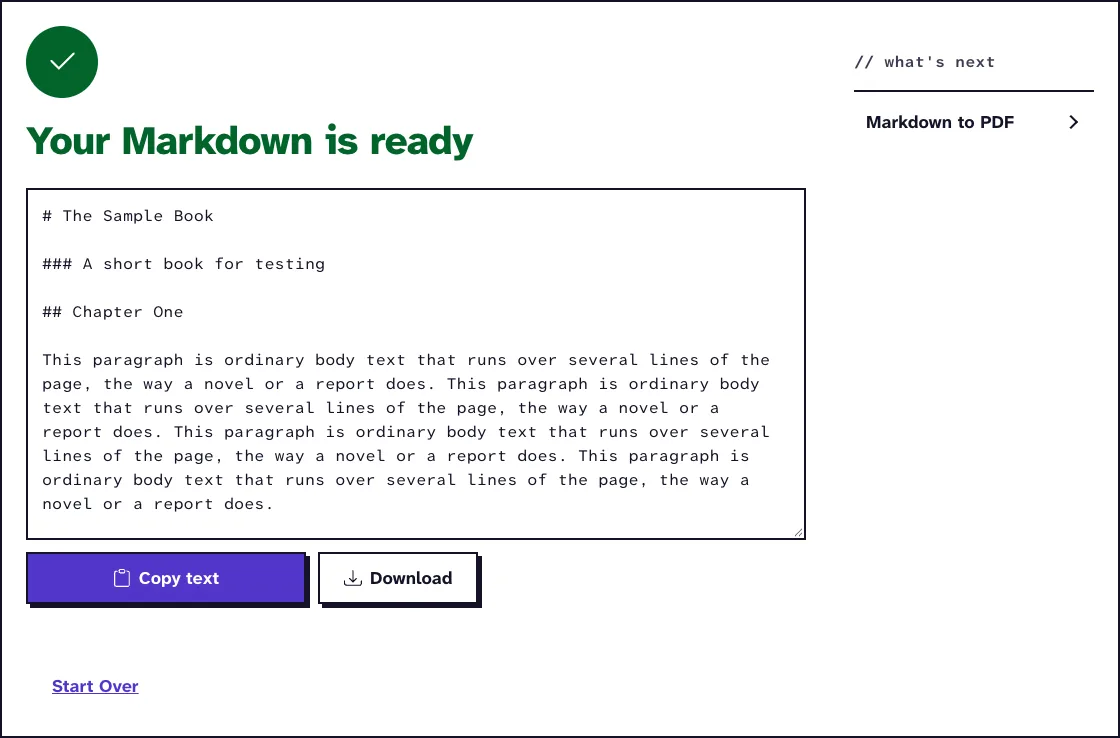
- Read the Markdown on the results screen and click Copy text to put it on your clipboard.
- Click Download for the .md file. With several PDFs you get one .md file per PDF in a ZIP.
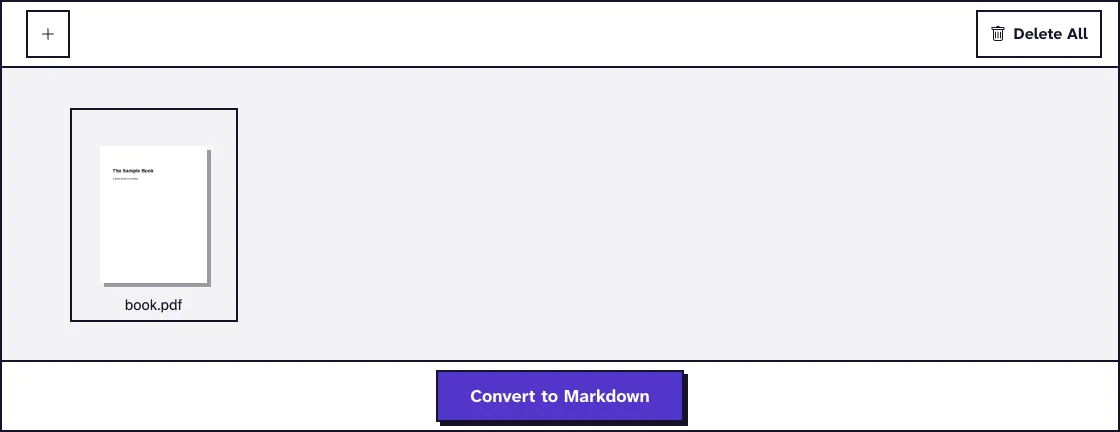
With several files, a menu above the text box picks which result you see. Each file keeps its own Markdown, so nothing gets merged by accident.
What the Markdown keeps from the PDF
Markdown is a plain-text format where a line starting with # is a heading and a line starting with a dash is a list item. Wikipedia's Markdown article covers the syntax and its history. A PDF has none of that structure written down; it only knows where each piece of text sits and in which font.
- Text set larger than the body text becomes a #, ## or ### heading, the largest size first.
- Lines that run on from each other are joined into one paragraph, so the PDF's line breaks don't end up in your text.
- Lines starting with a bullet or a number become Markdown list items.
- Text in a bold or italic font gets ** or * around it.
Running headers and page numbers that repeat on every page are dropped, because they would interrupt the text in the middle of a sentence. The pages follow each other without separators.
How headings, lists and paragraphs are found
The conversion uses the open-source pdf2md library, which reads each page with Mozilla's PDF.js. It first measures which text height is used most in the document and takes that as body text.
Every larger height becomes a heading level, and a line set in a bigger font than its neighbours is treated as a heading even when it isn't bold. That's why a PDF with a clear type hierarchy converts well. A PDF where everything is the same size gives one long run of paragraphs.
Lists are found by their first character. A bullet, a dash or a number followed by a full stop starts a list item, and indented items become nested lists. A number in brackets, like "1)", stays ordinary text.
What gets left out, and scanned PDFs
Only text comes through. Images, charts, colours and the page layout are left out, and a table turns into its cell text, line by line, without Markdown table syntax. For tables, PDF Table Extract gives you rows and columns as CSV.
A word broken across two lines with a hyphen stays broken, for example "hyphen- ated". Search for "- " in the result if your PDF hyphenates a lot.
A scanned PDF is a picture of each page with no text layer, so there's nothing to convert and the tool says so. Run it through our OCR PDF tool first, then convert the searchable PDF it gives you.
If you only need the words without any structure, PDF to TXT keeps the text where it sat on the page. PDF to HTML keeps the layout, and PDF to Word gives you a document to edit.
What happened when we tested PDF to Markdown
We converted book.pdf (27.2 KB, 4 pages), a test book of our own with a title page, two chapters, a picture, running headers and page numbers. There were no options to set.
After 5.4 seconds on our test server, the results screen showed the Markdown with a Copy text button and a Download button. The download, book_PDFToMarkdown.md, was 1.5 KB. Tested in November 2026.
The book title came out as a # heading, its subtitle as ###, and both chapter titles as ## headings, with each chapter's lines joined into paragraphs. The running headers and page numbers were gone, and the picture was left out.
Files are converted on our own server, with no third-party service, and deleted automatically within two hours. To go the other way, Markdown to PDF turns an .md file back into a formatted PDF.
Turn a PDF into Markdown NowFrequently Asked Questions About PDF to Markdown
Is the PDF to Markdown converter free?
Yes. There's no account, no watermark and no limit on how many files you convert, up to 25 MB per PDF.
Can I copy the Markdown without downloading a file?
Yes. The Markdown appears in a text box on the results screen. Click Copy text and paste it wherever you need it.
Does it convert tables to Markdown tables?
No. Table cells come through as text lines. Use PDF Table Extract for tables, which gives you the rows and columns as CSV.
Why did my headings come out as plain paragraphs?
Headings are found by font size. If the PDF sets its headings in the same size as the body text, nothing marks them as headings.
Does it work on scanned PDFs?
Only after OCR. A scan has no text layer to read, so make it searchable with OCR PDF first and then convert that file.
Are images kept?
No. Markdown would need the images as separate files, so the converter keeps the text only. Extract the images separately if you need them.
Loved PDF-File.com? Spread the word!
Help us keep these tools free: Share with your friends!