
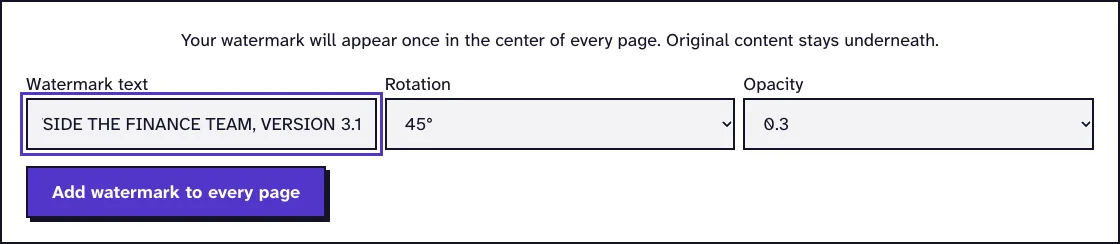
PDF watermark text that's too long never reaches the server in Add Watermark: the text box just stops taking characters at 80.
The server applies the same rule after trimming spaces from both ends. Longer or empty text gets the answer watermarkText must be 1 to 80 characters.
Add WatermarkWhen PDF Watermark Text Is Too Long for the Box
Browsers count a text field’s maxlength in UTF-16 code units, which is often, though not always, the same as the number of characters. MDN: HTML attribute maxlength
An emoji such as a lock symbol takes two of those units, so the box holds 40 lock emoji. Our server run refused a 41st with watermarkText must be 1 to 80 characters.
DejaVu Sans has no emoji, so in our run the lock printed as an empty rectangle after the word CONFIDENTIAL. Skip the emoji.
The text box is a single line, so the watermark is always one line of text across the page.
Font Size for a Long Phrase on A4, Letter and Small Pages
The font size starts at one eighth of the page’s shorter side, kept between 18 and 48 points.
If the line is longer than the shorter side minus 48 points, the size shrinks until it fits that length, down to 8 points.
CONFIDENTIAL stays at the 48 point maximum on A4, Letter and A5. An 80 character sentence, though, drops to 13.5 points on A4, 13.9 on Letter and 9.2 on A5.
On an A6 page the sentence hits the 8 point floor, and on a 200 by 100 point label even CONFIDENTIAL gets set at 8 points.
How Many Characters Print at Full Size
On A4 a phrase prints at the full 48 points up to about 18 capital letters or 21 lowercase characters, spaces included. Anything longer starts to shrink.
In lowercase the size on A4 fell to 37.8 points at 30 characters, 28.2 at 40, 18.2 at 60 and 13.5 at 80.
Capitals are wider. The same lengths in capitals gave 30.1, 22.7, 15.0 and 11.2 points.
Letter pages are 17 points wider on the short side, so they keep 48 points up to 22 lowercase characters and give 18.7 points at 60.
We worked these sizes out with the tool's own sizing code and its font. Then three server runs printed exactly the predicted 28.2, 30.1 and 18.7 points, so we trust the table.
Reproducing the Watermark Does Not Fit Within Page Bounds Error
The job only stops if the line, at your chosen angle, still overflows at that smallest size. The reason you'll see is Watermark does not fit within page bounds.
At 8 points our 80 character sentence is 324 points long, more than the 250 points an A6 page leaves between its side margins. So a run at 0 degrees failed with that error.
The same sentence on the same A6 page went through at 45, -45 and 90 degrees, since tilted or upright it doesn't need 324 points of width any more.
The 200 by 100 point label went the other way. CONFIDENTIAL went through at 0 degrees but failed at 90, because its 59 points can't stand upright in the 52 points between the top and bottom margins.
The results screen lists a failed file by name, followed by the reason the server gave.
Pick 45° or 90° for a long phrase on a small page before you shorten it.
Shorten the phrase, for example to CONFIDENTIAL instead of a full sentence.
Writing a Watermark Phrase That Prints Large
The text is set in DejaVu Sans, which has Latin, Greek and Cyrillic letters, so names with accents print just as you typed them.
Keep the phrase under 18 capital letters if it should print at the full 48 points.
Write long notices in the document itself and keep the watermark short.
Continue with Diagonal Watermark PDF Angle: Which Rotation to Pick or PDF Watermark Opacity Level: Choosing 0.1 to 1.0.
Frequently Asked Questions about PDF Watermark Text Too Long? Limits and Fixes
What is the maximum watermark text length?
Eighty characters, counted after leading and trailing spaces are trimmed. Empty text gets refused too.
Can I set the font size myself?
No, there's no size control. Each page gets a size from its own dimensions and the length of the text.
Can the watermark wrap onto two lines?
No. The tool draws the text as one line, centered on the page.
Why did a long phrase come out small?
Longer text has to shrink to stay inside the page margin, so a full sentence prints far smaller than a single word.