
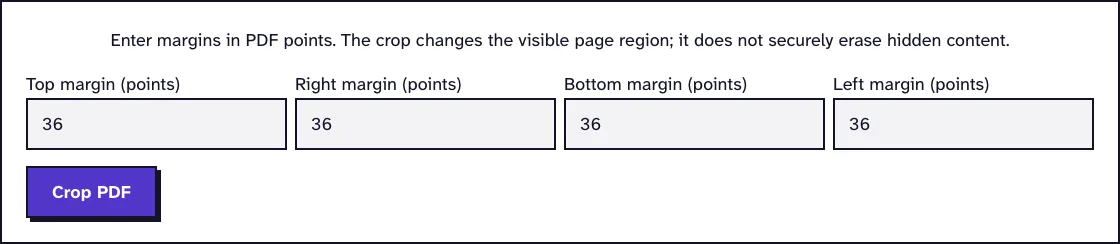
No, cropping a PDF with Crop PDF doesn't remove content. It sets a new crop box on each page, and everything outside your margins is hidden, not deleted.
A crop box defines the region the contents of a page are clipped to when the page is displayed or printed. PDFPage reference (pdf-lib docs)
Crop PDFDoes Cropping a PDF Remove Content From the File?
The tool changes nothing but that one page setting, so text, images and drawings outside the margins stay in the page content.
The media box, by contrast, marks the boundaries of the physical page. PDFPage reference (pdf-lib docs)
Our test page hid a footer line with an account number behind a 36 point bottom margin. The file went from 2,202 to 2,213 bytes, so nothing was taken out.
Where the Hidden Text Still Shows Up
PDF to TXT on the cropped file still returned the hidden footer line, account number and all.
Resize PDF clips the page to its old visible area. After it, the line no longer came out of a text extraction, yet its characters were still sitting in the page content.
Running Crop PDF again on a cropped file only trims further, because it measures the margins from the current crop box.
Which Tool Removes the Cropped Strip for Good
Redact PDF does remove it. Searching our cropped test file for the account number and the salary figure found both, even though they sat outside the crop box, and neither came out of a text extraction afterwards.
A search removes only the words you type, so the labels ACCOUNT and SALARY stayed, and the file grew from 2,213 to 3,594 bytes.
Marking the footer as an area in Redact PDF first and cropping afterwards took out the whole line, and the file came out at 2,134 bytes, below the 2,202 byte original.
Redact the strip before you crop when the whole line must go, or search for each sensitive word in an already cropped file.
Page Images Show Only the Visible Area
Ghostscript sizes a rendered page by its media box unless the -dUseCropBox option tells it to use the crop box instead. Using Ghostscript (Ghostscript docs)
PDF to JPG, PDF to PNG and PDF to GIF all run Ghostscript with that option. On our cropped A4 page each returned only the visible area, 2480 by 3358 pixels as JPG and PNG.
The hidden strip isn't in those images at all, so a picture made from the cropped page shows what a reader sees.
Use PDF to TXT to look for hidden text, since images made from a cropped page leave it out.
Good Reasons to Crop Anyway
Crop scanned pages to hide dark scanner edges or wide white borders before printing or reading on a phone.
Crop slides or posters down to the part you want to show on screen.
Continue with Crop PDF Margins Do Not Fit on Page: Causes and Fixes or Crop Multiple PDF Files at Once With a Merge and Split Workflow.
Frequently Asked Questions about Does Cropping a PDF Remove Content? No, It Only Hides It
Does Crop PDF make the file smaller?
Hardly. The content outside the margins stays in the file, so the size stays about the same.
Can someone see what I cropped away?
Yes, they can. The crop box only clips what's shown, so the hidden part is still in the file for anyone who resets the box in a PDF editor. PDFPage reference (pdf-lib docs)
How do I permanently remove part of a page?
Use a redaction tool that deletes the content, then crop the page if you also want the borders gone.
How do I undo a crop?
Keep the original PDF and crop it again from scratch with smaller margins.