OCR Languages: How Text Recognition Handles German, Arabic, Chinese and Mixed Scans
Why the language setting decides what an OCR engine can read, which engines cover which scripts, and what to use when your scan isn't in English.

OCR languages are the language models a text recognition engine loads to read a scan, and you have to pick the right one: an engine set to English reads German umlauts, Arabic or Chinese characters badly or not at all. The free Tesseract engine has models for more than 100 languages and can use several at once, while our own OCR PDF tool reads English only.
So the real question for a non-English scan is which software to run it through, and with which language setting.
Why the Language Setting Matters in OCR
Optical character recognition doesn't just match shapes to letters. It compares what it sees with a model trained on one language or script, including its alphabet and common words.
That model shapes which characters come out, as the English-only test further down shows. A script like Arabic or Chinese needs a model for that script.
Which OCR Languages Tesseract Supports
Tesseract, the open source engine behind many free OCR tools (ours too), publishes its list of language data files. It covers more than 100 languages, among them German (deu), French (fra), Arabic (ara), simplified Chinese (chi_sim) and Japanese (jpn). Simplified Chinese is the one for older scanned CNKI journal articles, which our CAJ to PDF guide covers.
There are also script models such as Latin and Cyrillic. Those read any language written in that script, which helps when you're not sure of the language or no model exists for it.
How to OCR a Scan That Mixes Languages
Most engines let you choose more than one language. Tesseract takes them joined with a plus sign, as its command line usage page shows.
- Install Tesseract and the language data for every language in your document.
- Turn each page of the scan into an image (PNG or TIFF) at 300 dpi, for example with our PDF to PNG tool.
- Run
tesseract page.png page -l eng+deu pdfwith your own language codes. - Open page.pdf: it shows the scan with a searchable text layer on top.
On Debian or Ubuntu, Tesseract is sudo apt install tesseract-ocr, plus one package per language named tesseract-ocr- and the code, such as tesseract-ocr-deu. On a Mac with Homebrew it's brew install tesseract tesseract-lang.
Does the Order of Languages Matter?
It can. Tesseract's usage page says "the output can be different based on the order of languages", and the time taken too. Its own example, a Hindi and English image, ran in 0.442 seconds as eng+hin and 0.429 seconds as hin+eng.
It doesn't say which order to pick, so on a scan you care about, try both and compare a few lines.
The same page offers another route: a script model such as script/Devanagari, which it says covers all languages in that script plus English.
What Our OCR PDF Tool Does With Other Languages
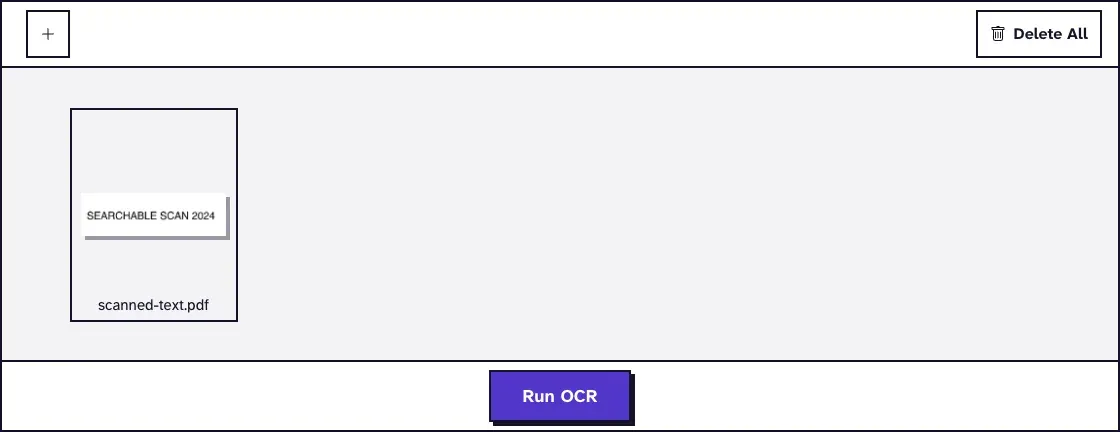
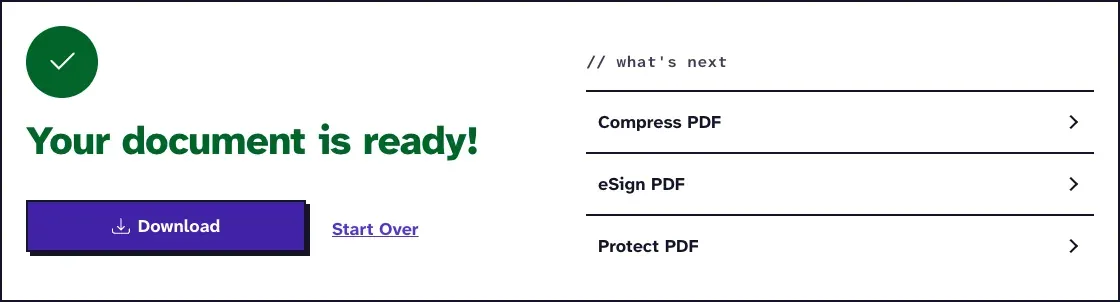
OCR PDF runs Tesseract with its English model only, and there's no language menu. That's fine for English scans, but letters from other alphabets won't come out right.
How Many Words an English-Only Engine Loses
On our test pages, plain words mostly survive, and words with accents mostly don't. In November 2026 we made one page each in four languages, turned them into 300 dpi image-only PDFs and ran them through OCR PDF in Chrome on a Mac. We then compared every word with the source.
| Language | Words right | Words with accents or ß right |
|---|---|---|
| English | 69 of 69 | None on the page |
| French | 77 of 83 | 7 of 13 |
| Spanish | 74 of 88 | 1 of 15 |
| German | 65 of 81 | 0 of 16 |
The misreads aren't always a near miss: "Straße" became "StraRe", "große" became "gro&e" and "pequeño" became "pequefio". A search for those words won't find them, so a German or Spanish scan needs a real language model even when most of the page looks fine.
Our guide on OCR for PDFs in more than one language goes deeper into mixed documents.
Getting Better OCR Results in Any Language
The language model is only half the job. In our November 2026 tests a clean, straight English page read every word at 200 and 300 dpi, but the same page turned by 3 degrees dropped to 91 of 256 words one way and 202 the other.
- Scan at 300 dpi, straight, with dark text on a light background.
- Straighten tilted pages first. Our guide to straightening a PDF covers the tools, since our OCR doesn't do it.
- Check whether the PDF has text already. If you can select words, PDF to TXT pulls them out in any language without OCR.
For the basics of how OCR works, see what OCR is.
Frequently Asked Questions about OCR Languages
Can OCR read two languages on one page?
Yes, if you give the engine both models. In Tesseract you write them joined with a plus sign, such as eng+fra.
Does pdf-file.com OCR other languages?
No. Our OCR PDF tool reads English only. For other languages, use Tesseract or another OCR program with the right language model.
Which OCR language should I pick for a scan in Cyrillic?
Pick the language itself if you know it, for example Russian (rus) or Ukrainian (ukr). If you don't, Tesseract's Cyrillic script model reads the letters without knowing the language.
Can OCR detect the language by itself?
Some engines can. Google Drive and OCR.space's engines say they detect it. Tesseract's usage page describes no detection: without -l it assumes English.
Does OCR handle right-to-left text like Arabic or Hebrew?
Tesseract has models for both (ara and heb). Our OCR PDF tool doesn't, so use Tesseract or another engine with those models.