
Flatten PDF Online: How to Lock Form Fields and Comments Into the Page
What flattening changes, how to do it online for free, and why it isn't the same as password protection.

To flatten a PDF online, upload it to our free Flatten PDF tool and click Flatten PDF: form fields, highlights, stamps and visible comments get drawn into the page, and the interactive layer is removed, so nobody can change a field by accident anymore.
Some court e-filing systems and grant portals ask for it before they accept a filled form.
What Flattening a PDF Means
A PDF can carry interactive parts on top of its pages: form fields you type into, and annotations like comments, highlights and stamps. Flattening takes what those parts show right now, draws it onto the page and deletes the interactive objects.
The page looks the same before and after. The difference is that the fields and comments are no longer separate objects you can click, move or edit.
Why Courts and Portals Ask for Flattened PDFs
Some filing systems refuse PDFs that still have fillable fields. The US District Court for the Northern District of Mississippi, for example, explains on its page what flattening a PDF is and requires it before documents are filed in its CM/ECF system.
Other good moments to flatten:
- A form you've filled in and are about to send or archive.
- A reviewed document whose highlights and stamps should stay exactly where they are.
- A file going to someone whose PDF reader might show form fields differently.
How to Flatten a PDF Online for Free
Flatten PDF has no settings. You upload, click once and download.
- Open Flatten PDF and drag your PDFs onto the page, or pick them with Choose Files (up to 25 MB each).
- Use the + button to add more files, or Delete All to start again.
- Click Flatten PDF.
- Download the flattened file, or a ZIP if you flattened several.
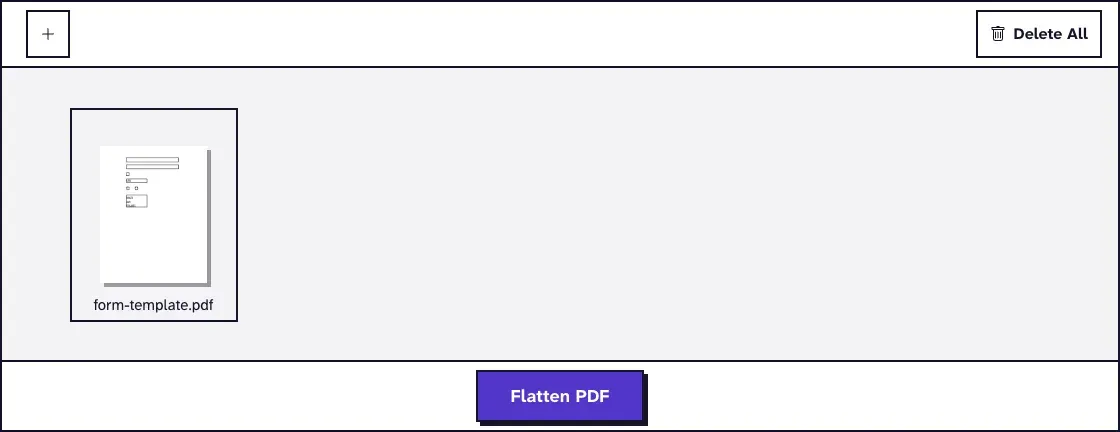
Under the hood it works in two passes. The pdf-lib library flattens the form first, using its PDFForm flatten method to draw each field's appearance onto the page, after redrawing text fields, dropdowns and lists from their values when the form marks its appearances as out of date. Then Ghostscript rewrites the file so annotations become part of the page content.
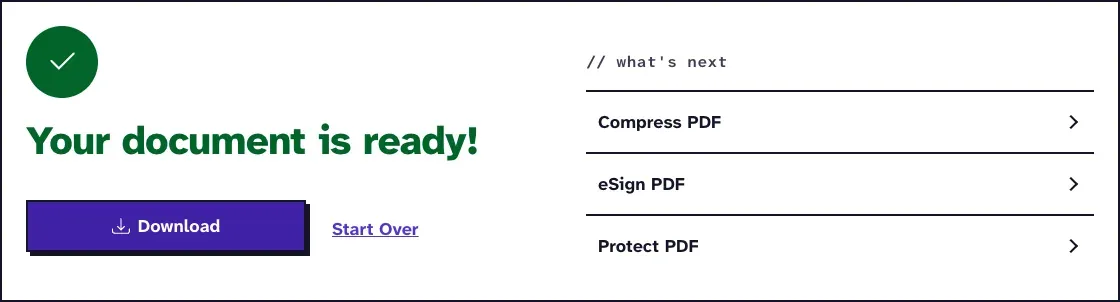
Uploads and flattened copies are deleted automatically within two hours. A PDF that needs a password to open is refused, so remove the password first with Unlock PDF if you know it (enter the owner password too if the file has one).
What We Found When We Tested Flatten PDF
In October 2026 we flattened our small test form, form-template.pdf (7.1 KB, 1 page). The flattened copy was 3.1 KB, still one page, and ready 0.2 seconds after we clicked.
Then we built a worst case for portal checks: a form with six fields, a sticky note, a highlight, a link and two layers, one of them hidden. After flattening, qpdf found no form fields and no annotations left, and the hidden layer's content was gone.
The typed values and the page text could still be selected, so the page didn't turn into a picture. Whether that's enough depends on who's asking.
What Does a Portal Mean by Flattened, and How Do You Check Your Copy?
The US government pages we read all want the fillable fields gone, but they don't check it the same way. The Northern District of Mississippi says its CM/ECF software rejects files with fillable fields. PACER's e-filing FAQ names a form-fillable PDF as one likely cause of an error.
NIH's eRA guide goes further, with two checks. "A PDF with editable text fields is NOT flattened", and "If you cannot highlight any text, the PDF is likely flattened."
Our flattened copies pass the first check and not the second, since the page text stays selectable. We can't run any portal's checker, so if yours errors on the file, try one of these:
- Use the print route below. NIH names Microsoft Print to PDF on Windows and Save as PDF on a Mac, and the Nevada Bankruptcy Court names the Adobe PDF printer. We didn't run these.
- If a rule really wants no selectable text, make the pages pictures with PDF to JPG, then JPG to PDF. In November 2026 that gave our filled form, with the page size set to Letter, a one-page PDF with no text, fonts, fields or annotations. Search and copy are gone too, so don't do this unless you must.
What Flattening Doesn't Do
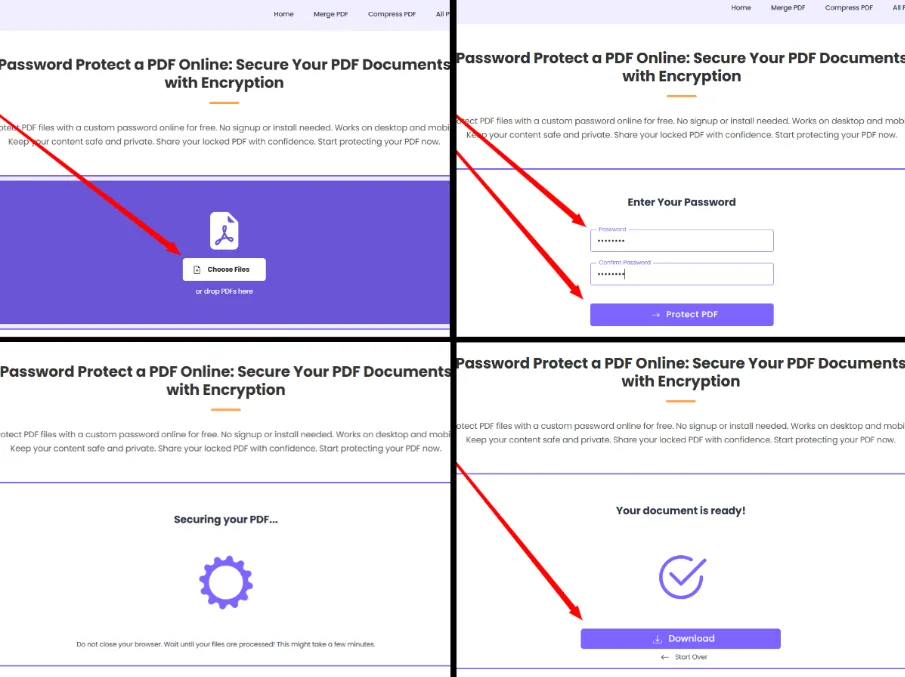
It doesn't lock the file with a password. Anyone can still open it, and a determined person can edit the page content with a PDF editor. If only certain people should open it, add a password afterwards with Protect PDF.
A few more things to know before you flatten:
- Flattening doesn't remove what's under a box. We flattened a page with a black rectangle annotation over one line in November 2026: the box still looked solid, and pdftotext still read the line. Use Redact PDF to take text out.
- The text of a pop-up sticky note isn't printed on the page, so copy it out first.
- A digital signature on the original won't verify after flattening, because the file is rewritten.
- Flattened values can't turn back into fields. Keep the editable original if you might need to change something.
If you need fields back later anyway, see our post on unflattening PDFs.
How to Flatten a PDF Without Uploading It: Print to PDF
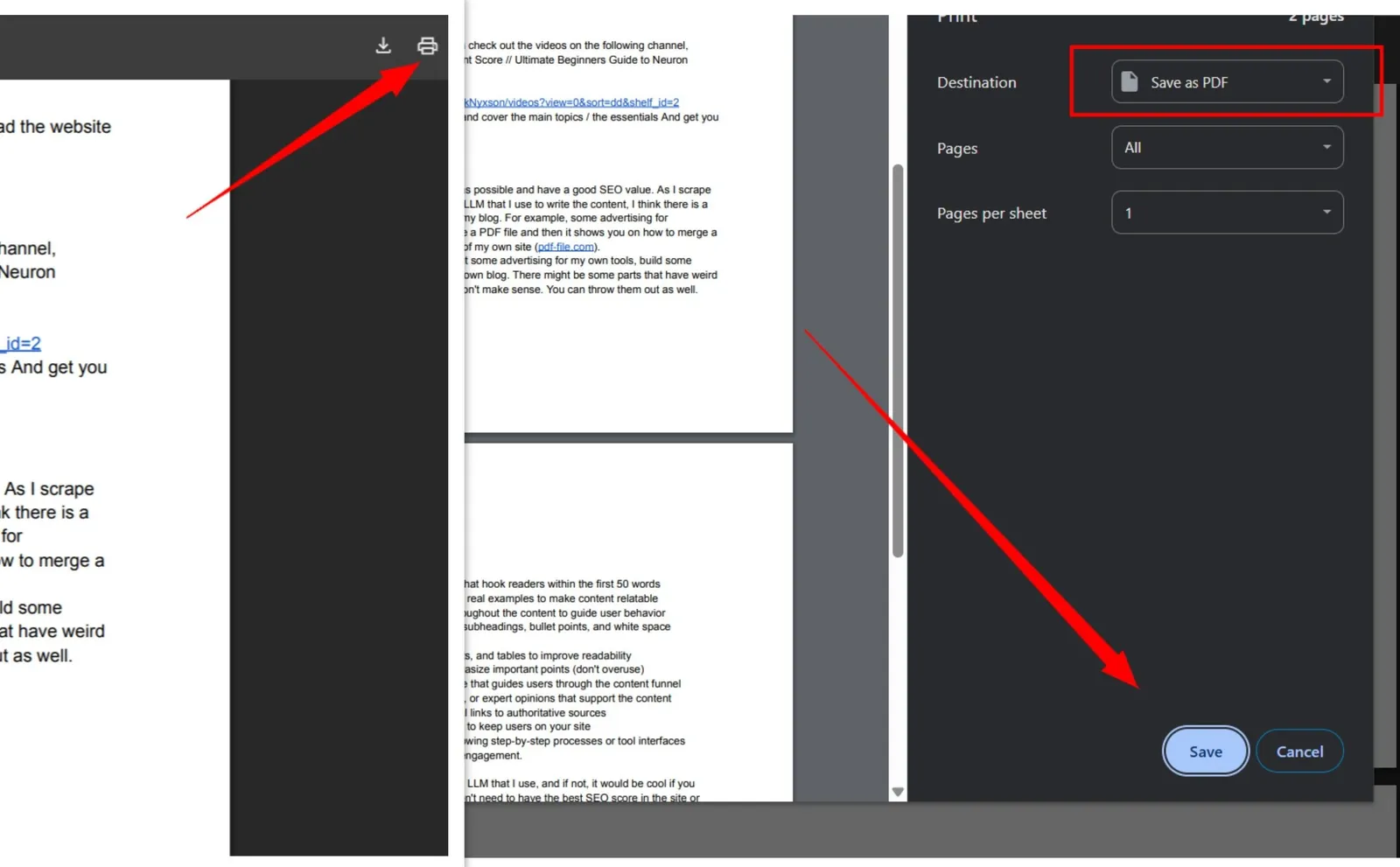
If the file shouldn't leave your computer, print it to a new PDF. This is the route NIH's flattening guide gives.
- Open the filled PDF in Chrome, Edge or your PDF reader.
- Press Ctrl+P on Windows or Cmd+P on a Mac.
- On Windows, select Microsoft Print to PDF. On a Mac, click the PDF dropdown and select Save as PDF.
- Click Save and open the new file to check that every value shows.
Check the result before you send it. Comments might not print, depending on the reader's print settings.
Frequently Asked Questions about How to Flatten PDF Online
Can I edit a form after flattening it?
No. The fields become part of the page. Keep the original form if you'll need to change them later.
Is flattening the same as password protection?
No. Flattening removes the interactive parts. A password controls who can open the file, which is what Protect PDF adds.
Can I flatten several PDFs at once?
Yes. Add several files before you click Flatten PDF, and the flattened copies download together as one ZIP. Our guide to batch processing PDFs lists the other tools that take several files at once.