PUB to PDF: How to Convert a Publisher File, With or Without Publisher
Export from Publisher if you still have it, or open the .pub file in free LibreOffice. Here's who still has Publisher, how each route works and what to check afterwards.

To convert PUB to PDF, use Microsoft Publisher's own Save As if you still have it: open the file, choose File, then Save As, and pick PDF as the file type. Microsoft said subscribers would lose Publisher on or shortly after October 1, 2026, so if yours is gone, open the .pub file in the free LibreOffice Draw and export it as a PDF there.
A PDF opens on any computer or phone and looks the same everywhere, which a .pub file doesn't.
What a PUB File Is and Why It Won't Open
PUB is the file format of Microsoft Publisher, Microsoft's desktop publishing program for flyers, newsletters and brochures. It needs Publisher, or a program with a Publisher import filter.
Who Can Still Use Publisher After October 2026?
People with a perpetual license, going by Microsoft's notice. Microsoft set the end of support for that version at October 13, 2026, but says you can keep installing and using it, and your files still open and edit.
Microsoft said subscribers would lose Publisher on or shortly after October 1, 2026, as an update rolls out, so yours may already be gone. After that they can't open or edit .pub files in Publisher. If that's you, use the LibreOffice route below, or ask someone with a perpetual copy to export the files.
How to Convert PUB to PDF in Microsoft Publisher
- Open the .pub file in Publisher.
- Choose File, then Save As.
- Pick a location for the file.
- Choose PDF as the file type and save.
How to Convert a Whole Folder of .pub Files
Microsoft's notice links a sample PowerShell script for this, Convert-PubFileToPDF.ps1. Its -Filter option picks the files ("*.pub", for example) and -Recurse takes in the subfolders too. Microsoft says that if the file name already exists, the script won't export that file and shows an error.
It needs a working, licensed Publisher on the computer, so it's no help once a subscription has lost the app. Microsoft offers it as a reference.
How to Convert PUB to PDF Without Publisher
LibreOffice is free for Windows, Mac and Linux. Its list of conversion filters names Microsoft Publisher 98-2010 under Draw, and doesn't mention newer Publisher versions.
- Open LibreOffice Draw and choose File, then Open.
- Pick the .pub file.
- Check every page: text boxes, pictures and fonts.
- Choose File, then Export As, then Export as PDF, and click Export.
We don't have a .pub file to test with, so we can't tell you how close the result comes. For a flyer that has to be perfect, ask whoever made it to export the PDF from Publisher. Online converters are another route, and our post on converting Publisher to PDF online lists what to check afterwards.
If someone sent you the .pub file, that's often the quickest fix anyway: ask for the PDF.
Checking the PDF After You Convert
- Fonts: zoom in on headings. A substituted font changes line breaks and spacing.
- Pictures: check photos at 100%.
- Pages: count them. A multi-page newsletter should have every page in the right order.
- Print jobs: ask your print shop which settings they want before you send the PDF. Most commercial printers ask for CMYK, and our post on CMYK vs RGB explains the difference.
Shrink, Protect or Combine the Converted PDF
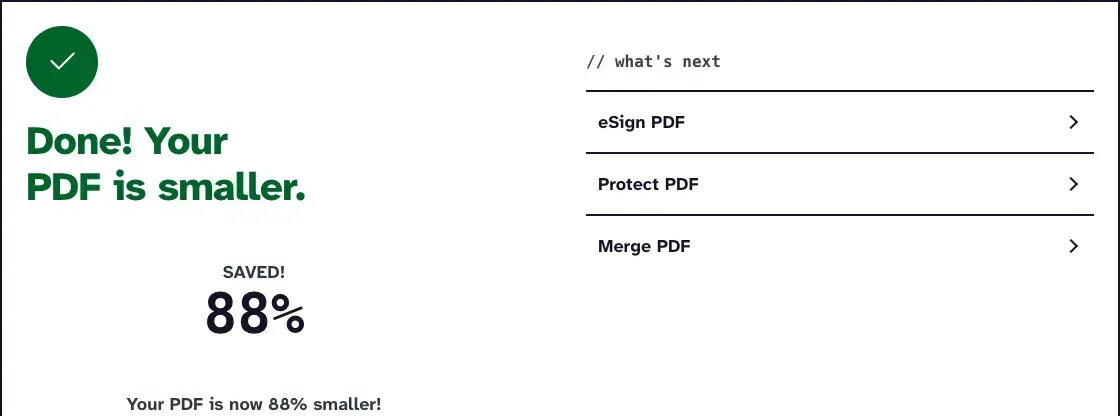
Too big to email? Our free Compress PDF tool brings it down. We compressed a 3.2 MB, 12-page PDF of screenshots to 388.3 KB at the Recommended level in November 2026, and our guide to compressing a PDF under 5MB shows what each level does to a bigger scan.
Or skip the attachment and share it as a link, as our guide to turning a PDF into a link shows.
To keep a converted brochure or price list from wandering, add an open password with Protect PDF. Anyone without the password then can't open the file.

Converted several .pub files, like the pages of a newsletter? Combine them into one PDF with Merge PDF. Uploads to our server tools are deleted within two hours.
Going the Other Way: PDF Back to Publisher
A PDF doesn't turn back into a .pub file. You can get the text out and rebuild the layout, though, and our guide on moving a PDF to Publisher shows how.
To edit the PDF without Publisher at all, PDF to ODG opens each page in LibreOffice Draw, and Edit PDF handles small text changes.
Frequently Asked Questions about PUB to PDF
Can I convert PUB to PDF without Microsoft Publisher?
Yes. LibreOffice Draw has an import filter for Publisher files and exports PDFs, free on Windows, Mac and Linux. Check every page.
How do I open a PUB file on a Mac?
Install LibreOffice, open the .pub file in Draw, and export it as a PDF, or ask the sender for a PDF.
Can I still convert PUB files after Publisher's end of support?
Yes, with a perpetual copy of Publisher, which Microsoft says you can keep using, or with LibreOffice Draw. Microsoft said Microsoft 365 subscribers would lose Publisher on or shortly after October 1, 2026.
Can I convert a PDF back into a PUB file?
Not directly. You can get the text out and rebuild the layout, as our guide above shows.