What Is a Linearized PDF? How Fast Web View Works and When It Helps
What the file layout is meant to do, whether Chrome really uses it, and how to make or check one.

A linearized PDF is a PDF whose parts are stored in page order, with everything page one needs at the very start of the file. That's meant to let a viewer show the first page while the rest is still downloading, also known as Fast Web View.
It only matters when a PDF is opened over the web. Even there, Chrome ignored it in our test, as you'll see below.

How a Linearized PDF Differs From a Normal PDF
In an ordinary PDF, the pieces of each page (text, fonts, images) can sit anywhere in the file, and the table that says where they are sits at the end. A viewer has to read the end of the file before it can draw anything.
Wikipedia's PDF article describes the two layouts: a linearized, "web optimized" file puts the objects for the first page at the start.
How Fast Web View Loads the First Page
A linearized file starts with a small linearization dictionary, followed by hint tables that say where every page's data begins. A viewer built for this reads those, draws page one, and then asks the server only for the byte ranges of the pages you jump to.
That last part needs a web server that answers range requests, and a viewer that uses them. If either side doesn't, the browser downloads the whole file first, and linearization makes no difference.
Does Chrome Really Fetch Less From a Linearized PDF?
No, not in our test of Chrome 156 and Chromium 156. With a server that answered range requests, both made one plain request and took the whole file, linearized or not.
We made a 120-page, 7.9 MB PDF in November 2026, linearized a copy with qpdf and served both from a local server that logged every request. At a steady 500 KB/s in headless mode, page one appeared after 16.2 to 16.7 seconds for both versions, once every byte had arrived. Opening at page 120 with #page=120 also pulled the whole file, in one request.
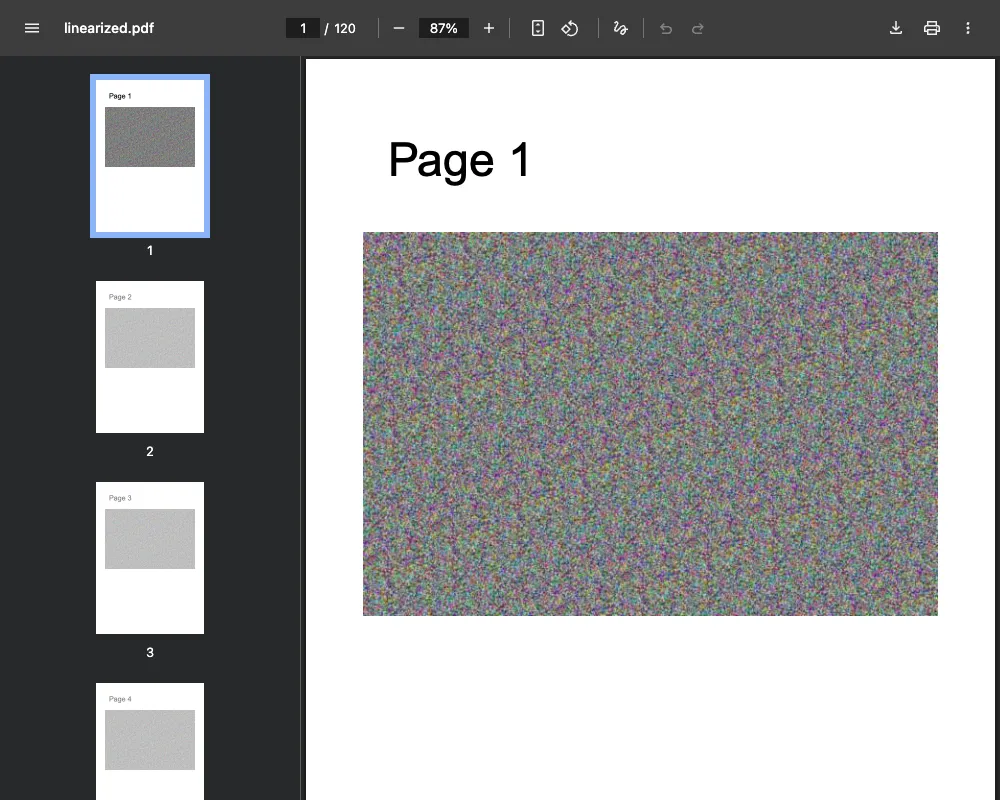
In that setup, linearizing didn't bring page one any sooner: it waited for the last byte. That was one generated file on one Mac, in headless mode, so test your own file if this matters.
When a Linearized PDF Helps, and When It Doesn't
The layout is built for big PDFs that people open from a link, like catalogs and manuals, in a viewer that fetches by byte range. Neither browser we tested used it, so don't linearize just for speed unless you've checked the viewer your readers use, or someone's spec asks for it.
It's pointless for:
- small files, which download in a moment anyway
- PDFs sent by email or kept on a disk, which don't wait on a download
- files you're still editing, since each edit we tried dropped it
Compress PDF shrinks images, but its output isn't linearized: qpdf reported no linearization on a linearized copy we ran through it, and the same after Edit PDF Metadata, Merge PDF and Rotate PDF Pages.
How to Linearize a PDF
None of our tools linearizes files, so use qpdf, or Preview on a Mac (next section).
qpdf is a command line tool, and its manual's installation page points to pre-built copies. Run qpdf --linearize input.pdf output.pdf. The manual's page on linearization explains what it writes.
Linearize as the last step, after you've merged, compressed, made it searchable with OCR or edited the file. Our page on optimizing a PDF shows which tool to run first for size, search or printing.
Linearize a PDF Without a Command Line: Preview on a Mac
On a Mac, Preview is a route without a command line. Apple's Preview guide lists a Create Linearized PDF checkbox under File, then Export, and says it optimizes the PDF for fast loading and viewing in web browsers.
We didn't run it, so check the exported file with one of the methods below.
How to Check if a PDF Is Linearized
- With qpdf, run
qpdf --check-linearization file.pdf. - Open the PDF in a text editor and look near the top. A linearized file has
/Linearized 1in its first object.
Putting a Linearized PDF on Your Website
Upload the linearized file and link to it as usual; our guide on how to turn a PDF into a link covers the steps. To show it inside a page instead, see embedding a PDF in HTML. Our PDF viewer opens any PDF in the browser if you just want to look at one.
Frequently Asked Questions about What Is a Linearized PDF
Is a linearized PDF the same as Fast Web View?
Yes. Ghostscript's manual has a FastWebView option that writes a linearized file, and says Acrobat's interface calls it Optimised for Fast Web Viewing. "Web optimized" is another name, and our post on what an optimized PDF is covers what else the word can mean.
Does linearization make a PDF smaller?
No. It reorders the file and adds hint tables, and all five PDFs we ran through qpdf got bigger, by 402 B to 3.1 KB. Compress it first if size matters, online or with the offline tools in our guide to compressing a PDF without uploading it.
Can any PDF be linearized?
qpdf can linearize a normal PDF, but editing it afterwards can remove the linearization again, as all four of our tools we tried did.