
How to Make a PDF Searchable With OCR: Online or in Acrobat
If Ctrl+F finds nothing in your scan, the page is a picture. OCR adds the text layer that search needs.

To make a PDF searchable, run it through OCR (optical character recognition): the software reads the letters in each scanned page and adds them as an invisible text layer, so Ctrl+F, copy and paste work on it.
You only need this for scans and photos saved as PDF. A PDF exported from Word, Excel or a browser already has real text in it.
Why Your PDF Isn't Searchable
A scanner takes a picture of the paper. The PDF it saves holds that picture and nothing else, so your eyes see words while your PDF reader sees pixels. That's why search says "no matches", you can't copy text from the PDF, and ChatGPT may get its text wrong.
Optical character recognition fixes exactly this: it turns images of text into characters a computer can store, search and copy. Our guide to what OCR is explains how it works in more depth.
Quick Test: Is Your PDF Already Searchable?
Search the file for a word you can see on the page. If it's found and highlighted, there's a text layer already, unless you're in Chrome (see below). You can also try to select a line with the mouse: on a scan, you'll usually drag a box over a picture instead.
Our PDF Viewer works for this test without uploading anything. Type a word in Find and every match gets marked on the pages.
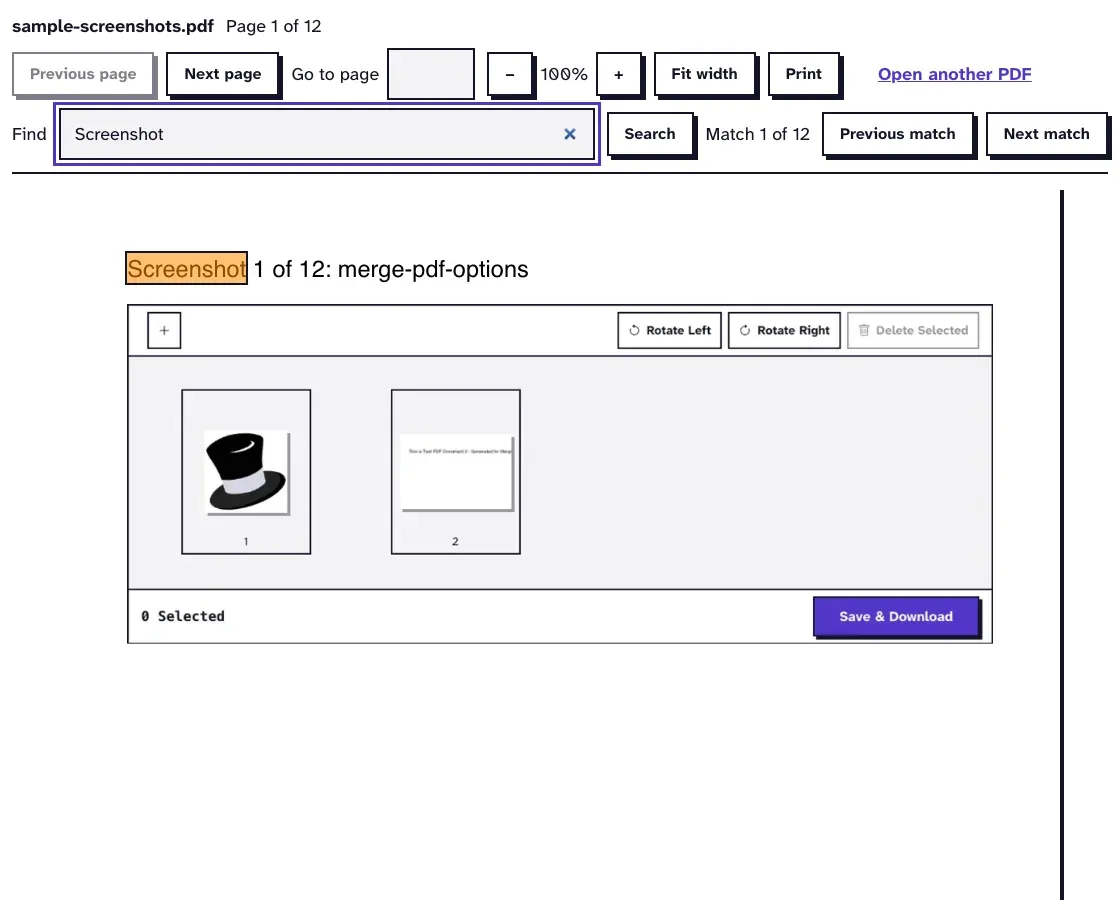
My Scan Selects and Searches Fine in Chrome. Is It Searchable Now?
Not necessarily, because Chrome may be reading the page for you. Chrome's help says scanned PDFs are "automatically converted to be searchable and selectable", on your device, so both tests can pass on a file that holds no text. It doesn't say a downloaded copy keeps that text, so don't count on it.
Test somewhere that only reads what's in the file. We ran our one-line test scan through the PDF Viewer in Chrome 156 on a Mac in November 2026: Find said "No matches" for a word on the page, and pdftotext found no text in the file either. The OCR copy said "Match 1 of 1".
How to Make a PDF Searchable Online for Free
Our OCR PDF tool runs the open source Tesseract engine on every page. You don't need an account, and all you need is a browser, on a Mac too, since the reading happens on our server.
- Open OCR PDF and click Choose Files, or drag your scanned PDF onto the page. Each file can be up to 25 MB.
- Add more scans if you have them. Each one gets its own searchable copy.
- Click Run OCR and wait while every page is read.
- Download the PDF, or a ZIP if you processed several files.
- Open it and search for a word to check that the text is there.
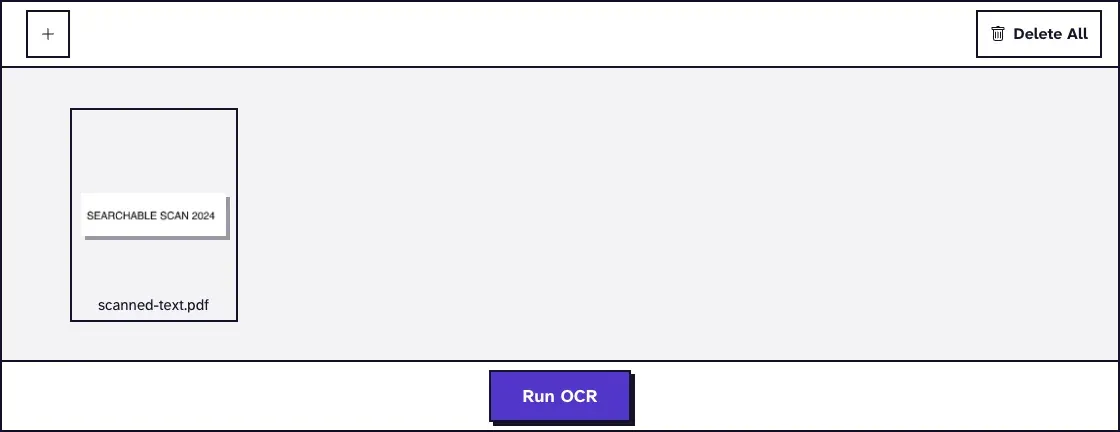
Each page of the result keeps the original picture, with the recognized text laid over it. We ran a one page, 16.0 KB scan through it in November 2026 and got back an 18.2 KB searchable PDF of the same page size.
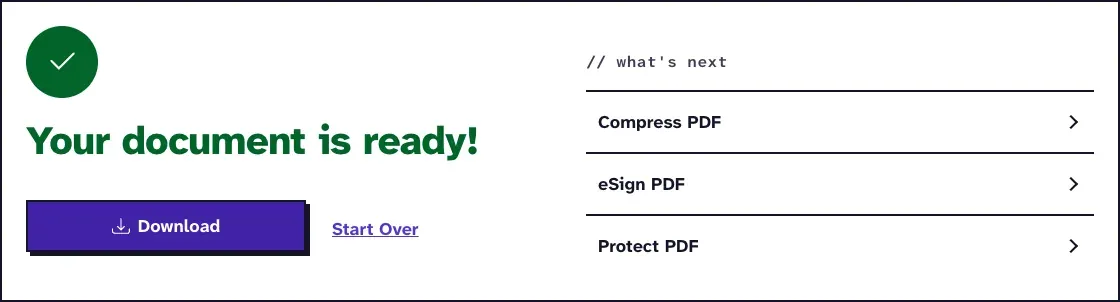
Two limits to know. The tool reads English only, so for other languages see our guide to OCR in more than one language. And your scan and its OCR copy get deleted from our server within two hours.
How to Make a PDF Searchable in Adobe Acrobat
Adobe's guide to making a PDF searchable gives these desktop steps:
- Open the scanned PDF in Adobe Acrobat.
- Head to Tools and select Recognize Text.
- Set PDF Output Style to Searchable Image and select OK.
- Save the file.
Google Drive: Get the Text, Not a Searchable PDF
Google Drive can read the text of a scan too. Right-click the PDF in Drive and choose Open with, then Google Docs.
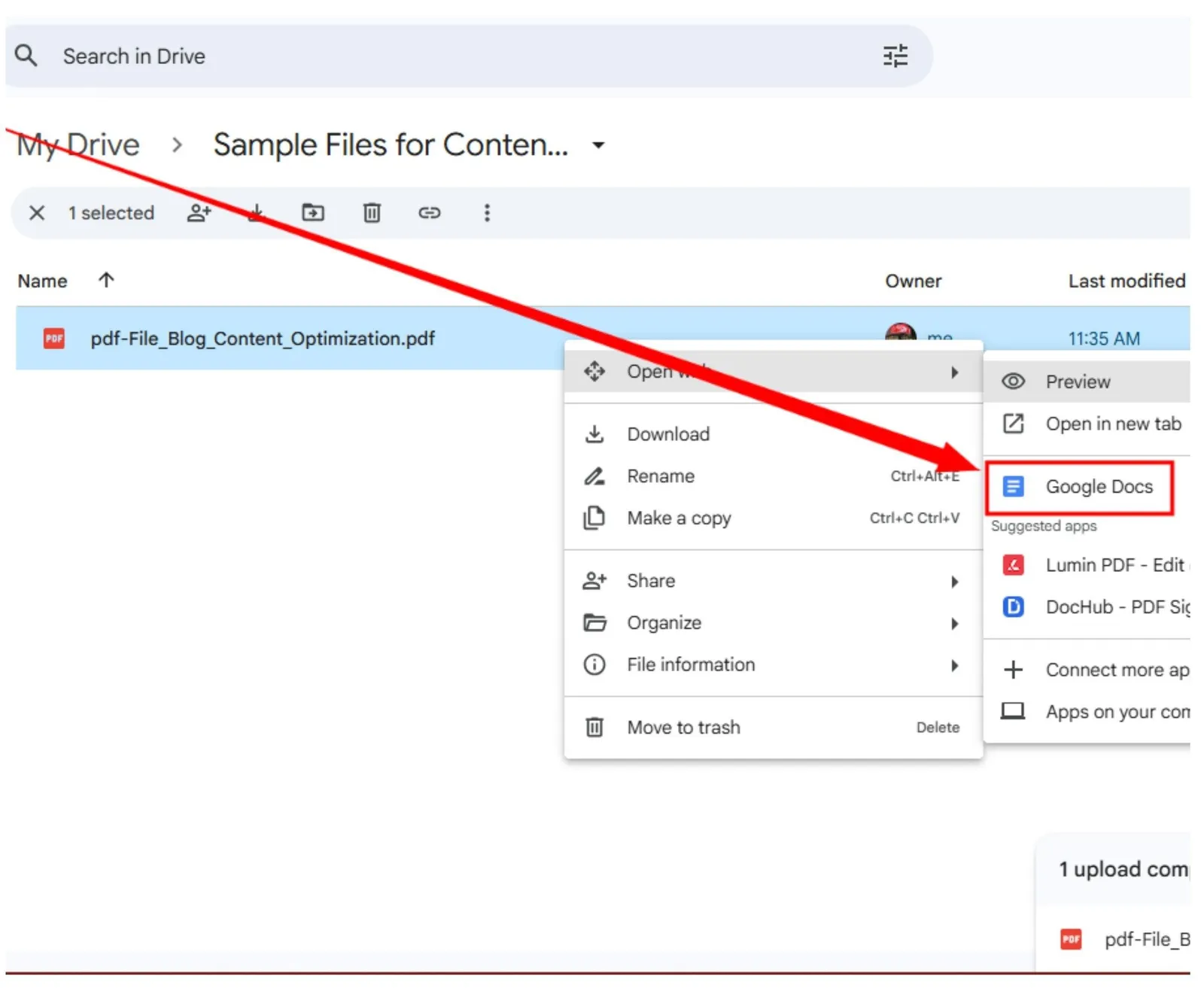
The result is a new Google Doc with the recognized text, not your original PDF with a text layer. Google's help page on converting PDF and photo files to text says files should be 2 MB or smaller and that tables, columns and footnotes often aren't detected. It's handy for getting text out, less so when you need the scan to look exactly as it did.
Searchable PDF or Plain Text: Which One Do You Need?
A searchable PDF keeps the scan as it looks and adds text you can find and copy. Pick that for contracts, records and anything you'll archive or send on.
If you only want the words, to paste into an email or a spreadsheet, run the OCR copy through PDF to TXT for a plain text file. Our guide to extracting text from a scanned PDF covers that route.
How to Get Better OCR Results
OCR is only as good as the scan it reads. These are the fixes that make the biggest difference:
- Straighten the page. In our October 2026 test, a 256 word page scanned straight at 300 dpi read all 256 words; turned just 3 degrees, it got 97. Our guide on how to deskew a PDF shows how.
- Scan at 200 to 300 dpi. In the same test, 200 and 300 dpi read every word and 150 dpi missed three.
- Use dark text on a light background. Shadows, glare and dark mode screenshots all hurt.
- Expect trouble with handwriting. Printed text works far better.
Check names, dates and numbers against the scan afterwards. OCR can mix up look-alike characters such as O and 0.
When OCR Doesn't Work
- The PDF needs a password to open. Remove it first with Unlock PDF if you know the password.
- The PDF already had text. OCR PDF leaves a page with text as it is and reads only the others. Our one text page plus one scan kept all 614 words on page one as real text, the scan page gained its 3 words, and the file grew from 17.0 KB to 19.2 KB.
Frequently Asked Questions about Make PDF Searchable
What's the difference between a searchable and an editable PDF?
A searchable PDF has text you can find, select and copy, but you can't easily change it in place. To edit the words, convert the OCR copy to Word or another editable format.
Can I make a PDF searchable for free?
Yes. Our OCR PDF tool is free and needs no account. Google Drive is free too, but it gives you a Google Doc instead of a searchable PDF.
Does OCR change how my PDF looks?
No. Each page stays as it was, with the text laid over it as an invisible layer, and the pages keep their size.
Can OCR read handwriting?
Not reliably. OCR engines are built for printed text, and handwriting comes out with many errors.
Is OCR always correct?
No. Even a clean scan can produce mistakes like O for 0, so check the parts that matter before you rely on a search.