
Change PDF Metadata: How to View, Edit and Clear Title, Author and Keywords
What a PDF says about itself, how to check it, and how to change or clear it before you send the file.

To change PDF metadata, open the file's document properties, type a new title, author, subject or keywords, and save a new copy. Our free Edit PDF Metadata tool does it, and an empty field clears that property.
Metadata is the information a PDF stores about itself. A wrong title or an old author name travels with every copy you send.
What PDF Metadata Contains
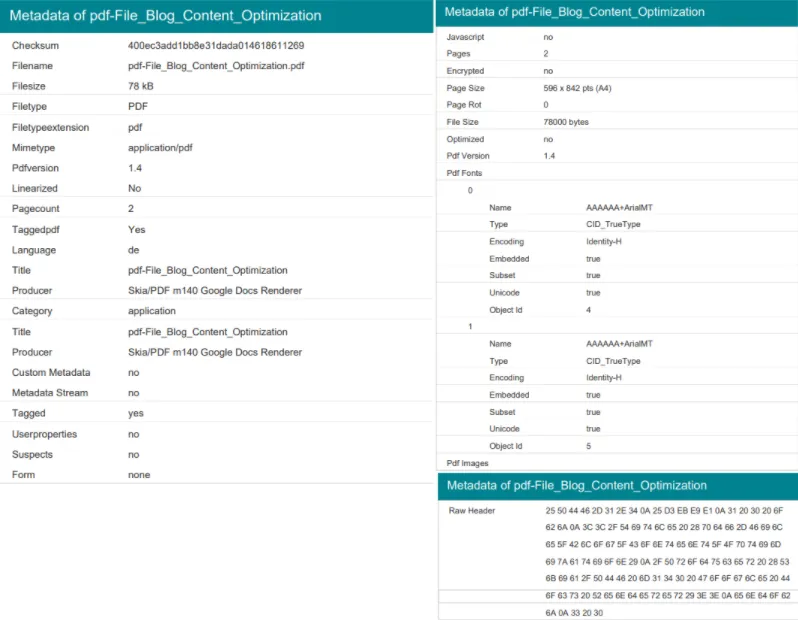
A PDF keeps its basic properties in a document information dictionary. Many PDFs also hold a second copy in an XMP metadata stream.
| Metadata Field | What It Means | Why It Matters |
|---|---|---|
| Title | What the document is called | Shows in document properties and Chrome's tab |
| Author | Who created the PDF | Could be a personal name or work profile |
| Subject | Description of the PDF's topic | May include internal notes or private info |
| Keywords | Terms for search indexing | Can expose sensitive project or client names |
| Creation Date | When the file was made | Reveals timelines, which might be confidential |
| Modification Date | Last time the file was edited | Helpful for version control, or a red flag |
| Application Used | Software used to create/edit the file | Might leak tools or plugins you didn’t mean to |
| Custom Fields | Anything extra added by software | This is where unexpected data often hides |
The application fields are called Creator (the program the document was written in) and Producer (the software that made the PDF). A PDF exported from a Google Doc, for example, lists a Google Docs renderer as its producer.
How to View PDF Metadata
Check what's there before you change anything.
- Preview on a Mac: click the Info button in the toolbar to open the Inspector. Our guide to editing a PDF on Mac covers Preview's other tools.
- Our tool: upload the PDF to Edit PDF Metadata and click Review metadata. The form shows the six values the file holds.
How to Change PDF Metadata Online
You need one PDF, a browser and about a minute.
- Upload the PDF to Edit PDF Metadata.
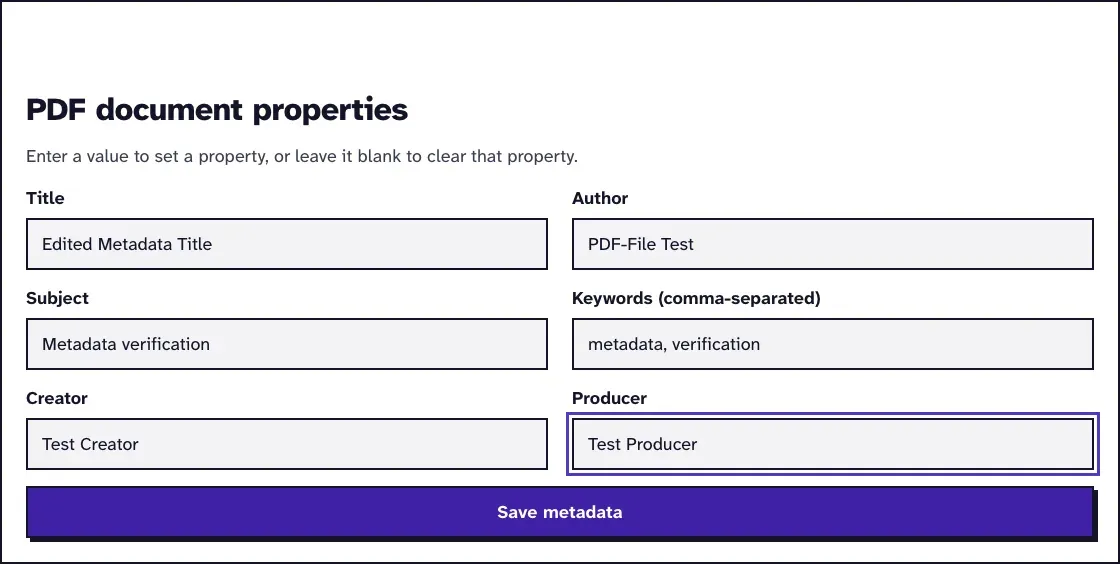
- Click Review metadata to open the form with the current title, author, subject, keywords, creator and producer.
- Type new values, or empty a field to clear that property. Separate keywords with commas.
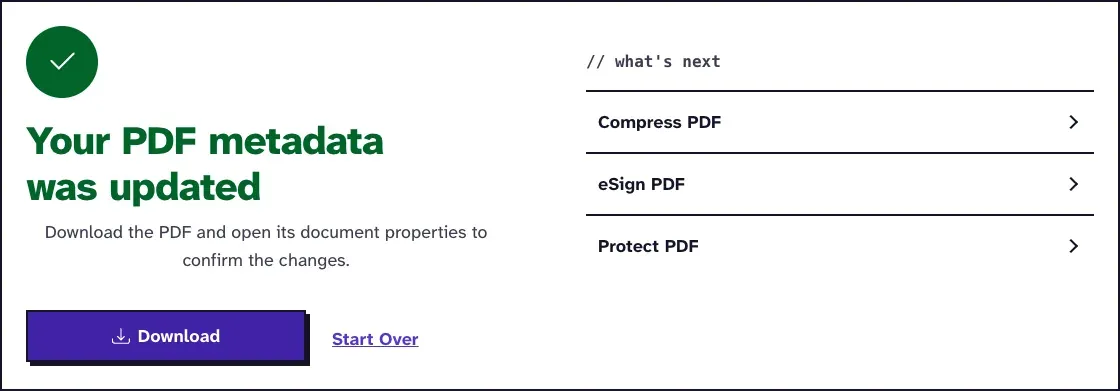
- Click Save metadata and download the updated PDF.
- Open the download's document properties to check the result.
We tested it in November 2026 by changing only the title of a 38.9 KB file; the copy was 37.9 KB, with the producer, dates and document ID unchanged.
How to Change the Title a Browser Tab Shows for Your PDF
Change the Title field. In our November 2026 run, Chrome 156 named the tab after the PDF's Title, and with the Title empty it showed the file name.
We ran one PDF through Edit PDF Metadata twice and opened all three copies from a local server. The original's tab read The Sample Book, the edited copy's read Our New Tab Title, and the cleared copy's read cleared-file.pdf.
In Chrome, a wrong name on a tab is a metadata fix, with no need to touch the file's name. If you'd rather have the file name showing, clear the Title and name the file well, as our guide on how to rename a PDF shows.
What Changing the Metadata Leaves Alone
The tool writes the six properties and nothing else. Pages, text and images stay as they were, and so do the creation and modification dates.
It also removes the XMP stream when it saves, so a reader can't fall back on the old values. We checked this with a Word file exported to PDF by LibreOffice, whose XMP named the author a second time: after saving with new values, and again with all fields empty, the old name appeared nowhere in either file.
How to Remove PDF Metadata Before Sending a File
Clearing the six fields removes the most common leaks: an author's name, an internal title, a project code in the keywords. Then open the downloaded copy in a second viewer and check that the fields really are empty. Our guide to removing PDF metadata shows what those fields give away.
Metadata isn't the only place a PDF keeps information. Names in the page text, comments, form values and attachments stay in the file. Our guide to removing metadata from a PDF before sending it goes through each of them, and Redact PDF removes text from the pages themselves.
For a filled-in form that shouldn't be edited any more, run it through Flatten PDF as well. Flattening with Ghostscript writes its own name into the producer field, so clear the metadata as the last step, as our guide to clearing PDF metadata explains.
Changing PDF Metadata With a Command-Line Tool
- ExifTool: a free command-line tool that reads and writes PDF metadata. Its PDF tag documentation warns that its PDF edits are reversible, because it appends changes, and recommends rewriting the file with qpdf to remove the old values for good.
For a single file, the online editor is quicker. For hundreds of files, a script around ExifTool and qpdf saves you the clicking.
Frequently Asked Questions about Changing PDF Metadata
Does changing the metadata change the PDF's content?
No. The title, author, subject, keywords, creator and producer are stored apart from the pages, so the text and layout stay the same.
Can someone see metadata I cleared?
Not with Edit PDF Metadata: it saves a new copy of the whole file and drops the XMP stream, so the old values aren't kept. Tools that append changes, such as ExifTool on its own, leave the old values in the file until it's rewritten.
Does converting a document to PDF carry over its metadata?
It can. A Word file LibreOffice exported to PDF carried its author into the PDF in our test, so check the properties after every export.
Can I change the creation date of a PDF?
Not with our tool; it keeps the creation and modification dates as they are. ExifTool lists both dates as writable.