
PDF Watermark Remover: How to Remove a Watermark From a PDF, by Watermark Type
Whether a watermark comes off cleanly depends on how it was added. Here's how to tell, and which tool to use for each kind.

A PDF watermark remover only works when the watermark is stored as something it can find: an annotation on top of the page, or page content tagged as a watermark. Marks drawn straight into the page or baked into a scan need an editor or a fresh export of the original document instead.
So the first job is finding out what kind of watermark you have.
Only remove a watermark from a document you hold the rights to or are allowed to change. The US rule is further down.
The Three Kinds of PDF Watermark
- Annotation watermarks: a DRAFT or CONFIDENTIAL stamp stored apart from the page content. You can usually click it and move it, and it shows up in the comments list.
- Tagged watermarks: text or an image drawn into the page but marked as a watermark. Our own Add Watermark tool tags its marks this way.
- Untagged marks and scans: lettering drawn into the page with no tag, or a mark that's part of a scanned picture.
Annotations are part of the PDF format's interactive layer, which sits on top of the page. That's why removing one leaves the text and images underneath untouched.
How to Tell Which Watermark Your PDF Has
Open the PDF in your usual reader. If the mark appears in the list of comments or annotations, or you can click and drag it, it's an annotation.
If you can't select it and it stays when you hide comments, it's page content or part of a scan. Whether it's tagged, one run through a remover tells you.
How to Remove a Watermark With Our Free PDF Watermark Remover
Our Remove Watermark tool takes out watermark annotations and watermarks tagged in the page. It's free, needs no account, and deletes your files from our server within two hours.
- Open Remove Watermark and click Choose Files, then pick one or more PDFs of up to 25 MB each.
- Check the preview to make sure you've got the right files.
- Click Remove Matching Watermark Annotations.
- Download the result (a ZIP for several PDFs) and look through a few pages.
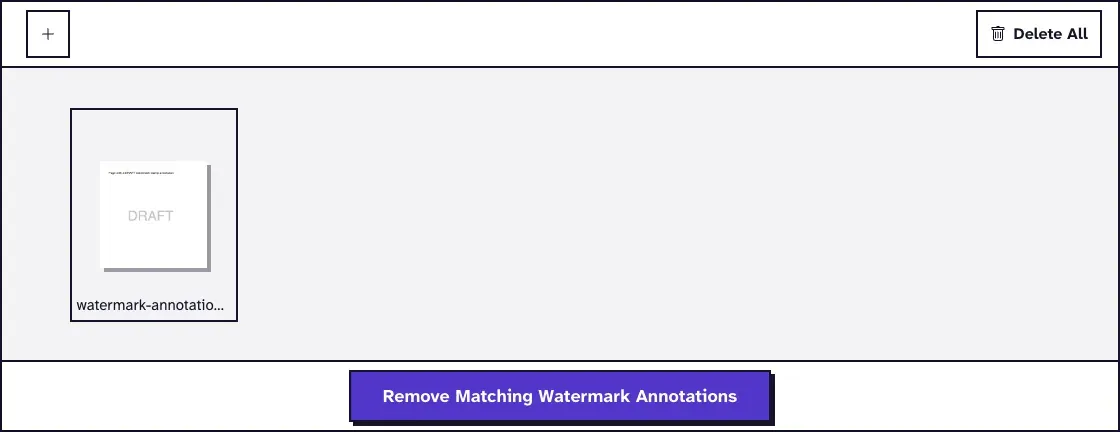
We tested it with watermark-annotation.pdf, a 1.1 KB one-page file carrying one DRAFT stamp annotation. The stamp was gone in the 897 B download and the page text stayed.
The stamp's text left the file too. In November 2026, an uncompressed view of the file (qpdf --qdf) held the word DRAFT only in the page's own sentence. On a 3-page output from Add Watermark, all three tagged marks were gone and the text of all three pages stayed.
What the Remover Takes Out and What Stays
It removes every annotation of the type Watermark, plus stamps and text boxes whose name or text contains watermark, draft, confidential, sample or copy. Sticky notes, highlights and other comments stay; to clear those too, see our guide to removing annotations from a PDF.
That word match is broad: a text box saying "send me a copy" goes too. Read through your comments first if they matter.
Untagged marks stay. In our October 2026 runs, both ways LibreOffice adds a DRAFT watermark to a PDF export came out as untagged page content, so the tool left them alone. For marks like that, export the source document again without the watermark.
When the PDF Needs a Password to Open
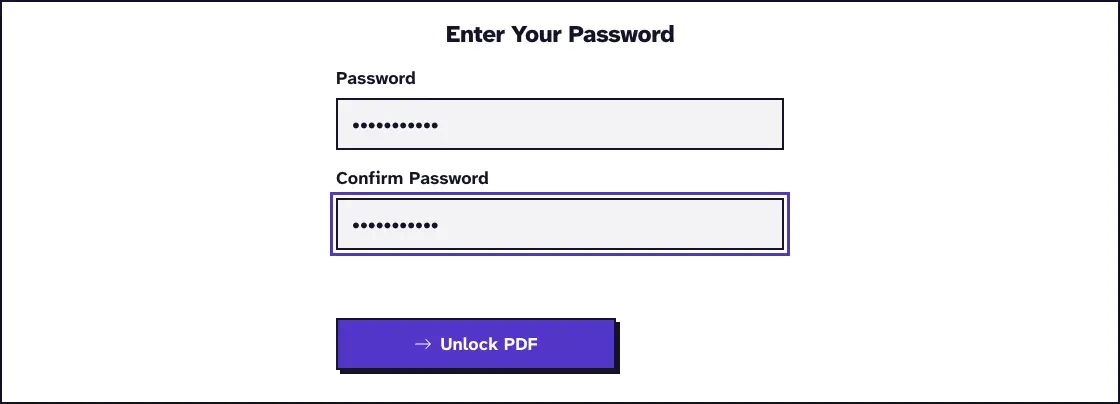
If the PDF asks for a password to open, take that password off first with Unlock PDF. It needs the password and won't guess or crack one.
Removing Untagged Watermarks on Windows and Mac
Re-export the original. If you still have the Word, LibreOffice or design file, take the watermark out there and save a new PDF. Our guide on removing a watermark added by a free converter walks through it.
LibreOffice Draw (free). Open the PDF in Draw, click the watermark text or image, press Delete, and export a new PDF.
When we imported our test PDF with an untagged CONFIDENTIAL mark in November 2026 (LibreOffice 25.2 on Linux), the mark arrived as its own text object, apart from the page's line. We checked the import, not the clicks, so look over the rest of the page afterwards.
Convert through Word. Microsoft's guide to opening PDFs in Word says Word makes an editable copy and tries to match the layout, which might not look exactly the same.
Watermarks on Scanned PDFs
On a scan, the watermark is part of the picture, so no PDF tool can lift it off. Your options are to edit the page images or to get the text out and rebuild the document.
- Save the pages as images with PDF to JPG, clean them in an image editor such as GIMP, and put them back together with JPG to PDF. The text stays an image.
- Or run the scan through OCR PDF (English only) and copy the recognized text into a new document. Faint marks get in the way less: on one generated 381-word page with a diagonal CONFIDENTIAL in November 2026, a 10% gray mark cost no words, 25% cost 4, and 50% or 80% cost about 80.
Is Removing a Watermark Legal in the US?
It can break US law when the mark carries copyright information. Section 1202 of the US Copyright Act says no one may, "without the authority of the copyright owner or the law", "intentionally remove or alter any copyright management information", knowing it will "induce, enable, facilitate, or conceal an infringement". For civil claims, having reasonable grounds to know is enough.
The same section defines that information, and the list includes the title, the author, the copyright owner and the terms of use.
That's the US statute only, and it isn't legal advice. We didn't check other countries' rules, so ask a lawyer if the document isn't yours. Our guide on whether removing a watermark is illegal goes through when it's fine and when it isn't.
Frequently Asked Questions about PDF Watermark Remover
Can a PDF watermark remover take off any watermark?
No. Annotation and tagged watermarks come off cleanly. Untagged marks drawn into the page need an editor or a re-export, and marks in a scan are part of the picture.
Will removing a watermark change the rest of my PDF?
Not with Remove Watermark: it edits the existing file and only deletes matching annotations and tagged parts. Editors like LibreOffice Draw can shift text, so check every page.
Why is the watermark still there after I ran the tool?
The mark was drawn into the page without a watermark tag, so the tool had nothing to match. Re-export the original document without the watermark if you can.
Can I remove a watermark from a password-protected PDF?
Yes, if you know the password it asks for when it opens: remove it with Unlock PDF, then run the watermark remover.
Is it legal to remove a watermark from a PDF?
In the US, section 1202 covers removing copyright information without the authority of the owner or the law, when you know or have reasonable grounds to know it enables infringement. See the section above. Other countries have their own rules.