
ASPX to PDF: How to Open an .aspx File or Page and Save It as a PDF
An .aspx file can be a PDF, a web page or an Office file in disguise. Here's how to tell which one you have and turn it into a proper PDF.

To convert ASPX to PDF, first find out what your .aspx file really contains: it may be a PDF that was saved with the wrong extension, and renaming it to .pdf is all it takes. If it's a web page instead, open it in Chrome and save it with Print, then Save as PDF.
An .aspx file isn't a document format of its own. That's why there's no real "ASPX converter", and why the right fix depends on which of four cases you're in, plus one odd file type.
What an ASPX File Is
ASPX is the file extension of web pages built with Microsoft's ASP.NET framework. When you visit such a page, the web server runs its code and sends your browser ordinary HTML, so you see a normal web page with .aspx in the address.
You end up with an .aspx file on your computer in one of these ways:
- A download link on a bank, government or school site ran through an .aspx page, and your browser saved the PDF it returned under that name.
- You saved a web page whose address ended in .aspx.
- You have a live page open and want a PDF of it.
- A developer sent you source code: the page as written, before the server runs it.
Case 1: The .aspx Download Is Really a PDF
You clicked "download statement" or "print invoice", and a file like GetDocument.aspx landed in your Downloads folder.
- Open the file in Notepad (Windows) or TextEdit (Mac).
- Look at the first characters. If they read
%PDF, the file is a PDF. - Close it, rename the file and change the ending from .aspx to .pdf. On Windows 11, select View, then Show, then File name extensions in File Explorer first, so you can see the ending. On a Mac, Apple's guide to showing filename extensions says to choose Finder, then Settings, click Advanced and select Show all filename extensions.
- Double-click the renamed file. It opens in your PDF reader as normal.
No conversion happens here and nothing gets lost: you've only fixed the name. If the file starts with <!DOCTYPE html> or <html> instead, it's a web page, so go to case 2.
What if the File Starts With Neither %PDF Nor HTML?
If the first two characters are PK, it's a Zip-based file, which is what Word, Excel and PowerPoint files are. We named copies of test.docx, test.xlsx, test.pptx and a plain ZIP as .aspx in November 2026, and all four started with those letters.
To tell them apart, rename a copy to .zip and look inside. A folder called word means .docx, xl means .xlsx, and ppt means .pptx, and with none of those it's an ordinary ZIP.
Give an Office file its real ending, then upload it to Office to PDF (up to 25 MB). Still named .aspx, ours were refused on the page with "This file type does not fit this tool.", and once renamed, all three converted.
A file starting <%@ Page is source code, see case 4. Anything else: ask the site or sender what it is.
Case 2: A Saved .aspx Web Page
A web page you saved from your browser contains the HTML the server sent, so any browser can show it. You have two ways to turn it into a PDF.
In your browser: open the file in Chrome and print it to PDF, as described in case 3. This uses the images and styles your browser saved next to the page.
With our HTML to PDF tool: rename the file from .aspx to .html, then upload it. It renders the page in a real browser engine, keeps the text selectable and the links clickable, and makes A4 pages with a 20 pixel margin. Our guide to converting an HTML file to PDF has print CSS fixes for pages that come out wrong.
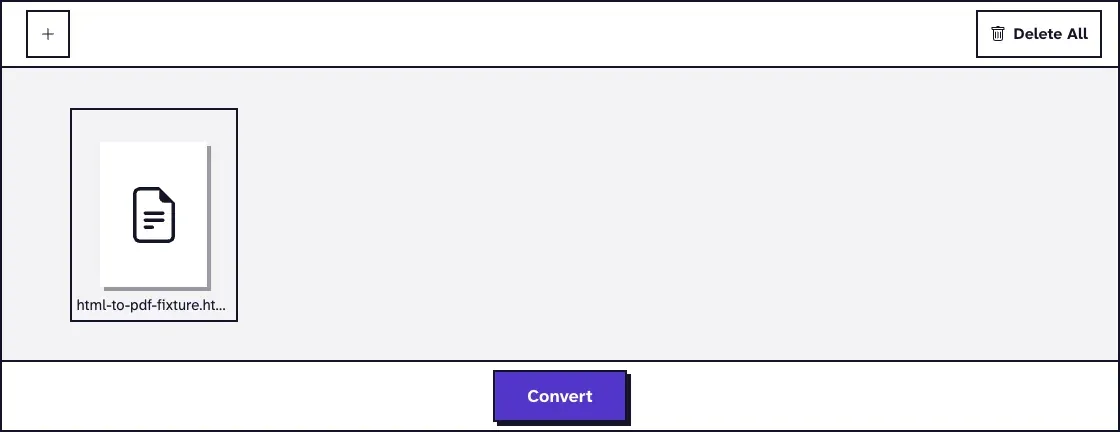
One catch: only the HTML file gets uploaded. Stylesheets and images saved in a folder next to it have nothing to load from, so the PDF can come out unstyled. In that case the browser's own print is the better choice.
A page saved from Safari as a .webarchive takes a different route, covered in our guide to converting a webarchive to PDF.
Case 3: A Live .aspx Page in Your Browser
For a page you can open online, the browser's print function makes the PDF on your own computer.
- Open the page and wait until everything has loaded, including content behind tabs you need.
- Press Ctrl+P on Windows or Cmd+P on a Mac.
- Choose Save as PDF as the destination.
- Click Save.
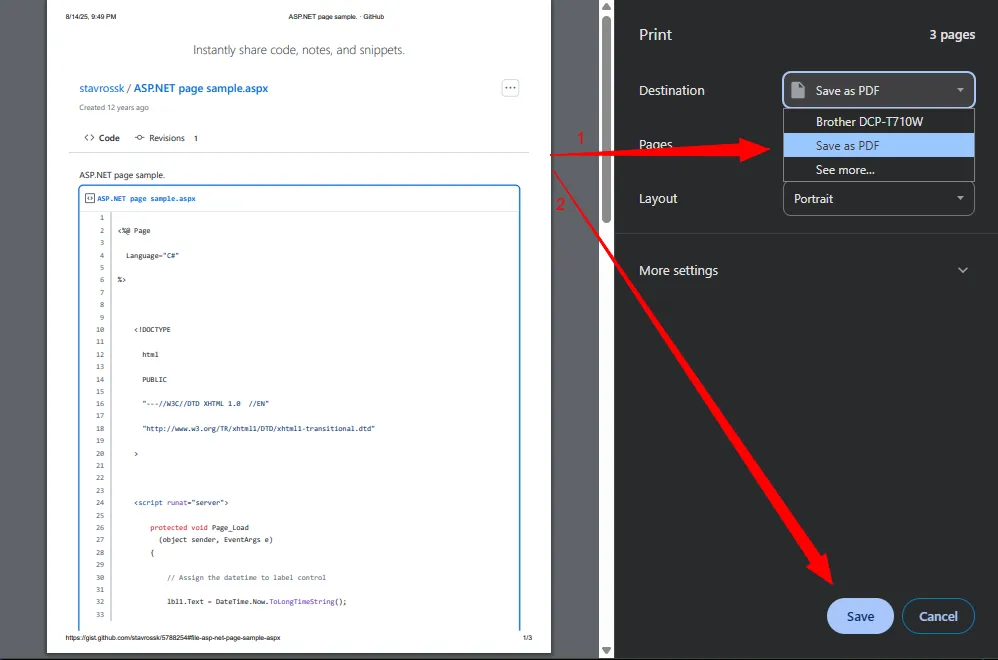
Google's help page on how to print from Chrome covers the print settings in more detail, and our guide to saving a webpage as PDF has the steps for Safari on a Mac and Chrome on Android.
For a public page, our Webpage to PDF tool works too: paste the address and download the PDF. We converted the address example.com with it in October 2026 and got a one-page PDF of 64.9 KB in 1.9 seconds.

It visits the page as a brand new visitor, without your cookies or login. So for your bank statement, a portal or anything behind a sign-in, use your own browser's print instead, or the PDF shows the login screen.
Case 4: ASPX Source Code From a Developer
If the file starts with a line like <%@ Page Language="C#" %>, it's the page's source code. No converter can show you the finished page, because that only exists once a web server runs the code.
To read or print the code itself, rename the file to .txt and convert it with TXT to PDF. To see the real page, ask whoever sent it for the web address, or for a PDF they've printed from their browser.
After You Have the PDF
- Too big to email? Shrink it with Compress PDF.
- Only need a page or two? Pull them out with Extract PDF Pages.
- Part of a bigger set? Combine statements or invoices with Merge PDF.
- Confidential? Add a password with Protect PDF.
Frequently Asked Questions about ASPX to PDF
Why did my PDF download as an .aspx file?
The site served the PDF through an .aspx page and didn't tell your browser the file's real name. It may be a normal PDF, so check that it starts with %PDF, then rename the file to .pdf.
Is it safe to just rename .aspx to .pdf?
Yes, if the file starts with %PDF when you open it in a text editor. Renaming changes only the name. If it starts with HTML instead, it's a web page and needs printing to PDF.
Can I convert ASPX to PDF on my phone?
Yes for a public page: paste its address into our Webpage to PDF tool.