
Kindle to PDF: How to Convert a Kindle Book, and When You Can't
DRM-free Kindle files convert with free software. Books with DRM can't, and here's why, plus when Amazon lets you download the file.
You can convert Kindle to PDF only when the Kindle file is DRM-free and in a format Calibre reads: open it in the free Calibre app and convert it to PDF, or to EPUB and then to PDF with our EPUB to PDF converter. A Kindle Store book with DRM won't convert in Calibre or in our tools.
So the first job is finding out which kind of file you have.
Which Kindle Files Can Be Converted to PDF?
Amazon's ebooks use the Kindle File Format family: AZW, AZW3 (also called KF8) and the newer KFX, plus the older MOBI it grew out of. For AZW, AZW3 and MOBI, DRM decides. KFX isn't on Calibre's list of input formats.
These can work:
- Books the publisher or author sold without DRM.
- MOBI or AZW3 files you made yourself, for example from your own manuscript.
- Ebooks bought outside Amazon as DRM-free MOBI or EPUB files. A store that sends an .acsm file instead is handing you a download ticket, which our ACSM to PDF guide explains.
Books bought in the Kindle Store can carry DRM. If you sent your own document to your Kindle with Send to Kindle, skip the Kindle copy and convert the original file you sent. Our guide to converting many files to PDF at once covers Word and other Office files.
Can You Download a PDF or EPUB Straight From Amazon?
Sometimes. Amazon's help for KDP authors says that since January 20, 2026, verified purchasers can download the EPUB and PDF of a book the author has confirmed as DRM-free, from their Manage Your Content and Devices page.
Borrowed titles don't qualify, including Kindle+ loans, and a book published before December 9, 2025 only gets the option if its author confirms the DRM-free choice. That page is written for authors, and we didn't try the download with an account.
If you get the PDF, you're done. An EPUB goes through EPUB to PDF, up to 25 MB.
What DRM Means for Kindle to PDF
DRM (digital rights management) encrypts the book so it only opens in Amazon's apps and devices tied to your account. Calibre's manual says DRM-protected books can't be converted.
US copyright law (17 U.S.C. 1201) says no person shall get around a technological measure that controls access to a work.
We don't remove DRM, and none of our tools accept Kindle formats directly. If you just want to read a Kindle Store book on another device, use Amazon's free Kindle apps or Kindle for Web in a browser.
How to Convert a DRM-Free Kindle Book to PDF With Calibre
Calibre is a free ebook manager for Windows, Mac and Linux that reads MOBI and AZW3. Its manual says it doesn't support DRM, so for a MOBI or AZW3 file, a failed conversion is a quick hint about which kind you have.
- Install Calibre and open it.
- Click Add books and choose your .mobi or .azw3 file.
- Select the book and click Convert books.
- Set the output format to PDF (or to EPUB, see the next section).
- Click OK, then open the finished file from the Book details panel.
Calibre's PDF output has its own page size and margin settings under PDF output in the conversion window. If the text looks cramped, that's where to change it.
Convert Kindle to PDF Through EPUB With Our Converter
You can also convert the Kindle file to EPUB in Calibre and turn the EPUB into a PDF online. That's also the route for a DRM-free book you already got as an EPUB.
- Open EPUB to PDF and choose one or more DRM-free .epub files.
- Click convert and wait for the result.
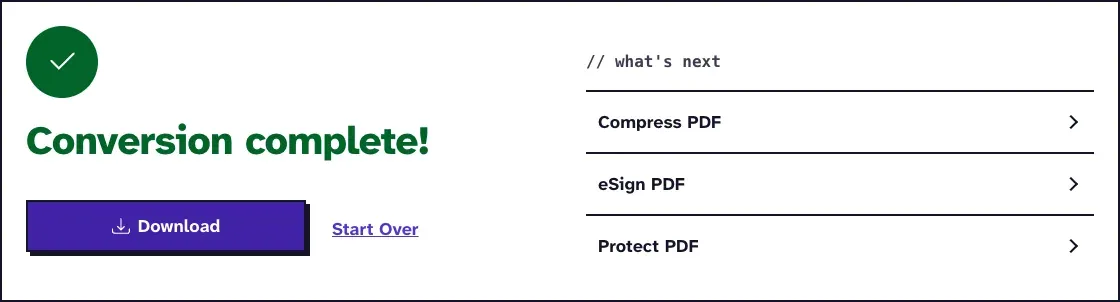
- Download the PDF.
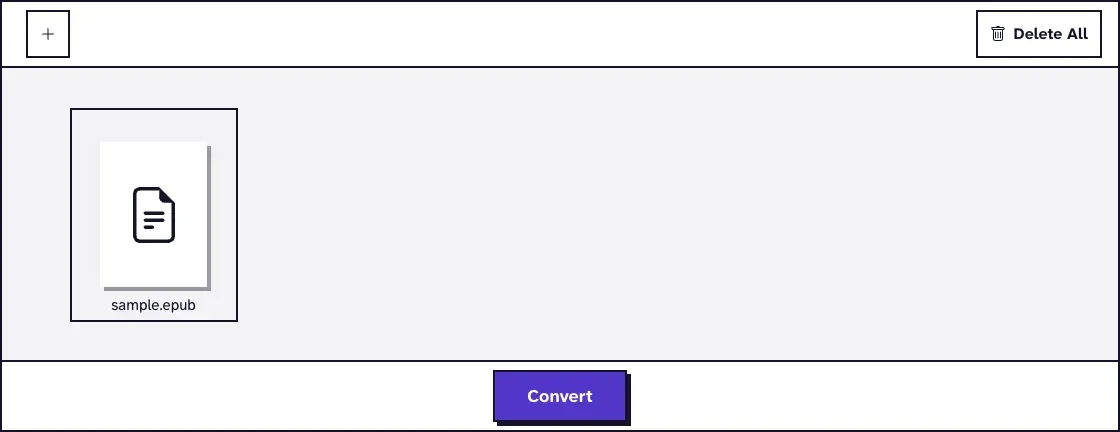
We tried it in November 2026 with sample.epub, a 2.4 KB test book, and got a 9.4 KB, one-page PDF back. Your files are deleted from our server within two hours.
A whole series in separate files? Merge eBook to PDF joins several EPUB or FB2 files into one PDF. It doesn't take MOBI or AZW either.
What to Do With the PDF Afterwards
A long book with pictures can get big. Shrink it with Compress PDF before you send it to a tablet, and pull out one chapter for a study group with Extract PDF Pages.
Going the other way? PDF to EPUB turns a PDF into an ebook whose text reflows to the screen size.
Frequently Asked Questions about Kindle to PDF
Can I convert a Kindle Store book to PDF?
Not if it has DRM, because Calibre's manual says DRM-protected books can't be converted. A DRM-free purchase may have an EPUB or PDF download on Amazon's Manage Your Content and Devices page.
How do I know if my Kindle book has DRM?
For a MOBI or AZW3 file, add it to Calibre and try to convert it. Calibre's manual says it doesn't support DRM, so a protected book won't convert. A KFX file isn't on Calibre's input list, so a failure there says nothing about DRM.
Can pdf-file.com convert MOBI or AZW files?
No. Our ebook converters take EPUB and FB2: FB2 to PDF converts one, and Merge eBooks to PDF combines either. Convert a DRM-free MOBI or AZW3 file to EPUB in Calibre first, or convert it straight to PDF there.
Why does my converted Kindle PDF look cramped?
Ebooks reflow to fit any screen, while a PDF has fixed pages. Change the page size and margins in Calibre's PDF output settings and convert again.