
Convert Multiple Files to PDF at Once: Online, Windows and Mac
One upload for a stack of Word, Excel and PowerPoint files, a batch of photos, or a single LibreOffice command for whole folders.

To convert multiple files to PDF at once, upload them together to a batch converter: our Office to PDF tool takes a mix of Word, Excel, PowerPoint and OpenDocument files in one go and gives you one PDF per file in a ZIP. For a folder of photos, JPG to PDF does the same, and on your own computer LibreOffice converts the files in a folder with one command.
Which way is best depends on two things: what kind of files you have, and whether you want separate PDFs or one combined file.
Separate PDFs or One Combined PDF?
Decide this first, because the tools differ.
- One PDF per file: you keep the file names and can send or archive each document on its own. Use Office to PDF, or JPG to PDF with merging switched off.
- One combined PDF: everything ends up in a single file, in the order you uploaded it. Use Merge Office to PDF for documents, Merge Images to PDF for pictures, and Merge PDF for files that are already PDFs.
How to Convert Multiple Office Files to PDF Online
Office to PDF takes DOC, DOCX, ODT and RTF documents, XLS, XLSX and ODS spreadsheets, PPT, PPTX and ODP presentations, and ODG drawings. You can mix those types in one upload, and each file can be up to 25 MB. Ebooks aren't on that list (our guide to converting a Kindle book to PDF covers them), and our RTF file guide explains how RTF layouts can shift between programs.
- Open Office to PDF and click Choose Files, or drag your files onto the page.
- Add or remove files until the list is right.
- Click Convert To PDF. Each file is converted on its own.
- Click Download. With more than one file you get a ZIP named PDFTools.zip.
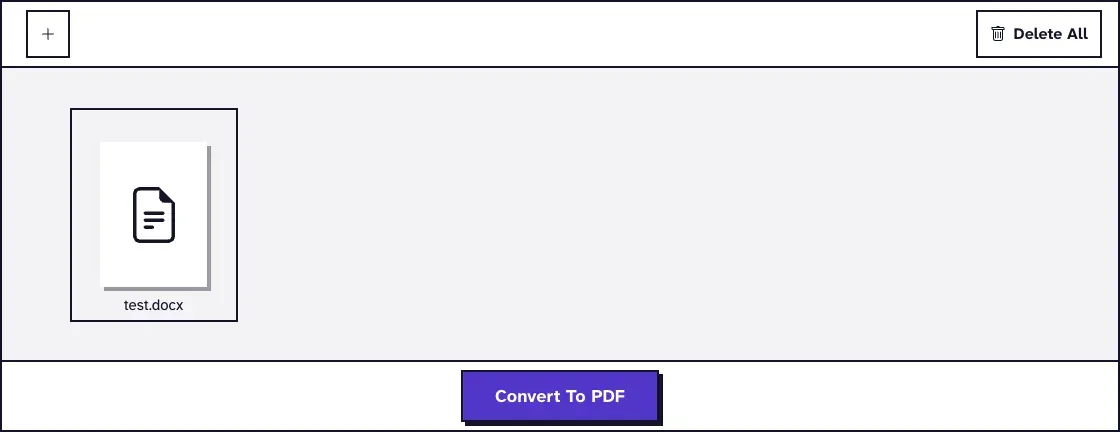
In October 2026 we ran test.docx, test.xlsx and test.pptx through it in one upload, plus an ODP presentation and an ODG drawing. Every PDF kept the page size of its source, and each file took under a second on our test server.
One thing caught us out. The PDFs are named after their source with _OfficeToPDF.pdf in place of the extension, so our three "test" files came back as test_OfficeToPDF.pdf, test_OfficeToPDF_2.pdf and test_OfficeToPDF_3.pdf. Give files distinct names before you upload them.
If one file is refused (a renamed photo, a Word file with a password to open), the rest still convert. An Office file that downloaded with an .aspx ending is refused until it gets its real one, and our ASPX to PDF guide shows how to tell which it is. Uploads and PDFs are deleted automatically within two hours.
How to Combine Several Office Files Into One PDF
When the result should be a single document, use Merge Office to PDF. It converts each file and joins them in the order you uploaded them. We merged test.docx and test.xlsx in October 2026 and got one 3-page PDF of 39.7 KB in 1.3 seconds.
How to Batch Convert Photos and Images to PDF
JPG to PDF takes many images at once, each up to 25 MB. You can drag them into order, rotate single pictures, and pick A4, Letter or the image's own size, plus a margin.
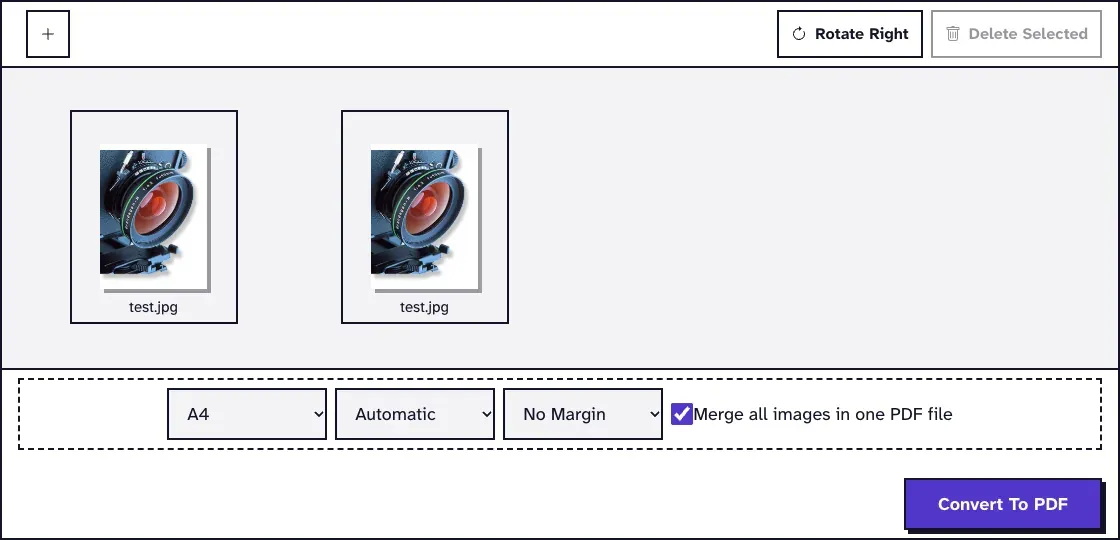
Leave "Merge all images in one PDF file" ticked for a single PDF. Untick it and you get a separate PDF for each image, downloaded together as a ZIP. For PNG, BMP or TIFF files there are matching converters, all listed on our Convert to PDF page.
How to Convert a Whole Folder to PDF With LibreOffice (Windows and Mac)
For hundreds of files, or files you'd rather not upload, the free office suite LibreOffice does the job offline. The LibreOffice start parameters include a --convert-to option that takes a wildcard.
- Install LibreOffice and close it if it's open.
- Open a terminal (Command Prompt on Windows, Terminal on a Mac) in the folder with your files.
- Run the command below. Change
*.docxto*.xlsxor*.pptxfor other types, and changepdfafter--outdirtoo. - Find the PDFs in the folder you named after
--outdir.
1soffice --headless --convert-to pdf --outdir pdf *.docxOn Windows, the same LibreOffice page puts soffice.com in the program folder of your install, with C:\Program Files\LibreOffice as its example, so either type that full path or add the folder to your PATH. On a Mac, it gives the form {install}/program/soffice, with {install} as your LibreOffice folder.
This is the same engine our Office to PDF tool runs on the server.
What the LibreOffice Command Does With Subfolders and Same-Named Files
On Linux, in our run, same-named files overwrite each other and subfolders get skipped. We ran LibreOffice 25.2 in November 2026 on a folder holding test.docx, test.xlsx and a subfolder with another .docx. We didn't run it on Windows or a Mac, so try a small folder first.
Running *.docx *.xlsx on one line works, but test.docx and test.xlsx both became test.pdf. The log said "Overwriting:" and only the spreadsheet's PDF was left, so rename such files first or give each type its own --outdir. Same base names overwrite each other across runs too, if they share an --outdir: *.docx and then *.xlsx left only the spreadsheet's test.pdf.
The wildcard never touched the subfolder, so run the command again inside each one. Our online tool numbers same-named files instead, as described above.
Already Have the PDFs?
If the files are PDFs already and you want to do something to all of them (compress, add page numbers, protect), see our guide to batch processing multiple PDFs.
Frequently Asked Questions about Converting Multiple Files to PDF
Can I convert different file types in one upload?
Yes, with Office to PDF: Word, Excel, PowerPoint, OpenDocument and RTF files can go in together. Images go through JPG to PDF or Merge Images to PDF instead, and our screenshot to PDF guide covers screen captures.
Will I get one PDF or several?
Office to PDF gives one PDF per file, in a ZIP when there's more than one. To get a single file, use Merge Office to PDF, Merge Images to PDF or Merge PDF.
Do the converted files lose quality?
Documents keep their text as text, so it stays sharp and searchable. Fonts that aren't installed on our server get swapped for a similar font: text in Aptos, for example, came out in a serif font in our tests.
Is it safe to upload confidential files?
Files are deleted automatically within two hours, and you don't need an account. If they mustn't leave your computer at all, use the LibreOffice command above.