
IPYNB to PDF: How to Convert a Notebook When You Don't Have Jupyter
Someone sent you an .ipynb file and you just want to read it. Here are the routes that don't need a Python setup.

To convert IPYNB to PDF without Jupyter, upload the notebook to Google Colab and print the page from your browser with Save as PDF. It needs a Google account, and your browser does the rest.
This guide is for people who received an .ipynb file and have no Jupyter installed: a manager, a client, a professor. If you wrote the notebook and have Jupyter running, our guide to exporting a Jupyter notebook to PDF fits you better.
What an IPYNB File Is
An .ipynb file is a Jupyter notebook, and underneath it's a JSON text file. It holds code, notes and, if the author saved them, the outputs: tables and charts stored as data inside the file.
That's why it looks like gibberish in Notepad and why double-clicking does nothing useful. It also explains the most common surprise: you don't have to run anything to see the results, as long as they were saved.
Pick an IPYNB to PDF Route
| Your situation | Best route | Needs |
|---|---|---|
| Want it quickly | Google Colab | Google account |
| You already use VS Code | VS Code export | Extensions and Python |
| You have Python, or got an .html copy | HTML to PDF | Exported HTML |
| None of those | Ask the sender | An email |
Convert IPYNB to PDF in Google Colab
- Go to Google Colab and sign in.
- Choose File, then Upload notebook, and pick your .ipynb file.
- Scroll through and check that the charts and tables are there. Don't click Run all unless you need to.
- Press Ctrl+P (Cmd+P on a Mac) in Chrome and pick Save as PDF as the destination.
- Check the preview, then click Save.
Upload notebook comes from Google's Colab FAQ and the print steps from Chrome's help, and we didn't run this route ourselves. Skip the rerun if you can: the code may need data files and packages you don't have.
Check long lines of code in the PDF, since they can get cut off at the page edge. Also bear in mind the file goes to Google, so check first if the notebook holds anything confidential.
Export From VS Code
VS Code works with notebooks through its Jupyter extension, and it wants a Python environment with the Jupyter package installed.
Click the ... menu on the main toolbar, choose Export, then HTML or PDF. Microsoft's docs say the PDF option needs TeX, so if it asks for that, pick HTML and go on to the next section.
Convert Notebook HTML With HTML to PDF
If you've got Python on the machine, you can install only the converter rather than all of Jupyter:
1pip install nbconvert
2jupyter nbconvert --to html notebook.ipynb
That writes notebook.html without running the code. Or the sender may have given you an HTML copy already, which is often easier than getting the .ipynb to open.
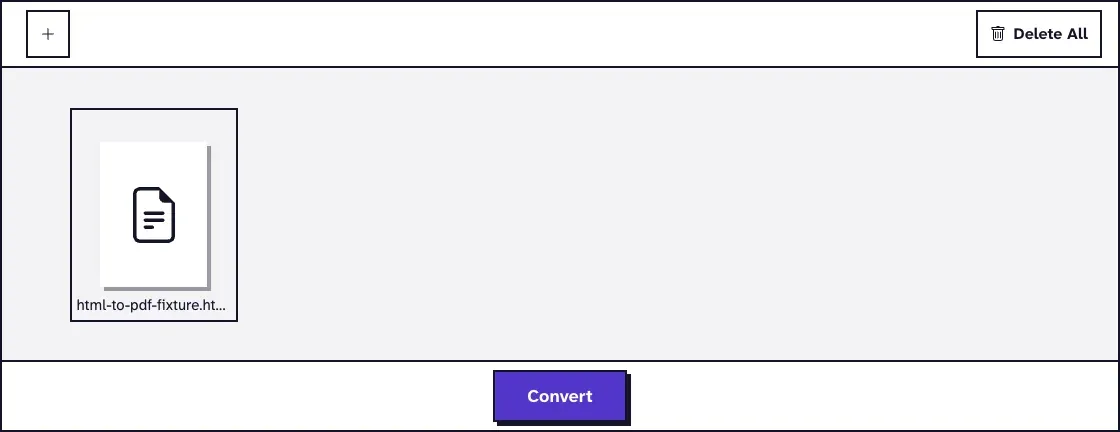
Upload the file to our HTML to PDF tool and click Convert. A headless Chromium browser prints the page, so text stays selectable and links stay clickable, on A4 pages by default. It takes files up to 25 MB and has no settings to choose.
What a Real Notebook Looks Like in the PDF
Charts and math came through, while a wide table and long code lines got cut at the page edge. We wrote a notebook with a saved chart, a 20-column table, a formula and a picture in a notes cell, then ran nbconvert 7.17.1 and HTML to PDF in November 2026 (Chrome on a Mac).
The 318 KB HTML became a two-page, 109 KB PDF. The chart was there, the math was typeset (nbconvert's HTML loads MathJax from cdnjs, and our converter could reach it), and the table stopped after four full columns.
The picture in the notes cell came out as a broken icon, because nbconvert embeds those only if you ask. Add --embed-images and it shows:
1jupyter nbconvert --to html --embed-images notebook.ipynbIt needs the picture file in the same folder. Without it, we got the same broken icon and no error, so ask the sender for it.
For a reader who only wants the results, --no-input leaves the code out. Ours came to one page of 73 KB, with the chart and printed output in place and the same cut-off table, so trim wide tables to fewer columns before you export.
Ask the Sender for a PDF
This may be the quickest route of all. The author has the data, the packages and a working setup, and exporting takes them a minute. It's worth asking, and also the only fix if the file came without saved outputs.
Problems When You Convert IPYNB to PDF
Charts Are Missing From the PDF
The notebook was probably saved without outputs. Open it in Colab or VS Code: if you see only code, the results aren't in the file, and only rerunning the code can bring them back. That usually means asking the author.
Code Lines Are Cut Off at the Page Edge
Wide code doesn't wrap in the HTML route, as our test showed. If the reader doesn't need the code, --no-input removes the problem.
The Error Says xelatex Not Found on PATH
That's nbconvert's PDF route asking for LaTeX, which it uses to make the file. We got "xelatex not found on PATH" from jupyter nbconvert --to pdf, and --to html ran fine on the same notebook, so take the HTML route above and skip the LaTeX install.
The PDF Is Huge
Notebooks with many charts make heavy files. Compress PDF can cut that down, and it's worth checking afterwards that small chart labels are still readable.
Notebooks aren't the only file that needs a program before it turns into a PDF. Our guide to converting an ICS calendar file works the same way, and saving an .aspx file as a PDF is similar.
Frequently Asked Questions about IPYNB to PDF
Can I convert IPYNB to PDF online for free?
Colab runs in your browser and needs a Google account. Our HTML to PDF tool is free once you have an HTML copy of the notebook.
Can I convert IPYNB to PDF without installing anything?
Yes. Colab works in your browser, and the browser's print function makes the PDF.
Do I need to run the notebook first?
No, if the author saved the outputs. Running it can fail without the original data and packages, so try printing as it is.
Why can't I open an IPYNB file by double-clicking?
Your computer has no app registered for it. It's a JSON text file that a notebook app turns into a readable page.