
Extract Text From PDF: Copy a Few Lines or Save the Whole File as Text
A paragraph, a whole document or a scan: three situations, three quick ways to get the words out.

To extract text from PDF quickly, copy it when you need a paragraph and convert the whole file with PDF to TXT when you need all of it. Scans are the exception: they hold pictures of words, so they need OCR first.
Here's how to tell which case you're in, and what each method gives you.
Which Way to Extract Text Fits Your File
Select a single word in your PDF viewer. If you can, the PDF has a text layer and every method below works. If you can only draw a box around the page, it's a scan.
| What you need | Quickest way |
|---|---|
| A sentence or a paragraph | Select, copy and paste |
| All the text of a long PDF | PDF to TXT |
| Text to edit and restyle | PDF to Word |
| Text from a scan or photo | OCR first, then copy or convert |
Copy a Few Lines From Any PDF Viewer
- Open the PDF in your browser, Acrobat Reader or Preview on a Mac.
- Select the text with your cursor.
- Press Ctrl+C on Windows or Cmd+C on a Mac.
- Paste it with Ctrl+V or Cmd+V into Notepad, TextEdit or your document.
Pasted text often keeps the line breaks of the page, so sentences break in the middle. That's normal: a PDF places text line by line and doesn't know where a paragraph ends.
If the paste comes out as boxes and odd symbols, or Copy is grayed out, read our guide to copying text from a PDF when it pastes wrong.
Convert the Whole PDF to a Text File
For more than a page or two, copying gets tedious and error-prone. PDF to TXT reads the text of every page and saves it as a plain text file.
- Open PDF to TXT and upload one or more PDFs of up to 25 MB each.
- Click Convert to Text.
- Download the TXT file. Several PDFs come back together in one ZIP.
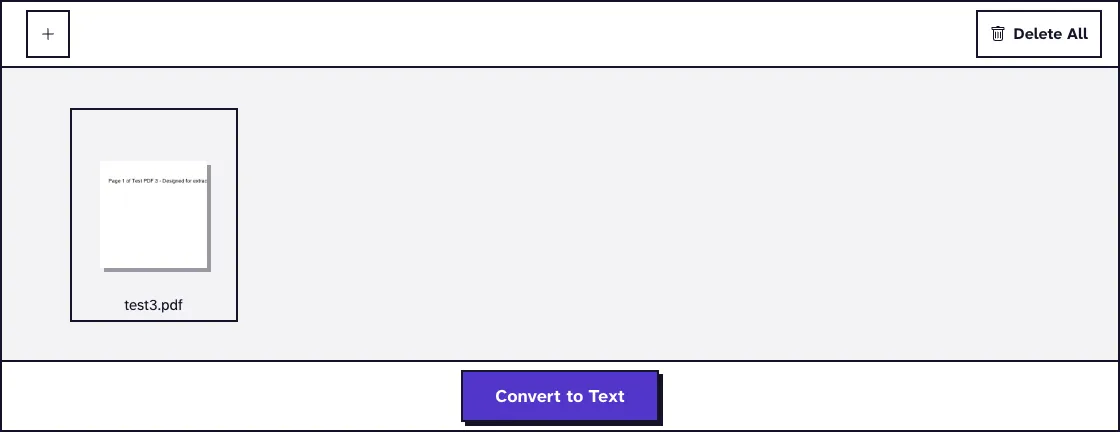
We converted test3.pdf, a 2.0 KB file with five pages of one sentence each, in November 2026. The TXT file was 219 B and held five lines, one per page in page order.
What the Text File Gets Right and Wrong
The converter reads each page with pdf.js and keeps each line of a page as a line in the file. On a page with two columns it reads the left one top to bottom, then the right, and the file is UTF-8.
A blank line separates one page from the next. Bold, fonts, images and link targets are gone. For tables, scans and odd fonts, our guide to picking a PDF to text converter compares what each kind of converter gets right.
For a table you want to sort, PDF to CSV is the better tool, and PDF to Word gives you a file you can edit. To ask an AI about the text, our guide to chatting with a PDF shows when to send the TXT file instead of the PDF.
Extract Text From a Scanned PDF
A scan has no text layer, so PDF to TXT stops with a message that there's no text to convert. Run it through OCR PDF first, which reads English text and adds a hidden text layer. Then copy or convert as above.
Optical character recognition guesses each letter from pixels, so proofread names and numbers. For other languages and more free options, see our guide to extracting text from a scanned PDF.
Images, Signatures and Logos Aren't Text
Text extraction skips everything that's a picture. To get the pictures themselves, our guide to exporting images from a PDF covers it, and our guide to copying a signature from a PDF handles that common special case.
Frequently Asked Questions about Extract Text From PDF
Is it free to extract text from a PDF here?
Yes. You don't need an account, and the files are deleted automatically within two hours.
Can I extract text from only some pages?
PDF to TXT always takes every page. Delete the pages you don't need first, or copy those pages by hand.
Why does PDF to TXT say there's no text layer?
The PDF is most likely a scan. Run it through OCR PDF first and convert the result.
Can I extract text from a password-protected PDF?
Not while it needs a password to open. Remove the password first if you have the right to, then convert it.