Convert PDF to EPUB: Turn a PDF Into an eBook That Fits Any Screen
Which PDFs make good eBooks, how to convert them online or with Calibre, and what to check before you start reading.
To convert PDF to EPUB, upload the PDF to a converter such as our PDF to EPUB Converter and download the eBook, or use the free desktop program Calibre. It works best on text-based PDFs, like novels, reports and articles.
The reason to bother: a PDF page has a fixed size, so on a phone you pinch and scroll. An EPUB lets the text flow to fit the screen and the font size you pick. If you'd rather listen than read, our guide to turning a PDF into a podcast covers text to speech.

What EPUB Does That a PDF Can't
EPUB is the standard eBook format. Its text is reflowable: the reader app wraps lines to the screen, and you choose the font, size and spacing.
A PDF does the opposite. It keeps every page exactly as it was laid out, which is great for printing and awkward on a 6-inch screen.
Apple says its Books app can import many EPUB books, Google Play Books takes EPUB uploads, and Calibre reads them too. For a Kindle, our guide to sending a PDF to a Kindle covers the app, email and EPUB routes.
Which PDFs Convert Well to EPUB
- Good candidates: books, reports and articles made of running text.
- Odd results: tables turn into plain lines and footnotes become ordinary paragraphs (details below).
- Keep as PDF: comics, picture books and forms. They depend on their exact layout.
- Scans need OCR first: a scanned PDF holds pictures of pages, and they stay pictures in the eBook.
For a scan in English, run it through OCR PDF first so it has real text. Our OCR reads English only.
How to Convert PDF to EPUB Online
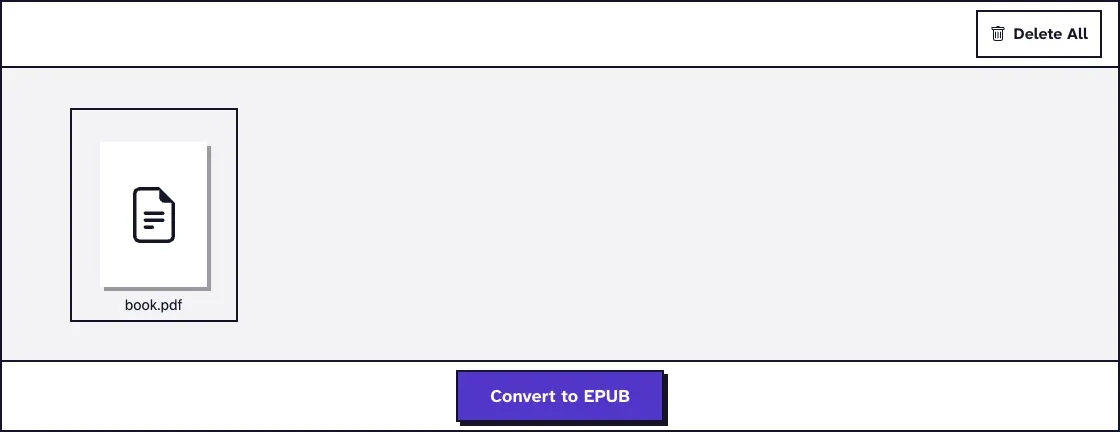
- Open the PDF to EPUB Converter and click Choose Files.
- Choose your PDF and click Convert to EPUB.
- Download the EPUB file when it's ready.
- Open it in Apple Books or Calibre.
It's free and you don't need an account. The upload and the eBook are deleted from our server within two hours.
What Happens to Your PDF During the Conversion
The converter reads every line of text along with its font size. Text set clearly larger than the body becomes a heading, up to three levels deep, and the book is split into chapters at the top two levels.
Lines of a paragraph are joined up, including a paragraph that a page break cut in two. Running titles and page numbers that repeat on many pages are dropped, and pictures are saved as PNG images in their place in the text.
We tested it in November 2026, in Chromium on a Mac, with book.pdf, a 4-page test book of 27.8 KB with two chapters, a picture, a running header and page numbers. It came back as a 27.1 KB EPUB with both chapters and the picture, and without the header or page numbers.
What Happens to Tables and Footnotes?
On our November 2026 test PDFs, tables lost their structure and footnotes became ordinary paragraphs.
A four-row table came out as four plain lines like "Apples 3 1.20", with no table in the EPUB. A footnote at the bottom of a page became its own paragraph after the one it interrupted, so a sentence that ran on to the next page stayed whole.
A book that depends on its tables is better kept as a PDF, since no table came through as one.
Title, Author and Cover: What to Fix After Converting
The eBook gets the PDF's title and language, but no author and no cover. The language is the one the PDF declares, or a guess from the words of its text, with English as the fallback.
Set the author and cover in an eBook manager such as Calibre before you add the book to your library.
How to Convert PDF to EPUB With Calibre
Calibre is a free eBook manager for Windows, Mac and Linux that also converts files on your own computer.
- Click Add books and choose the PDF.
- Select the book and click Convert books.
- Set the output format to EPUB and click OK.
- Open the finished EPUB from the Book details panel.
Calibre has a command-line converter too: ebook-convert book.pdf book.epub does the same in one line, which helps when you have a folder of PDFs.
Fix Broken Paragraphs in Calibre
Lower the line un-wrapping factor under PDF Input in the conversion settings. Calibre's manual gives it as a decimal between 0 and 1, default 0.45, and a lower value includes more text in the unwrapping.
Headers and footers can throw that off, and the manual says to remove them in the Search and replace panel. It also says multi-column documents aren't supported. We took these from the manual and didn't run Calibre.
Prepare the PDF Before You Convert It
- It asks for a password? Remove it with Unlock PDF first. You need the password for that.
- Only want a few chapters? Copy those pages into a new PDF with Extract PDF Pages and convert that file.
- Want to edit the text instead of reading it? An EPUB is a poor editing format. Convert the PDF with PDF to Word instead.
Check the eBook Before You Start Reading
Open the table of contents first. Every chapter should be listed under its own title; a missing one means its heading was about the same size as the body text, so it got joined to the chapter before.
Then leaf through a few pages. Look for pictures in the right places and paragraphs that run on across the old page breaks. If a book with tables comes out jumbled, keep reading the PDF.
Frequently Asked Questions about Convert PDF to EPUB
Will my EPUB look exactly like the PDF?
No, and that's the point: the text flows to fit the screen. Fonts, page layout and columns aren't kept.
Why are my chapters missing after converting?
Chapters are found by their larger headings. If the PDF's headings are the same size as the body text, you get one long chapter.
Can I convert a scanned PDF to EPUB?
Only after OCR. Without a text layer, the pages stay pictures in the eBook, and the text won't reflow.
How do I turn an EPUB back into a PDF?
Use our EPUB to PDF tool. It lays the eBook out on printable pages.