
To export emails to PDF for legal discovery, preserve the native messages first, then create PDFs as traceable review copies. A PDF helps with reading, page citations and redaction, but it can drop headers, mailbox metadata and the link between a message and its attachments.
Your collection plan, preservation duties, protective order and production protocol decide what you must keep and hand over. This guide covers file handling and quality control; it does not decide relevance, privilege or legal sufficiency.
Create an Email PDF Review SetDefine the Review Copy's Scope
Before converting anything, write down the custodians, accounts, date range, time zone, search criteria and the purpose of the PDF set. A chronology for counsel, a privilege review binder and an agreed production need different levels of completeness.
Record who applied any filter, when, and with which criteria. Note whether deleted items, drafts, calendar entries or chat messages were in scope, because a filtered export without that record is hard to defend later.
Confirm That Online Processing Is Authorized
Our email tools send the files to our server for conversion. Do not upload privileged, confidential, sealed or personally sensitive material unless counsel, the client, any protective order and your security policy all allow it.
If those conditions require controlled infrastructure, use your organisation's approved review platform instead of a browser tool.
Preserve Native Messages and Custody Records
Keep the collected EML, MSG, PST or MBOX files unchanged in their approved evidence location. Record the custodian, source account, collection date, collector, method, time zone, export settings and file size, and calculate hashes under your established process before making working copies.
Hash values show whether a file changed, but they do not say how it was collected or who handled it. Keep a custody record of transfers, handlers, storage locations and working copies, and never describe a conversion tool as proof of authenticity.
Collection systems can supply some of this for you. Google Vault's export documentation says a Gmail export comes as PST or mbox files, with a metadata file and the information needed to show that the exported data matches what Google stores.
How to Export Emails to PDF for Legal Discovery
- Confirm that the native source and its hash or collection record are already preserved.
- Create the authorized working selection and record every stable identifier in it.
- Give each file a name that starts with its review identifier, so the order and source stay visible.
- Upload one message to Email to PDF, one mailbox to MBOX to PDF, or a group of .eml and .mbox files to Merge Emails to PDF in the order your review plan sets.
- Download the result under a derivative name that identifies the custodian, batch and processing date.
- Record failures, rejected files and attachment exceptions before you continue.
Use Email to PDF for a single .eml, MBOX to PDF for one mailbox file, or the Merge Emails to PDF tool for an ordered set. Each file can be up to 25 MB, and the files of one merge 25 MB together. Outlook .msg or PST files are not accepted, so they need an export to .eml or .mbox first.
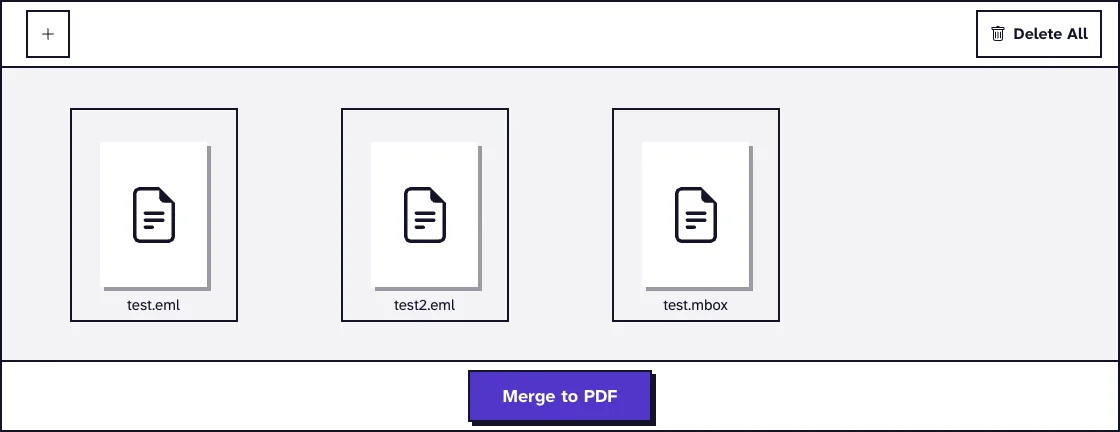
In our run with those three test files, the tool produced a six-page PDF: a contents page listing five subjects, then one page per message in upload order. The mailbox's three messages sat where the MBOX file stood in the list.
What the Email PDF Leaves Out
Each message page shows the subject and the From, To, CC and Date lines, followed by the body as plain text. BCC, Message-ID, routing headers and authentication results are not printed, and HTML layout, inline images and tables are not reproduced.
Every date is printed in GMT, whatever time zone the message was sent from. Keep the original header value next to any time you cite, and document any conversion to local time.
Attachments appear only as a list of file names and sizes. The PDF's own document properties name PDF-File.com as the author, so they describe the conversion, not the email.
Keep Messages and Attachments Traceable
Preserve the parent and child relationship between each email and its attachments. Keep a manifest with the parent review ID, the attachment ID, the native file name, the hash where required, the conversion status and the PDF page range.
Record password-protected, corrupted, unsupported or empty attachments as exceptions instead of dropping them silently. If the protocol requires native delivery for spreadsheets, databases or audio, do not flatten them just to build a uniform binder.
Document Threading and Deduplication Choices
Threading and deduplication reduce repetitive review, but they also change which items appear in a set. Our converters do neither, so a merged PDF repeats every duplicate it receives; use a qualified review system when the plan depends on those steps.
Reconcile the PDF Set With the Collection
Compare source and output counts by custodian and batch, and account for every difference. The contents page of a merged PDF lists one numbered subject per message, which makes the count easy to check.
Sample the hardest messages: long threads, non-English text, right-to-left scripts, inline images, calendar invitations and unusual attachments. Check sender, recipients, subject, date, body and page boundaries, because a finished download does not prove that every item rendered correctly.
Search the PDF for a known phrase, but do not treat searchability as the only completeness check. Open the copy in a second viewer and compare representative pages at normal size and high zoom.
Keep Exceptions Visible
Keep an exception register keyed to stable source IDs, noting whether an item was unsupported, malformed, encrypted, missing an attachment or excluded under an approved decision. Record who resolved each one and how, and never replace an uncertain header, date or name with a guess.
Review Copies Versus the Production Format
A PDF review set is not automatically an acceptable production. Under Rule 34 of the Federal Rules of Civil Procedure, if a request names no form for electronically stored information, a party must produce it in the form in which it is ordinarily maintained or in a reasonably usable form.
A protocol may also require natives, extracted text, load files, family relationships, Bates ranges or confidentiality designations. Use qualified people and systems for those deliverables, and make annotations or redactions in a separately controlled copy.
Confidentiality labels deserve the same care. Removing a CONFIDENTIAL or DRAFT mark from a review copy does not change the document's status, as the guide on removing a DRAFT stamp from a PDF explains.
At handoff, give the team the manifest, the exception register, a description of the conversion and the location of the preserved natives. For mailbox and client specifics, see how to open an MBOX file without an email client, how to save Outlook email as PDF with attachments and how to save a Gmail thread as PDF.
Frequently Asked Questions about Exporting Emails to PDF for Legal Discovery
Are email PDFs native evidence?
Treat them as rendered copies unless your protocol says otherwise, and keep the native messages, metadata, attachments, hashes and collection records.
Does the conversion preserve chain of custody?
No. Custody is documented through your collection and evidence-handling process, and the converter does not create that history.
Which email files can the tools convert?
EML files, and MBOX files through MBOX to PDF or Merge Emails to PDF. Outlook MSG and PST files need an export first.
Why do the times in the PDF differ from the mail client?
The converters print every date in GMT. Keep the original header value whenever a time matters to the matter.
Can confidential discovery material be uploaded?
Only when the responsible legal and security authorities allow this kind of server-based processing for that material.